1
iDataFax User Guide
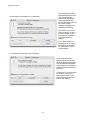
resolved NA - the requested data/information is just not available
resolved irrelevant - it was an unnecessary query to begin with
5.3. Queries View Menus
This section describes the options available under the menu labels: File, View, Show, Query, and Help,
which appear at the top of the screen. The File, View and Help menus are the same across all views and
have already been described above for the Data view. Show and Query are the only menus containing
options specific to the Queries view.
5.3.1. The Show Menu
The Show menu is used to select the queries to be displayed in the queries table. The following options
are available:
All Queries - show all queries
Outstanding Queries - show queries that still need to be addressed
Resolved Queries - show queries that have been resolved
Pending Queries - show queries that are awaiting central office review
Overdue Visit Queries - show outstanding queries for assessments that are overdue
Missing Page Queries - show outstanding queries for pages that need to be completed
Data Correction Queries - show outstanding queries that request data corrections
Data Clarification Queries - show outstanding queries that require a detailed reply
Outstanding Queries Created in the Past - show outstanding queries added in the past 5, 10, 15, 20,
25 or 30 days
Outstanding Queries Created More Than - show outstanding queries that are older than 5, 10, 15, 20,
25 or 30 days
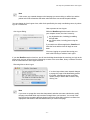
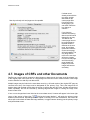
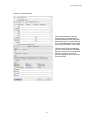
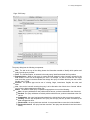
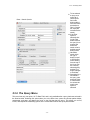
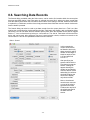
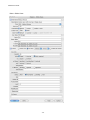
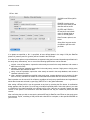
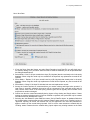
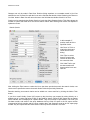
Search Queries - displays a dialog used to search for queries with specified properties as illustrated
below.
- 72 -