1
uoSyllabus – User Guide
1. Introducing uoSyllabus
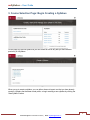
The online uoSyllabus module allows you to create course syllabi that follow both best
practices in university education, the Accessibility for Ontarians with Disabilities Act, 2005, and
Academic regulation 8.5 of the University of Ottawa Senate.
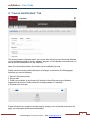
The module includes ten (10) tabs that enable you to create a detailed description of your
course content and its various components. In the following pages you will find a detailed
description of each of these sections as well as clarifications and tips to help you complete the
online module.
What you need to know before you begin:
1. Compatible Web browsers: Internet Explorer or Google Chrome. Do not use Firefox;
2. This user guide can be accessed on each page of the online module;
3. Any syllabus created by the module is available in PDF format and complies with the
current rules regarding accessibility;
4. There is no section of the module that must be filled out for the syllabus to be created;
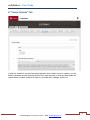
5. The
tool in the upper right corner of the module allows you to change the module’s
interface language and to log out;
6. Any document that you deem appropriate to your syllabus can be appended directly
from the online module;
7. All information added will be saved automatically when you move to another section;
8. Once you choose the “Publish” option, the syllabus will be sent automatically to
students’ uoZone accounts;
9. If you experience technical problems (connecting to the site, compatibility with your Web
browser, please call 613-562-5800, ext. 6555. For questions regarding educational
matters or relating to content in the module, please email [email protected];
10. You can modify your syllabus as needed and the updated version will automatically
appear in the syllabus available in your students’ uoZone account.
3
Technical Support 613-562-5800 ext. 6555 | Email [email protected]