1
7
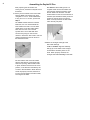
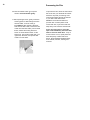
VIEW: Select VIEW to compose an
image on the dark slide focusing
panel. This setting activates the
lamp that illuminates your image
onto the dark slide.
Note: With VIEW selected, you
cannot preview the effects of any
color filtration on your projected
image.
Caution: Never leave your slide under
the view lamp longer than necessary.
Heat from the lamp can damage
your slide.
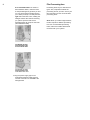
OFF: After you compose and focus
your image, return the switch to
OFF until you are ready to make a
print. This helps extend the life of
the VIEW lamp. When you finish
using the Daylab 35 Plus, return the
switch to OFF.
PRINT: Select PRINT when you are
ready to make an exposure.
Setting the Exposure Controls
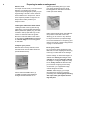
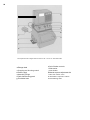
On the front of the Daylab 35 Plus enlarger
head are the four controls that let you set
film type and make an exposure: the
automatic exposure switch (M), the VIEWOFF-PRINT switch (L), the manual
exposure adjustment dial (K) and the
START button (J).
The Daylab 35 Plus has a built-in exposure
sensor that measures the density of your
slide and automatically sets the intensity of
the electronic flash. Combining the functions of the automatic exposure switch and
the manual exposure adjustment dial, you
can fine-tune the exposure of your print.
The automatic exposure switch (M)
You can choose from three set exposure
times. For recommendations for specific
exposure settings for the type of film you
are using, refer to the chart below. As a
general rule, use the settings as follows:
Setting 1: For use with Polaroid 8 x 10 in.
Type 809 peel-apart instant film.
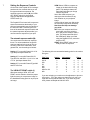
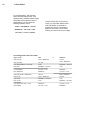
The following is the recommended starting point for the various
film types:
Setting 2: For use with Polaroid SX-70,
Type 669, 59, and 559 3 1/4 x 4 1/4 in. and
4 x 5 in. peel-apart instant films.
Film Type
Setting 3: For use with Polaroid Type 689
and Pro 100 films.
The VIEW-OFF-PRINT switch (I)
With three settings: VIEW, OFF, and
PRINT, use this switch to select the proper
light source as you compose an image on
the darkslide/focusing panel or as you print
an image.
SX-70
559
59
664
669
689 Pro 100
809
Setting
Adjustment
2
2
2
3
2
3
1
-3
0
0
-1
0
-2
0
Filters
0
0
0
0
0
0
0
0
0
0
0
0
0
0
0
0
0
0
0
0
0
If you are enlarging you need to turn the adjustment o plus one
click to the +. If you are using more than 30cc’s of color, you
might also have to add another click. If you have any questions, please call Daylab at 800-235-3233.