1
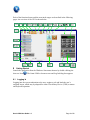
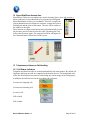
The Screen has been laid out in functional areas to group tasks. The diagram below
shows the functional area groupings.
Action Tool Bar
Area
Communications
Control Area
Speed Dial/Direct
Access Area
Resource Control
Area
System Status and IM Status Area
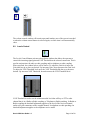
The static and dynamic windows features of Omni-COM such as drag and drop allow the
users to take advantage of many features available within the Omni-COM application
suite.
Highly scalable from small mobile applications to large command center environments,
the display provides effortless and immediate operator access to the wide range of OmniCOM voice, video and data features.
Omni-COM User Guide 1.3
Page 8 of 28