1
Prolonging Subscriptions
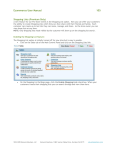
The subscriptions can be prolonged from the My Account → My Subscriptions page. Click Edit in the required
subscription row to display the following:
In the My Subscriptions – Subscription Details page click the Prolong subscription link. It will lead you to the
Shopping cart page.
If you want to make changes in the subscription, click the Edit button, specify item parameters, and then click the
Update Cart button.
If all the parameters are right, just click the Proceed to Checkout button and continue checkout. As a result, a new
subscription will appear in the My Account → My Subscriptions page.
Copyright (c) 2008-2012 aheadWorks Co. www.aheadworks.com
Subscriptions and Recurring Payments User Guide
29