1
Introduction
Scope
ACCISS is designed to facilitate and centralize the common kinds of image processing tasks being performed at the UNB
MRI Centre, such as Fourier transformation of signals from the three primary spectrometers, manipulation of 2D and 3D
datasets, and creation of images suitable for publication. It generally does not implement special functions that would be
specific to a single experiment or a single person’s research.
Functionality Summary
ACCISS is outfitted to provide a wide range of image and signal analysis functions. The software can currently do the
following:
-
-
Read most files generated by the DRX, Apollo, Libra and GE spectrometers
Perform Fourier transforms in up to three dimensions with a variety of options, including baseline and phase correction,
filtering, and zero filling, as well as a choice of which dimensions to transform
Perform Chirp Z-Transform on a dataset or a series of images in up to three dimensions with a variety of options,
including a selection of the number of time points being processed, baseline correction, as well as a choice between doing
a simple CZT and averaging all points to increase SNR.
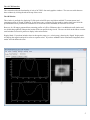
Generate a 3D view of a dataset that can be interactively rotated or magnified
Extract and display arbitrary 2D image slices from the transformed 3D dataset
Extract 1D X and Y profiles from a 2D image or slice, and save them to a file
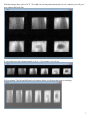
Create animations of 2D or 3D data than can be made into a QuickTime movie (this function can also be used as an
efficient way to generate many different images of data)
Selectively view real, imaginary, magnitude and phase angle data channels
Combine multiple files into a single unit for bulk analysis purposes
Save a transformed/processed dataset so it can be closed and re-opened later, or used in another program
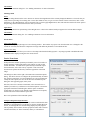
Copy image displayed in the main window to a new window for comparison purpose.
Save images in TIFF, JPEG, or PIC formats
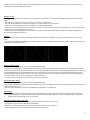
Perform scaling of 2D images over a single image (local), a set of images (global) or over all sets of images (super
global)
Running ACCISS
ACCISS was developed under Research Systems Inc.’s IDL 6.4 Programming Environment. Normally, IDL 6.4 needs to be
installed with a valid license and you can run ACCISS at the IDL command line. The detail information on how to run
ACCISS on Windows and Macs is described below.
How to run IDL (and ACCISS) on Windows:
1. Start IDL first.
2. If you want to run ACCISS, simply enter the command "acciss" at the IDL command line. Note that the other MRI programs should
have a command name which can be entered in a similar manner, for example "unifit", "impstar", and "unisort".
How to run IDL (and ACCISS) on MAC OS X:
Note: these instructions have changed. Previously, OroborosX was used; now, X11 is used.
1. Start X11 (usually by clicking a button on the application toolbar or by running the program X11 in the Applications folder). The X11
program is an emulator made by Apple to allow you to run graphical UNIX programs on Mac OS X.
2. Select the option "Application -> IDLDE from the menu bar of X11 at the top of the screen.
3. If you want to run ACCISS, simply enter the command "acciss" at the IDL command line. Note that the other MRI programs should
have a command name which can be entered in a similar manner, for example "unifit", "impstar", and "unisort".
3