1
WW CalculatorUserGuide_ENG_FIN_Layout 1 5/13/10 6:08 PM Page 12
QUICK TIPS:
• Look at the keypad diagram at the beginning of this guide as a
reminder of what each key does.
• For best use of your calculator, personalize it so you can easily track
your progress.
• At the beginning of each day, when you want to start tracking, simply
press , that’s it!
• The calculator will automatically turn off after 3 minutes of non-use.
• To preserve battery life, you should remove the battery from your
PointsPlus Calculator when you’re not using it for a long period
of time.
• If you’re having a problem or there is a malfunction, you can also
reset your calculator by inserting a pin or paper clip in the RESET hole
at the side.
TM
22
• But you should know whenever you remove the battery or reset the
calculator, all saved information will be lost and need to be re-entered.
BATTERY INFORMATION:
The battery in your PointsPlus Calculator is a 3-volt lithium battery,
type CR2025.
TO REPLACE THE BATTERY:
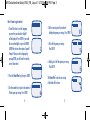
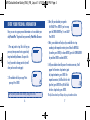
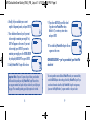
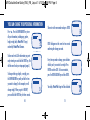
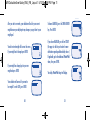
1. Use a coin to rotate the battery door counterclockwise and loosen.
2. Remove the battery door and battery by turning the calculator over.
3. Place a new battery into the compartment with the positive (+) side
facing up.
4. Place the battery door back into the compartment and rotate
clockwise to lock.
23