1
WW CalculatorUserGuide_ENG_FIN_Layout 1 5/13/10 6:08 PM Page 2
GET TO KNOW YOUR CALCULATOR
Congratulations! You now own an exciting new tool created to help
you follow the Weight Watchers program. Spend some time getting to
know your PointsPlus Calculator to ensure you get the maximum
benefits from its use.
We inserted a clear plastic tab to keep your battery fresh. To activate
your calculator, just pull out the tab. Press the ON key to get started.
®
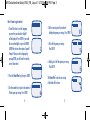
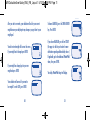
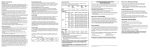
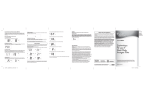
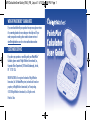
KEYS
The calculator does more than
Number keys
simply calculate the PointsPlus
On / off
values of your favourite foods.
Clear last entry or cancel
It also:
New day and new week
• Keeps track of your personal
Setup daily target/weekly
information, like your height
allowance; edit personal data
and weight.
Calculate PointsPlus value
and use PointsPlus value
• Calculates your daily PointsPlus
from calculation or direct entry
Target and tracks your weekly
Review daily target and
PointsPlus Allowance.
weekly allowance over
seven days
• Tracks all the PointsPlus values
ENTER / Confirm key
you use each day and week.
Standard Calculator
• Works just like any standard
Up and down arrows to scroll
calculator.
FUNCTION
TM
2
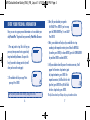
START CALCULATING PointsPlus VALUES NOW
While it’s best to set up the calculator with your personal information
(see page 6), you can calculate PointsPlus values right away. Be sure
you have the nutrition information for the foods you are entering handy.
Certain foods, especially sugar-free foods, may contain sugar alcohols, which may reduce
total PointsPlus values. These ingredients are not typically included on food labels. As a
result, you might notice discrepancies with the values you see in your lists and the values
you calculate with the Weight Watchers PointsPlus Calculator. For the most accurate values,
please use the food lists in the Pocket Guide or Companion books, or, if you’re a subscriber,
use the database on Weight Watchers eTools.
3