1
USING THE SCANNER WITH THE WEB SITE
To use the scanner with the Web Site:
1. Setup the Scanner
2. Enable the Scanner
3. Print Barcodes
4. Scan Item Codes and Order Products
Setting up the Scanner
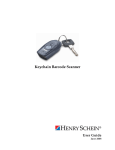
Before using the Keychain Barcode Scanner, you must setup the scanner according to the
type of connection used.
To setup your scanner, see the Setup Instructions enclosed with the scanner or see the
Online Help.
Enabling the Scanner
Before using the Keychain Barcode Scanner to add products to your order, you must first
enable the scanner. Once enabled, you can disable it if necessary.
To enable your scanner for the Web Site:
1. Login, if you have not already done so, and go to the My Account Page.
a. Enter your User ID and Password.
b. Select My Account.
c. Click Login.
2. Click Keychain Barcode Scanner on the left of the My Account Page.
Page 8
Keychain Barcode Scanner User Guide