1
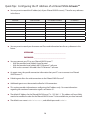
4 Configuring the IP Address of a Filtered SINGLEstream™
The Filtered SINGLEstream™ is assigned an IP address by default. It is likely that the IP address must be
changed before the Filtered SINGLEstream™ can be integrated into your local network. . A new IP address
can be assigned using Microsoft’s HyperTerminal or FLOWcontrol™.
The initial setup, according to the Quick-Installation Guide, may have already been completed. If
your Filtered SINGLEstream™ already has an IP address for your network, please turn to Section 5,
Using the FLOWcontrol™ Software.
TIP
If you need to modify the IP address of your Filtered SINGLEstream™, continue with one of the Configurint
the IP Address sections below.
4.1 Configuring the IP Address – HyperTerminal
The IP address of your Filtered SINGLEstream™ can be configured via a serial connection. A serial connection
can be made with Microsoft’s HyperTerminal application that is typically available on Windows PCs.
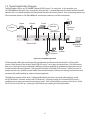
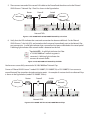
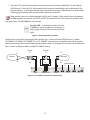
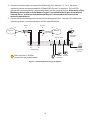
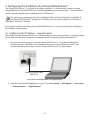
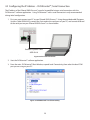
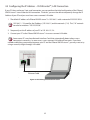
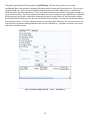
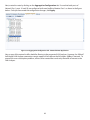
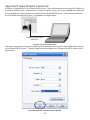
1. First, you must connect your PC and your Filtered SINGLEstream™. Using the provided cable
(Datacom Systems Cable #DRL434-6), connect the 9-pin end to the serial port on your PC, and
connect USB end to the serial port on your Filtered SINGLEstream™ as shown below:
Datacom Systems Cable
#DRL434-6
Figure 4.1 FSS Serial Connection using HyperTerminal
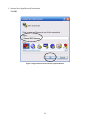
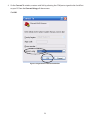
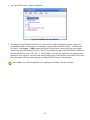
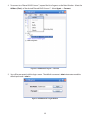
2. Open the HyperTerminal Application on your PC by selecting Start → All Programs → Accessories
→ Communications → HyperTerminal
21