1
EN
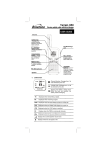
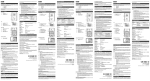
AC ADAPTER (MAIN UNIT)
TILT THE DISPLAY
The AC power adapter socket is located on the side of the
main unit. Batteries are for back-up purposes only; adapter
is required for Voice Recognition.
You can tilt the display
back for better viewing or
audio sound. Hold the base
of the unit with your hand,
and then gently push the
top back.
shows in the Weather Forecast Area when AC adapter
is not plugged in.
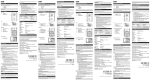
CHANGE SETTINGS
1.
Press SELECT to
switch between Areas.
▲ indicates the
selected Area.
2.
Most Areas have alternate display options (for
example, Clock / Alarm or Barometer / UVI). Press
MODE to switch options, or ALARM to switch
between Clock and Alarm.
3.
Press and hold MODE for 2 seconds to enter setting
mode.
4.
Press UP or DOWN to change settings.
5.
Press MODE to confirm.
REMOTE SENSOR
This product is shipped with the RTGR328N Thermo/Hygro
Sensor and an optional UVR138 Ultraviolet Sun Ray Sensor.
The main unit can collect data from up to 6 sensors (5 Thermo
/ Hygro Sensors and 1 UV Sensor). (Additional sensors sold
separately.)
The RTGR328N Sensor collects temperature and humidity
readings, and signals from official time-keeping organizations
for the radio-controlled clock.
For information about the UVR138, refer to the UVR138 User
Manual.
6