1
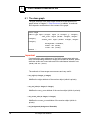
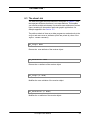
The class GraphDialoger :
• The set_trigger_event method : establishes a call-back link
between a user action and a method that administers that action.
Once this link is established, the method is invoked automatically
whenever the user takes the specified action. Call-back methods are
useful whenever the default response of the graph editor to a user
action is not sufficient. (However, a call-back method cannot override
the default action of the graph editor.)
For example, if the user clicks the middle mouse button on a node to
select it, the graph editor takes care of highlighting the node to show
its selected state, but it does nothing else. If any other action is
desired, that action would need to be coded in a method, and a callback link established between the method and the action of selecting a
node. Thereafter, whenever the user clicks the middle mouse button
on a node, it will be highlighted and the specified method will be
invoked automatically.
A call-back link is established by specifying the three arguments of the
set_trigger_event method.
-
event describes the user event to be linked to a method. It may be
any of the following integers:
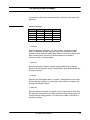
0 — selecting or unselecting a node
A node is selected or unselected by clicking the left mouse button on it. The default action of the graph editor is to highlight a
selected node (according to the style specified in the resources
selBorder and selThickness), and to remove the highlight
from an unselected node. Also, if the autoLinkSelect resource
is set to true, the graph editor will automatically select a link if
both of its nodes are selected. The specified call-back method
will be invoked with three arguments:
method_name (arg1: Graph, arg2: Node, arg3: integer)
where arg1 is the graph object on display, arg2 is the node being
selected or unselected, and arg3 is 1 if the node was selected or
0 if it was unselected.
Note that the user is allowed to select nodes only if the selectProcess resource is set to true.
1 — selecting or unselecting a link
A link is selected or unselected by clicking the left mouse button
on it. The default action of the graph editor is to highlight a
selected link (according to the style specified in the resources
selColor and selThickness), and to remove the highlight from
an unselected link.
O2 Graph User Manual
47