1
Evolution UC-33 Advanced User Guide
Assigning MIDI CC’s
Once the controller you want to edit has been selected, you can change the assigned
MIDI cc number in the following way:
1.
2.
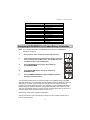
Press ASSIGN. The LCD will flash the CC symbol.
The 3 digit display will indicate the currently assigned MIDI cc number.
Type in a new MIDI cc value using the numeric keypad or '+' and '-' buttons.
The MIDI controller number you select will be assigned to the currently selected
controller, shown by the number on the small, 2-digit display.
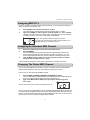
Example: After pressing ASSIGN, the display shows the
cc symbol and in this case displays that currently the MIDI cc 07 is
assigned to fader/rotary controller number 33.
Assigning An Individual MIDI Channel
1.
2.
3.
Select the controller you want to edit as described earlier.
Press CHANNEL.
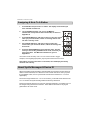
The LCD will display the CHAN symbol and the 3-digit display will show the
current channel assignment of the selected controller, preceded by a 'c'. The
small 2-digit display will show the currently selected controller for assignment.
Type the MIDI channel number (01-16) you want the controller to send to,
using the numeric keypad or the +/- keys.
If the controller is assigned to channel 00, it will transmit on the global channel.
Changing The Global MIDI Channel
The UC-33’s global MIDI channel affects only the controllers that have the individual
MIDI channel assigned to value 00, as described in the previous section.
Here is how you change the global MIDI channel:
1.
2.
Press GLOBAL CHANNEL (ASSIGN and CHANNEL together).
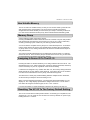
The LCD will display the KEYBOARD and CHAN symbol. The 3-digit display will
show the currently selected global channel, preceded by a 'c'.
Type in the MIDI channel number (01-16) using the numeric keypad or
the +/- keys.
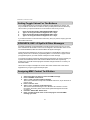
Example: MIDI channel 01 is assigned as global MIDI channel.
Using a combination of global MIDI channel and individually assigned MIDI channels can
be a great way of navigating through your system. With multitimbral instruments such as
Reason, it can be easier to just change the global MIDI channel on the UC-33 in order to
jump to the next device, rather than operating the software.
9