1
Operating the Switch
21
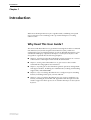
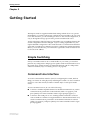
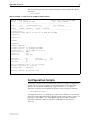
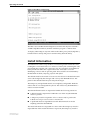
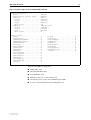
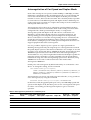
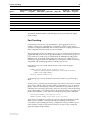
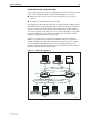
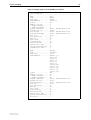
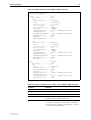
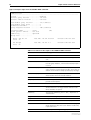
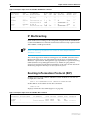
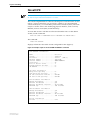
Figure 1: The editor screen layout.
The editor uses VT100 command sequences and should only be used with a
VT100-compatible terminal, terminal emulation program or Telnet client.
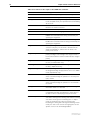
To display editor Help at any time while in the editor press [Ctrl/K,H]; that is,
hold down the Ctrl key and press in turn the K key then the H key.
Install Information
The INSTALL module is responsible for maintaining install information and
loading the correct install at boot. A release is a binary file containing the code
executed by the switches CPU. There may also be a patch file, and additional
binary file that modifies the original release file. An install is a record
identifying a release and an optional patch. Three installs are maintained by
the INSTALL module, temporary, preferred and default.
The default install is the install of last resort. The release for the default install
can not be changed by the manager and is always the EPROM release. The
patch for the default install may be set by the manager.
The temporary and preferred installs are completely configurable. Both the
release and an associated patch may be set. The release may be EPROM or a
release stored in FLASH.
The three different installs are required to handle the following situations:
■
A default install is required to handle the case when only the EPROM
release is present.
■
A temporary install is required to allow a release and/or patch to be
loaded once only, in case it causes a switch crash.
■
A preferred install is required because the default install can not be
anything other than the EPROM.
The install information is inspected in a strict order. The temporary install is
inspected first. If this install information is present, the temporary install is
Software Release 2.5.1
C613-02025-00 REV B