1
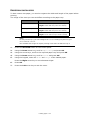
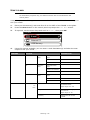
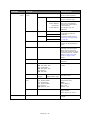
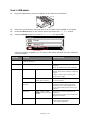
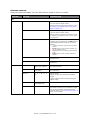
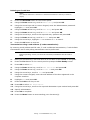
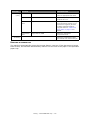
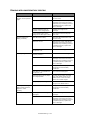
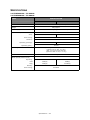
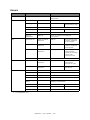
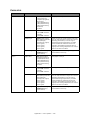
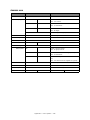
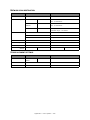
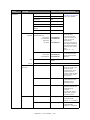
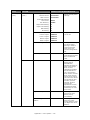
ITEM
OPTION
DEFAULT VALUE/DESCRIPTION
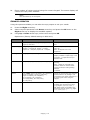
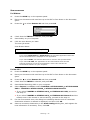
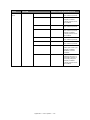
LDAP
Scanner
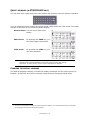
Simple Search
Use the on-screen
keyboard to enter a
Setup (cont.)
search value.
Advanced Search
Search Method
User Name
E-mail Address
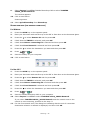
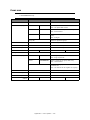
E-mail Sender ID:
user defined
Use Advanced Search
to search the LDAP
address book by user
name and/or e-mail
address.
Used as the name of
E-mail sender.
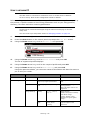
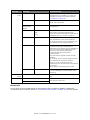
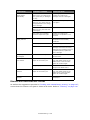
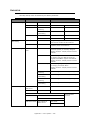
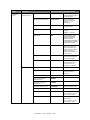
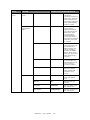
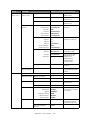
Reply To:
Broadcast
Destination
user defined
ON
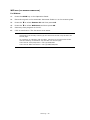
MDN Response
OFF
A/R Full Print
OFF
MCF Report
OFF
Timeout of MCF
Report
15 minutes
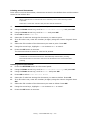
Print Check
Message
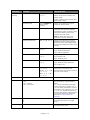
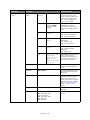
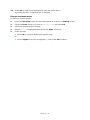
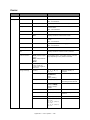
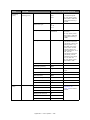
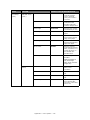
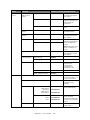
USB Memory
Setup
Select ON to print a
fax confirmation after
transmission.
File Name
OFF
If enabled, when a
transmission error
occurs the error
content is reported.
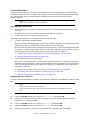
user defined
Max. 64 characters.
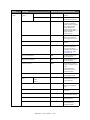
#n:Assigns a
consecutive number
as the file name.
#d:Assigns a created
date and time
(YYMMDDHHMMSS
format) as the file
name.
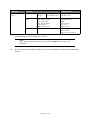
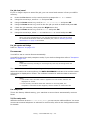
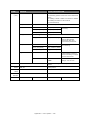
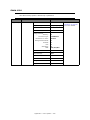
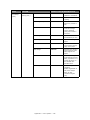
TWAIN Setup
WSD Scan Setup
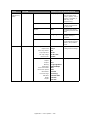
Scanner
Calibration
Network TWAIN
ON
Port No.
9967
PC Scan Mode
Simple Scan
Mode
WSD Scan
Enable
Binding
Long Edge Bind
Execute
Yes, No
Appendix A - menu system > 168
Range: 1 - 65535