1
Vox Studio 3 User Guide
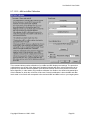
Tools/Options/System and press "Use Windows temporary folder".
4.3.6.
Sound card
You need a multimedia-compliant sound card if you want to use Vox Studio to record or play back. No
sound card is needed at all if Vox Studio is used to perform format or coding conversions or filtering
only.
A sound card is not a must for playing back files if you have another setup outside of Vox Studio to
play files: over your voice-processing telephony card for instance. You may not be able to play back
".wav" files that way unless your telephony card driver allows it, and the quality may be no better than
telephony quality. Vox Studio drives multimedia-compliant sound cards, but not telephony voice cards.
You should select a sound card that can do 16-bit recordings and can handle sample frequencies of
44 KHz (or more) down to 6 KHz, and do it well. Your sound card should also be able to record or
playback mono signals at all the sampling frequencies of interest to you. Most cards perform fine at
the standard 11 KHz, 22 KHz and 44 KHz sampling frequencies. However, where you can often really
see a big difference, is how they perform at nonstandard frequencies like 6 KHz and 8 KHz or 48KHz
and 64KHz. Select a sound card that is immune to the PC's power supply electrical noise.
By all means, select a card that comes from a reputable vendor that supplies quality drivers and driver
upgrades, a Windows sound mixer, level adjuster and some limited graphical sound editor (to test the
card's hardware). Most brand name products do.
4.3.7.
Microphone
A directional microphone is the best companion to Vox Studio. It helps reduce stray noises from the
PC's power supply fan, coughing colleagues in the office, passing airplanes, the office photocopier or
fax, etc. You don't need a very expensive microphone, just a very directional one. The poor
transmission quality of the telephone networks does not justify an expensive studio microphone. A
directional microphone that picks up nothing else but your spoken words and no background noise is,
however, a real blessing.
Make sure the output impedance of your microphone is matched to the input impedance of your sound
card. Also, in case your sound card has both a line input and a microphone input, make sure you
connect the microphone to the correct input. Typically line inputs expect a high AC input voltage from
a high impedance device. Microphone inputs, on the contrary, expect a low AC input voltage.
Try your microphone with the built-in recording capability of Windows before you purchase a Vox
Studio license.
4.3.8.
Headphone
Although this is not actually a requirement (sound files can be played over your usual multimedia
speakers), headphones are perfect to evaluate the quality of files you have just recorded or converted.
Watch for those tiny background noises and slight breathing or paper-shuffling sounds. Of course, if
Copyright © Xentec nv 1996 – 2001
Page 23