1
Windows BETA Version 3.0
User Manual
The information in this manual
is subject to change
This manual was written for use with the Eudora Pro™ software version 3.0. This manual and the Eudora Pro
software described in it are copyrighted, with all rights reserved. This manual and the Eudora Pro software may
not be copied, except as otherwise provided in your software license or as expressly permitted in writing by
QUALCOMM Incorporated.
The Eudora Software was written by Jeff Beckley,
QUALCOMM® is a registered trademark and
Julia Blumin, Craig Lauer, Keith McIntyre,
registered service mark of QUALCOMM
Ben Ogdon, Christina Sahhar, Willie Sakai, and
Incorporated.
Marwan Sinno. Copyright © 1992-1996 by
The Sentry Spelling-Checker Engine is copyright ©
QUALCOMM Incorporated. All rights reserved.
1993 by Wintertree Software Inc.
Windows® is a registered trademark of Microsoft
All other trademarks and service marks are the
Corporation.
property of their respective owners.
Eudora® is a registered trademark of the University of
Illinois Board of Trustees, licensed to QUALCOMM
Incorporated.
Use of the Eudora software and other software and fonts accompanying your license (the "Software") and its
documentation are governed by the terms set forth in your license. Such use is at your sole risk. The Software
and its documentation (including this manual), and QUALCOMM's software maintenance and extended
maintenance, if applicable, are provided "AS IS" and without warranty of any kind and QUALCOMM
EXPRESSLY DISCLAIMS ALL WARRANTIES, EXPRESS OR IMPLIED, INCLUDING, BUT NOT
LIMITED TO THE IMPLIED WARRANTIES OF MERCHANTABILITY AND FITNESS FOR A
PARTICULAR PURPOSE AND AGAINST INFRINGEMENT. QUALCOMM DOES NOT WARRANT
THAT THE FUNCTIONS CONTAINED IN THE SOFTWARE WILL MEET YOUR REQUIREMENTS, OR
THAT THE OPERATION OF THE SOFTWARE WILL BE UNINTERRUPTED OR ERROR-FREE, OR
THAT DEFECTS IN THE SOFTWARE WILL BE CORRECTED. FURTHERMORE, QUALCOMM DOES
NOT WARRANT OR MAKE ANY REPRESENTATIONS REGARDING THE USE OR THE RESULTS OF
THE USE OF THE SOFTWARE OR ITS DOCUMENTATION IN TERMS OF THEIR CORRECTNESS,
ACCURACY, RELIABILITY, OR OTHERWISE. NO ORAL OR WRITTEN INFORMATION OR ADVICE
GIVEN BY QUALCOMM OR A QUALCOMM AUTHORIZED REPRESENTATIVE SHALL CREATE A
WARRANTY OR IN ANY WAY INCREASE THE SCOPE OF THIS WARRANTY. SOME
JURISDICTIONS DO NOT ALLOW THE EXCLUSION OF IMPLIED WARRANTIES, SO THE ABOVE
EXCLUSION MAY NOT APPLY.
UNDER NO CIRCUMSTANCES INCLUDING NEGLIGENCE, SHALL QUALCOMM, ITS LICENSORS
OR THEIR DIRECTORS, OFFICERS, EMPLOYEES OR AGENTS BE LIABLE FOR ANY INCIDENTAL,
SPECIAL OR CONSEQUENTIAL DAMAGES (INCLUDING DAMAGES FOR LOSS OF BUSINESS,
LOSS OF PROFITS, BUSINESS INTERRUPTION, LOSS OF BUSINESS INFORMATION AND THE
LIKE) ARISING OUT OF THE USE OR INABILITY TO USE THE SOFTWARE OR ITS
DOCUMENTATION, EVEN IF QUALCOMM OR A QUALCOMM AUTHORIZED REPRESENTATIVE
HAS BEEN ADVISED OF THE POSSIBILITY OF SUCH DAMAGES. SOME JURISDICTIONS DO NOT
ALLOW THE LIMITATION OR EXCLUSION OF LIABILITY FOR INCIDENTAL OR CONSEQUENTIAL
DAMAGES SO THE ABOVE LIMITATION OR EXCLUSION MAY NOT APPLY.
In no event shall QUALCOMM's total liability to you for all damages, losses, and causes of action (whether in
contract, tort, including negligence, or otherwise) exceed the amount paid for the Software and its
documentation.
Acknowledgments
The Eudora software was designed by Steven Dorner and written by Jeff Beckley, Julia Blumin, Craig Lauer,
Keith McIntyre, Ben Ogdon, Christina Sahhar, Willie Sakai, and Marwan Sinno; this manual was written by
Jeff Beckley, Ron Durbin, and Justine Correa.
Thanks to all the users and testers of Eudora Pro, whose suggestions have made it a much better program than it
would otherwise have been.
About the Name
Why the name “Eudora”?
When looking for a name for this new Post Office Protocol mail program,
we thought immediately of the title of the short story “Why I Live at the P.O.,”
and named the program after the author of the story, Eudora Welty.
“Why I Live at the P.O.” can be found in a collection titled A Curtain of
Green (Harcourt Brace Jovanovich). Ms. Welty’s stories are funny, sad, and
fascinating; she’s surely one of the great American writers.
August 1996
80-8102-3 -
Contents
Getting Started ....................................................................................................... 13
System Requirements........................................................................................................13
Installing Eudora ...............................................................................................................13
Uninstalling Eudora Pro..............................................................................................14
Advanced Installation .................................................................................................15
Opening and Configuring Eudora .....................................................................................15
Registering Your Copy of Eudora ....................................................................................16
Quitting Eudora.................................................................................................................17
Online Help .......................................................................................................................17
Technical Support .............................................................................................................17
Tutorial .................................................................................................................... 19
Introduction.......................................................................................................................19
Creating an Outgoing Message .........................................................................................19
Saving the Message...........................................................................................................19
Sending the Message.........................................................................................................20
Checking for and Receiving the Message.........................................................................20
The “Current Message ......................................................................................................22
Replying to the Message ...................................................................................................22
Transferring the Message Between Mailboxes.................................................................22
Deleting the Message ........................................................................................................23
Creating Messages................................................................................................. 25
Creating an Outgoing Message .........................................................................................25
Using the Composition Window.......................................................................................25
Title Bar ......................................................................................................................25
Icon Bar.......................................................................................................................25
Message Header ..........................................................................................................28
Message Body .............................................................................................................29
Using an Alternate E-mail Account ..................................................................................29
Using Stationery................................................................................................................30
Using a Signature ..............................................................................................................31
Setting the Message Priority .............................................................................................32
Requesting a Return Receipt.............................................................................................32
Formatting Text.................................................................................................................33
Word Wrap..................................................................................................................33
QUALCOMM Incorporated
v
Contents
Eudora User Manual
Attaching a File to a Message ...........................................................................................33
Sending Attachments to Non-Eudora Users ...............................................................34
Including a URL in a Message..........................................................................................34
Checking Your Spelling....................................................................................................35
Check Spelling Dialog ................................................................................................36
Saving a Message for Later Changes................................................................................39
Sending Messages.................................................................................................. 41
Sending or Queueing a Message.......................................................................................41
Sending a Message Immediately.................................................................................41
Queueing a Message to Send Later.............................................................................41
Queueing a Message to Send at a Certain Time .........................................................42
Editing a Queued Message..........................................................................................42
Taking a Message Out of the Queue...........................................................................43
Sending Queued Messages When Checking Mail ......................................................43
Sending Messages with Special Server Instructions.........................................................43
Keeping Copies of Outgoing Messages ............................................................................43
Receiving Messages ............................................................................................... 45
Checking For Incoming Mail............................................................................................45
Checking for Mail Automatically ...............................................................................45
Checking for Mail Manually.......................................................................................46
Stopping a Mail Check................................................................................................46
Using Your Password........................................................................................................46
Changing Your Password............................................................................................47
Receiving New Mail .........................................................................................................47
The Incoming Message Window ......................................................................................48
Title Bar ......................................................................................................................48
Icon Bar.......................................................................................................................48
Message Body .............................................................................................................49
Receiving Attachments .....................................................................................................49
Specifying an Attachment Directory...........................................................................49
Editing Incoming Messages ..............................................................................................50
Using Active URLs...........................................................................................................50
Managing Your Mail on the POP Server ..........................................................................51
Leaving Mail on the Server.........................................................................................51
Deleting a Message from the Server ...........................................................................52
Skipping Messages Over a Certain Size .....................................................................52
Checking for Mail with Special Server Instructions...................................................52
vi
QUALCOMM Incorporated
Eudora User Manual
Contents
Responding to Messages ...................................................................................... 55
Replying to a Message ......................................................................................................55
Using the Reply Functions..........................................................................................55
Replying with a Stationery File ..................................................................................56
Forwarding a Message ......................................................................................................56
Redirecting a Message ......................................................................................................56
Turbo Redirecting .......................................................................................................57
Redirect and Signatures ..............................................................................................57
Sending Rejected Messages Again ...................................................................................57
Working with Mailboxes ........................................................................................ 59
Opening a Mailbox............................................................................................................59
The Anatomy of a Mailbox...............................................................................................59
Message Summaries....................................................................................................59
Displaying and Resizing Columns..............................................................................62
Using the Mailbox Size Display .................................................................................62
Creating Mailboxes and Folders .......................................................................................62
Creating a Mailbox or Folder Using the Mailbox Menu ............................................63
Using the 16-bit Mailboxes Window ................................................................................63
Creating a New Mailbox or Folder .............................................................................64
Renaming a Mailbox or Folder ...................................................................................64
Moving a Mailbox (or Folder) from one Folder to Another .......................................64
Using the 32-bit Mailboxes Window ................................................................................65
Creating a New Mailbox or Folder .............................................................................65
Renaming a Mailbox or Folder ...................................................................................65
Moving a Mailbox (or Folder) from one Folder to Another .......................................66
Organizing Your Messages ................................................................................... 67
Deleting a Message ...........................................................................................................67
Automatically Deleting Attachments..........................................................................67
Transferring Messages ......................................................................................................68
Using the Transfer menu.............................................................................................68
Dragging Messages .....................................................................................................68
Creating a Mailbox or Folder During Transfer...........................................................68
Filtering Messages ............................................................................................................69
Filter Criteria (the Match Area) ..................................................................................70
Filter Actions...............................................................................................................71
Sorting Messages Within Mailboxes ................................................................................73
QUALCOMM Incorporated
vii
Contents
Eudora User Manual
Finding Text Within Messages .........................................................................................74
Finding Text Within One Message .............................................................................75
Finding Text Among Multiple Messages and Mailboxes...........................................76
Match Case..................................................................................................................77
Summaries Only..........................................................................................................77
Enter Selection Command ..........................................................................................77
Stopping a Find ...........................................................................................................77
Saving a Message to a File................................................................................................77
Using the Address Book and Quick Recipient List .............................................79
Using the Address Book ...................................................................................................79
Creating New Entries ..................................................................................................80
Changing and Removing Entries ................................................................................81
Including Nicknames on the Quick Recipient List .....................................................81
Addressing a Message from the Address Book ..........................................................81
The “Make Address Book Entry” Command .............................................................82
The “Finish Address Book Entry” Command.............................................................83
Accessing a Nicknames File on a Server ....................................................................83
Using Nicknames that were Not Created by Eudora ..................................................83
Saving Your Entries to a File......................................................................................84
Using the Quick Recipient List.........................................................................................84
Using Directory Services........................................................................................85
Opening Directory Services ..............................................................................................85
Using Ph............................................................................................................................85
Finding Ph Servers ............................................................................................................85
Using Finger......................................................................................................................86
Addressing a Message from the Directory Services Window ..........................................86
Reference................................................................................................................. 87
Customizing the Toolbar...................................................................................................87
Printing..............................................................................................................................87
Extended Messaging Services...........................................................................................88
The Messaging Application Program Interface (MAPI)...................................................88
Putting Multiple Users on One PC....................................................................................89
Multiple users with 16-bit Eudora ..............................................................................89
Multiple users with 32-bit Eudora ..............................................................................89
Troubleshooting ................................................................................................................90
The Options Dialog...........................................................................................................94
viii
QUALCOMM Incorporated
Eudora User Manual
Contents
Getting Started ............................................................................................................94
Personal Information...................................................................................................95
Hosts............................................................................................................................96
Checking Mail.............................................................................................................97
Sending Mail ...............................................................................................................99
Attachments ..............................................................................................................101
Fonts & Display ........................................................................................................102
Labels ........................................................................................................................105
Getting Attention.......................................................................................................107
Extra Warnings .........................................................................................................108
Replying ....................................................................................................................109
Mailbox Columns......................................................................................................110
Dialup Options ..........................................................................................................110
Spell Checking Options ............................................................................................112
Miscellaneous............................................................................................................113
Advanced Network Options......................................................................................115
Personalities Options.................................................................................................116
MAPI Options ...........................................................................................................118
Kerberos Options ......................................................................................................119
Menu Commands ............................................................................................................120
File ............................................................................................................................120
Edit ............................................................................................................................121
Mailbox .....................................................................................................................122
Message.....................................................................................................................123
Transfer .....................................................................................................................124
Special.......................................................................................................................125
Tools..........................................................................................................................125
Window.....................................................................................................................125
Help...........................................................................................................................126
Mail Storage....................................................................................................................126
eudora.ini...................................................................................................................126
nndbase.txt ................................................................................................................127
nndbase.toc................................................................................................................127
in.mbx, out.mbx, trash.mbx ......................................................................................127
in.toc, out.toc, trash.toc .............................................................................................127
lmos.dat .....................................................................................................................127
eudora.log, eudorlog.old ...........................................................................................127
filters.pce...................................................................................................................127
QUALCOMM Incorporated
ix
Contents
Eudora User Manual
signatur.pce, signatur.alt ...........................................................................................127
descmap.pce ..............................................................................................................127
Appendix A – Sources ..........................................................................................129
Anonymous ftp (ftp.qualcomm.com)..............................................................................129
Eudora Information .........................................................................................................129
Obtaining a POP Server ..................................................................................................129
Ph Server Source Code ...................................................................................................129
Password Change Server.................................................................................................129
Windows Sockets Products.............................................................................................130
PC Speaker......................................................................................................................130
Kerberos ..........................................................................................................................130
Spelling Dictionaries.......................................................................................................130
Appendix B – Modifiers and Shortcuts ...............................................................131
Modifiers.........................................................................................................................131
Shortcuts..........................................................................................................................132
Appendix C – Mail Transport ...............................................................................135
Introduction.....................................................................................................................135
Outgoing Mail .................................................................................................................136
Incoming Mail.................................................................................................................136
More Information............................................................................................................136
Appendix D – MIME and Mapping .......................................................................139
What is MIME?...............................................................................................................139
MIME Encoding .............................................................................................................139
MIME Labelling .............................................................................................................140
Practical Issues................................................................................................................141
Turning Off Quoted-Printable Encoding ..................................................................141
Mapping Between File Extensions, MIME Types, and Macintosh Types ...............141
Appendix E – Dialup Eudora ................................................................................145
Introduction.....................................................................................................................145
IBM PC/Modem Requirements ......................................................................................145
Dialup Connection Requirements ...................................................................................145
Dialup Files .....................................................................................................................146
Creating Your Own Dialup Files ....................................................................................147
SERIAL.MOD File ...................................................................................................147
SERIAL.NAV File....................................................................................................149
x
QUALCOMM Incorporated
Eudora User Manual
Contents
Dialup File Command Lines ...........................................................................................152
Commands ................................................................................................................152
Character Sequences .................................................................................................153
Delimiters..................................................................................................................153
Variables ...................................................................................................................154
Special Characters.....................................................................................................154
Echo Canceling ...............................................................................................................155
Method 1 – The Telnet Command ............................................................................155
Method 2 – Serial pop...............................................................................................155
Dialup File Troubleshooting ...........................................................................................156
Fine Tuning Dialup Eudora.............................................................................................160
EUDORA.INI [Dialup] Settings .....................................................................................160
Appendix F – MAPI Technical Report................................................................. 163
What Does MAPI Do? ....................................................................................................163
MAPI Overview..............................................................................................................164
Eudora Pro Implementation of MAPI.............................................................................165
Eudora MAPI Startup Procedure ....................................................................................167
Eudora MAPI Shutdown Procedure................................................................................167
Eudora DLL Swapping Restrictions ...............................................................................168
Index ...................................................................................................................... 171
QUALCOMM Incorporated
xi
Getting Started
System Requirements
To use the Eudora Pro electronic mail (e-mail) application (hereafter referred to as
Eudora), you must have the following:
IBM PC or compatible.
Microsoft Windows 3.1 for 16-bit version; Microsoft Windows 95 or Windows
NT 3.5 for 32-bit version.
Winsock 1.1 API compliant networking package (not needed for serial
connection).
A mail account with an Internet Service Provider or an Internet-style network.
Access to your mail account via a modem (9600 bps or higher recommended)
or Internet-style network connection.
Installing Eudora
Installing Eudora is simple, and requires very little input. However, if you want
more control over the installation, see the following section “Advanced
Installation.”
You can install this version of Eudora over an earlier version of Eudora Pro or any
version of Eudora Light. Just follow the instructions below.
To install Eudora, do the following:
1. Exit any applications you are running.
2. Insert the Eudora Pro diskette 1 of 2 into drive A: of your PC.
3. In the Windows Explorer or File Manager, double-click on Setup.exe to start
the Setup program.
4. Read the Welcome screen, then click Next.
5. Enter your User Code (from the inside cover of this manual or from your
Eudora support coordinator), then click Next.
6. Specify a directory to install Eudora Pro, then click Next.
QUALCOMM Incorporated
13
Getting Started
Eudora User Manual
Note: If you are installing Eudora as an upgrade to your current
Eudora Pro or Eudora Light, select your current Eudora
directory. All your messages, mailboxes, folders, and options
will be maintained. If you are installing Eudora for the first
time, you can select any directory you want.
The Setup program determines what operating system you are running and
installs the 16- or 32-bit version of Eudora Pro as appropriate.
Note: If the 32-bit version of Eudora Pro should be installed but you
do not have 32-bit TCP/IP software, you will receive an error
message. The 32-bit version will not work without
32-bit TCP/IP software, so you are given a choice to install
the 16-bit version instead.
7. Verify that the displayed settings are correct, then click Next (or use the Back
button if you need to go back and make changes).
8. When prompted, insert Diskette 2 of 2 into drive A: and click OK.
9. Eudora is installed in the destination directory, and you are prompted for
whether or not you want to view the README file. Click Yes.
Uninstalling Eudora Pro
You can uninstall Eudora by using the tools provided with your Windows
operating system. In Windows 95, open the control panel, double-click on
Add/Remove Programs, select Eudora Pro, and click Remove. In Windows NT,
open the Eudora Pro program group from within the Program Manager, then
double-click on the Uninstall Eudora icon.
14
QUALCOMM Incorporated
Eudora User Manual
Getting Started
Advanced Installation
You can alter the functionality of the Setup program by modifying the SETUP.INI
file on the Eudora Pro diskette 1 of 2.
[Version]
By default, the Setup program determines which version of Eudora to install,
16- or 32-bit. Setting Version to 16 or 32 forces the Setup program to install the
requested version, regardless of the current operating system. For example,
[Version]
Version=16
[Options]
By default, the Setup program puts the mail files and an attachment directory in
the user’s target install directory. Setting Options to AskForOptionsDirs=1 adds a
dialog to the setup process that prompts the user to enter new directories for their
attachments and mail. The values for MailDir and AttachDir are used as defaults
for this dialog. For example,
[Options]
AskForOptionalDirs=1
MailDir=c:\mymail
AttachDir=c:\mymail\attachments
Opening and Configuring Eudora
After you have installed Eudora, double-click on its icon to open it. If you are
installing Eudora for the first time, the Getting Started Options are displayed.
To send and receive messages, you must have an account on a computer running a
POP (Post Office Protocol) server, and access to a computer running an SMTP
(Simple Mail Transfer Protocol) server. Your incoming e-mail messages are
delivered to your POP account, where you pick them up and transfer them to
Eudora on your PC. Your outgoing messages are sent to the SMTP server to
deliver to your recipients.
You have to provide basic information about your account, servers, and network
connection before you can send and receive messages. To do this, use the Getting
Started Options (if this is not open, select Options... from the Tools menu and
click on the Getting Started category).
QUALCOMM Incorporated
15
Getting Started
Eudora User Manual
An example Getting Started Options
In the POP account field, type your login name for this account, an “@” sign,
and the full name of the computer. For example, if your assigned login name is
“justine,” and the name of the computer where you receive e-mail is
“pop3.qualcomm.com” type “[email protected]” in this field.
Note: This may or may not be your e-mail address. If your e-mail address
is different than your pop account, put it in the Return Address
field of the Personal Information Options.
In the Real name field, type your real name. It is included in the From field of
your outgoing messages.
Specify a connection method. If you are using Eudora via TCP/IP software (e.g., a
direct network connection, SLIP, or PPP), select Winsock. If you are using
Eudora without TCP/IP software, select Dialup.
If your POP and SMTP servers are on the same computer, you do not need to
specify an SMTP server. If they are not on the same computer, click on the Hosts
category and enter in the SMTP field the full name of the computer running the
SMTP server.
You are now ready to go. For a quick introduction to Eudora’s basic functions,
see the “Tutorial” chapter; for detailed explanations of all the available functions,
see the appropriate chapters.
Registering Your Copy of Eudora
Depending on the software license you have for Eudora, you may be eligible for
technical support directly from the Eudora Technical Support group. To receive
technical support, you must register your copy of Eudora Pro in accordance with
the terms defined in your license Agreement. If you have a previous version of
Eudora Pro, you need to register this new version.
Note: If you are part of a site license, you do not need to register.
Contact your organization’s e-mail administrator for support.
If you are eligible for technical support, you are prompted to register after you
send the first message with your new version of Eudora Pro. Complete the
registration form and click Register. The registration is put in the queue in your
Out mailbox and is sent the next time you send queued messages.
16
QUALCOMM Incorporated
Eudora User Manual
Getting Started
If you don’t want to register at that time, you can choose Not Now to be prompted
7 days later, or Never Register to never be prompted again. At any time, you can
choose Register Eudora... from the Help menu to display the registration form.
Quitting Eudora
To quit Eudora, select Exit from the File menu. If you have queued messages, or
timed messages due to be sent in the next 12 hours, you are given the option to
send them (see the section “Quitting with Queued Messages”).
The Trash mailbox is emptied if the Empty Trash on Quit option is on in the
Miscellaneous Options.
Online Help
There are several ways to get online Help with Eudora:
To find out what something in the user interface does, use either Context
Sensitive Help from the Help menu, or the Help button on the toolbar, and
click on the item you want to know about. A brief description of the item is
displayed.
The F1 key also displays context-sensitive Help. Click on the user interface
item you want to know about, then press F1.
For instructions on how to do certain tasks, select Help Topics from the Help
menu. The Help Contents are displayed, and you either browse the contents or
use the Find and Index options.
Technical Support
If, after reviewing all of the available materials, you are still in need of assistance,
contact your e-mail administrator (your Internet service provider or your
company’s Eudora support coordinator) or the Eudora Technical Support group. If
you are eligible for technical support, contact information is provided in the More
Help! On-line Help topic, and on the inside cover of this manual.
You must register your copy of Eudora Pro to receive technical support. See the
section “Registering Your Copy of Eudora” for details.
QUALCOMM Incorporated
17
Tutorial
Introduction
This tutorial introduces Eudora’s basic functions. There are a host of other
operations that are not described here. For detailed explanations of all available
Eudora functions, see the following chapters.
Creating an Outgoing Message
A good way to familiarize yourself with Eudora is to create an outgoing message.
An outgoing message is one that you send to someone else.
From the Message menu, select New Message. A new composition window is
displayed. Since it is easiest to experiment with Eudora by sending a message to
yourself, type your own e-mail address in the To field.
The From field has been automatically filled in and can’t be altered. This is your
real name and return address (as entered in the Real name and Return address
fields in the Personal Information Options).
Press the tab key or point and click the mouse to move the cursor down to the
Subject field. Typically, you would enter some brief text indicating what the
message is about. For this message, type the words Test Message.
Move the cursor past the remaining Cc, Bcc, and Attachments fields down into
the large area below them. This area is reserved for the body of the message. Here
you can type whatever text you want. When you finish your message (referred to
in this tutorial as your test message), the composition window should look
something like the example below.
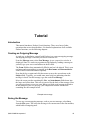
Example test message
Saving the Message
To save any current outgoing message, such as your test message, select Save
from the File menu. This saves the message in its current state in the Out mailbox,
which holds all outgoing mail.
QUALCOMM Incorporated
19
Tutorial
Eudora User Manual
After you save your test message, select Out from the Mailbox menu to view the
message summary. The bullet (•) in the Status column of the message summary
indicates that the message has been saved, and can be sent or queued.
A message saved in the Out mailbox
Sending the Message
Notice the Send button in the upper right hand corner of the composition window.
To send the message, simply click on this button.
Sending the message
The composition window immediately closes, and the progress window is
momentarily displayed at the top of the screen. The progress window shows you
the progress of lengthy operations.
Checking for and Receiving the Message
There are two ways to check your POP server to see if you have any new
incoming mail. One way is to set up Eudora to automatically check for mail every
so often. The other way is to check for mail manually whenever you want to by
selecting Check Mail from the File menu. Do this manual check now.
Your password is requested for the first mail check after Eudora is opened,
whether it is an automatic or manual check.
Note: Your POP account password is provided by your e-mail administrator.
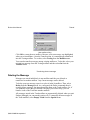
The Password dialog
20
QUALCOMM Incorporated
Eudora User Manual
Tutorial
Type in your password and click OK. If you make a mistake before clicking OK,
simply backspace and re-enter the password correctly. If your password is
rejected, select Check Mail from the File menu again and re-enter your password.
Note: Your Eudora password is case-sensitive, so the uppercase and
lowercase letters must be typed in exactly. Be sure Caps lock is off.
After successfully entering your password, a progress window is momentarily
displayed at the top of the screen indicating that an attempt to reach your POP
account is being made. If there is a network problem between you and the POP
server, an alert is displayed. Consult with your e-mail administrator to solve the
problem.
If there is no mail waiting at your account on the POP server, the You have no
new mail alert is displayed. This means that the message you sent to yourself in
the previous exercise has not been delivered to your POP account yet. Click OK.
Keep selecting Check Mail from the File menu until your test message arrives. If
the message doesn’t arrive in a minute or two, notify your e-mail administrator.
When mail is found in your POP account, it is transferred to your PC and the
progress window lets you monitor the transfer. This is followed by the You have
new mail alert.
Click OK. The In mailbox window is displayed with your test message summary
listed inside.
The test message listed in the In mailbox
The mailbox window shows a summary of each message in the mailbox.
Incoming messages are stored indefinitely in the In mailbox until they are deleted
or transferred to another mailbox (as described later in this tutorial).
To select (highlight) the message summary, click anywhere on the summary. To
open the message, double-click on its summary. Do this for your test message to
display it on your screen.
The incoming test message
QUALCOMM Incorporated
21
Tutorial
Eudora User Manual
The “Current Message”
Most Eudora commands can be applied either to an open message window or to
highlighted message summaries in a mailbox window. This lets you apply
commands (such as Transfer, Forward, and Reply) to messages without opening
them first. Whenever the term current message is used in this manual, it refers to
a message that is open and is in the topmost window or whose message summary
is highlighted within a mailbox window.
Replying to the Message
You can easily reply to the sender of an incoming message without having to
create a new message from scratch.
With the test message current, select Reply from the Message menu to initiate a
reply to the message.
A new composition window is displayed, with the sender’s address (in this case,
your own) automatically placed in the To field of the header. The original
sender’s text is automatically included in the body of the message. You can edit
this text as needed (or it can be deleted by pressing the Delete key). You can enter
more text in the reply message just as in any outgoing message. In your test reply,
move the insertion point to the area below the original message and type in some
additional text. To send this message, click Send.
A reply to a message
Transferring the Message Between Mailboxes
You can organize your incoming mail by creating new mailboxes and easily
transferring messages among them.
To create a new mailbox and transfer your test message into it, open the In
mailbox, select your test message summary, and select New... from the Transfer
menu. The New mailbox dialog is displayed. Any name can be typed in the new
mailbox title field, but for this example, type Testing.
22
QUALCOMM Incorporated
Eudora User Manual
Tutorial
New mailbox dialog
Click OK to create the new mailbox. Because your test message was highlighted
when you selected New... from the Transfer menu, it is automatically transferred
into the Testing mailbox. To see this, select Testing from the Mailbox menu.
You can also transfer messages among existing mailboxes. To do this, select your
original test message from the Testing mailbox and then select In from the
Transfer menu.
Transferring the test message
Deleting the Message
Messages are stored indefinitely in any mailbox until they are deleted or
transferred to another mailbox. Any current message can be deleted.
To delete your test message, open it or select it in the In mailbox. Then, select
Delete from the Message menu. As a safeguard, the Delete command doesn’t
actually delete messages, but instead transfers them to the Trash mailbox. So, if
you suddenly realize that you deleted a message you want to keep, you can
transfer it out of the Trash into another mailbox.
All messages stored in the Trash mailbox are automatically deleted when you quit
Eudora (although you can turn this option off). To manually delete messages in
the Trash mailbox, select Empty Trash from the Special menu.
QUALCOMM Incorporated
23
Creating Messages
Creating an Outgoing Message
An outgoing message is a message you send to someone else. The simplest way to
create an outgoing message is to select New Message from the Message menu. A
new message window is displayed, referred to as the Composition Window.
Using the Composition Window
The composition window consists of the title bar, the icon bar, the message
header, and the message body.
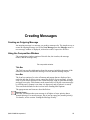
The composition window
Title Bar
The Title bar provides information about the message, including the name of the
addressee, the time and date the message was sent, and the message subject.
Icon Bar
The Icon bar consists of a series of buttons and popups that are displayed just
under the title bar. It allows you to control the priority of your message, override
some of your default options for the current message, send or queue the message,
and apply text styles. Each button can be turned on or off for the current message
by clicking on it (a button is on when it is depressed, and off when it is raised).
You can set the defaults for the icon bar in the Sending Mail Options.
The popup menus and icons are described below.
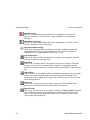
Priority Popup
This lets you indicate that your message is of higher or lower priority than a
normal message. For most messages, this is just an empty box (normal priority).
For details, see the section “Setting the Message Priority.”
QUALCOMM Incorporated
25
Creating Messages
Eudora User Manual
Signature Popup
This lets you automatically append one of your signatures to the end of a
message. For details, see the section “Using a Signature in an Outgoing
Message.”
Attachment Type Popup
This lets you select the encoding format for attachments. For details, see the
section “Attaching a File to a Message.”
Quoted-Printable Encoding
If this is on, quoted-printable encoding is used when sending messages that
contain long lines of text or special characters. It is used for all plain text
attachments. It is recommended that this always be on.
Text As Document
If this is on, plain text files are attached to messages, not incorporated into the
message as part of the message body.
Word Wrap
If this is on, a carriage return is not required at the end of each line. When the
message is sent, the text is automatically “wrapped,” meaning that carriage
returns are inserted at the end of each line of text, with roughly 76 characters per
line.
Tabs in Body
If this button is on, pressing the tab key within the message body inserts enough
spaces to move the insertion point to the next tab stop. If this button is off,
pressing the tab key within the message body returns the cursor to the To: field
of the message header.
Keep Copy
If this is on, a copy of each sent message is kept in the Out mailbox. These
messages are saved there until they are deleted or transferred.
Return Receipt
If this is on, the message to your recipients includes a Notify Sender button that
when clicked creates a message notifying you that the original message was
viewed. This function does not work in all cases. For details, see the section
“Requesting a Return Receipt.”
26
QUALCOMM Incorporated
Eudora User Manual
Creating Messages
Send or Queue
These let you send a message immediately or put it in the queue to send later. If
the Immediate Send option in the Sending Mail Options is on, the button is
labeled Send. If the option is off, the button is labeled Queue. For details, see the
section “Sending or Queueing a Message.”
Bold
Make the text bold.
Italics
Make the text italic.
Underline
Make the text underlined.
Font
Make the text the selected font, size, and color.
Align Left
Make the paragraph aligned to the left of the indent.
Align Center
Make the paragraph aligned to the center of the indent.
Align Right
Make the paragraph aligned to the right of the indent.
Bullet List
Make the paragraphs a bullet list.
Smaller
Make the text one standard point size smaller.
Bigger
Make the text one standard point size bigger.
Indent In
Make the paragraph indented once to the left.
Indent Out
Remove one left indent for the paragraph.
Hang Indent In
Outdent the first line of the paragraph.
QUALCOMM Incorporated
27
Creating Messages
Eudora User Manual
Hang Indent Out
Remove the outdent from the first line of the paragraph.
Message Header
Outgoing mail headers consist of the following fields: To, From, Subject, Cc,
Bcc, and Attachments. Each field is described below. The To, Subject, Cc, and
Bcc fields can be directly edited. To move the cursor from field to field, press the
tab key or click in the desired field with the mouse.
To resize the Header region of the outgoing message window, drag the separator
up or down.
To
The intended recipients’ e-mail addresses, or nicknames you have defined (see the
section “Creating and Using Nicknames”). Multiple addresses and nicknames
must be separated by commas.
From
The sender’s e-mail address. This is usually your POP account plus your real
name. You can use a return address other than your POP account by entering the
address in the Return address field of the Personal Information Options.
Subject
Some brief text indicating the contents of the message. This field can be left blank
(though it is a breach of e-mail etiquette to do so).
Cc
The e-mail addresses or nicknames of people to whom a copy of the message is to
be sent. These recipients are displayed in the message header for all recipients to
see. Multiple addresses must be separated by commas. This field can be left
blank.
Bcc
The e-mail addresses or nicknames of people to whom a copy of the message is to
be sent. These recipients are not displayed in the message header, and the
recipients in the To or Cc fields will not know that a copy went to these
addresses. This is useful when you want to send a copy of a message to someone
without everyone else knowing you did so. Multiple addresses must be separated
by commas. This field can be left blank.
This field can also be used to put a copy of the message in one of your mailboxes.
To do this, click right in the body of the message and select the mailbox from the
Fcc menu. The name of the mailbox is inserted into the Bcc field preceded by an
“ƒ,” and when the message is sent, a copy is put in that mailbox.
28
QUALCOMM Incorporated
Eudora User Manual
Creating Messages
Attachments
A list of documents being attached to and sent along with the message. You must
use one of the attachment options to add attachments (see the section “Attaching a
File to a Message”). To delete an attachment from an outgoing message, select it
and press the delete key. This field can be left blank.
Message Body
After filling in the header fields, move the insertion point to the space below the
message header. Type the body of the message here. For information about
formatting your message text, see the section “Formatting Text.”
Using an Alternate E-mail Account
You can set up alternate “personalities” in Eudora for each e-mail account you
have. In the Personalities Options, you must specify the following options for
each personality: personality name, real name, and POP account. You can also
specify the default domain, return address, SMTP server, default stationery,
default signature, and Check mail and Leave mail on server functions (for
details, see the sections “Checking Mail” and “Managing Your Mail on the POP
Server”).
All the other options categories cannot be changed for alternate personalities—
they are effective for all. However, alternate personalities are automatically set to
use a Winsock connection and password authentication.
If you want to change other options, or use a separate set of mailboxes for an
account, see the section “Putting Multiple Users on One PC.”
To create an outgoing message as an alternate personality, hold down the shift key
and select one of the message creation commands from the Message menu (New
Message, New Message To, etc.). The Message Options dialog is displayed.
The Message Options dialog
Select the personality you want to use (and stationery if you want to), then click
OK. The Composition Window is displayed, with the alternate personality as the
sender (and any stationery text if applicable). The default signature for that
personality is used, but you can change it with the signature popup in the
composition window (for details, see the section “Using a Signature”).
QUALCOMM Incorporated
29
Creating Messages
Eudora User Manual
Using Stationery
Stationery files are templates for outgoing messages. If you find yourself
repeatedly sending the same message, save the message as a stationery file and
send it whenever you need to using the Message Options dialog. This way you
don’t have to copy and paste text into a message, you can just open a pre-written
message and edit it as necessary.
To create a stationery file, open a new message, put the text you want into the
message body, fill in the headers as appropriate (subject, copies, etc.), and set the
icon bar. Select Save as... from the File menu to display the Save As dialog.
Select the Stationery option (or Stat for 16-bit Eudora), then name the file (it
should have a .sta extension), and click on Save to save the file. You can delete
the original message.
Creating a stationery file with the Save As dialog
To use a stationery file for all of your outgoing messages, select a stationery in the
Sending Mail Options. Any new message uses this file, unless you create the
message using the Redirect or Send Again command.
To change a stationery file, open a new message with the stationery file, make
your changes, then use the Save As option again to save your changes. To delete a
stationery file, remove it from the Stationery directory.
To send a stationery message, hold down the shift key and select one of the
message creation commands from the Message menu. The Message Options
dialog is displayed.
Mesage Options dialog
Select the stationery you want to use, then click OK (you can also choose a
personality, but that will set the stationery to the default for that personality). A
Composition Window is displayed containing the header and body from the
stationery file. If you are replying to a message, the stationery information is
added to the reply. You can edit and send this new message just as you would any
other message.
You can also set up a filter to reply with a stationery message. See the section
“Filtering Messages” for more information.
30
QUALCOMM Incorporated
Eudora User Manual
Creating Messages
Using a Signature
A signature is a few lines of text that are automatically added to the end of an
outgoing message when it is sent. A signature can be whatever you want, but it is
mostly used to give contact information (telephone, address, etc.). You can have
as many signatures as you want.
Note: Your signature is not displayed in the Eudora message window, but
is added to the end of the message when it is sent.
To create or modify your Standard signature, select Signatures→Standard from
the Tools menu. The Signature window is displayed. Enter your signature text,
and select Save from the File menu to save your changes.
Creating the Standard signature
To create or modify your Alternate signature, select Signatures→Alternate from
the Tools menu. The Alternate signature window is displayed. Enter your
signature text, and select Save from the File menu to save your changes.
To create additional signatures, select Signatures→New from the Tools menu.
An alert is displayed, asking you what you want to call it. Enter a name and click
on OK to display a signature window. Enter your signature, save the file, and
close the window. Your new signature is now part of the list of signatures.
To modify an additional signature, select Signatures→Name from the Tools
menu. The signature window is displayed for the signature you specified. Make
any changes you want, save the file, and close the window. To remove a
signature, drag the file from the Signatures directory into the Recycle Bin on your
desktop.
To include a signature in an outgoing message, select the signature you want from
the Signature popup on the icon bar.
Setting the signature for a particular message
To include your Standard signature in all of your outgoing messages, open the
Sending Mail Options and check the Use signature option. You can change this
for a particular message by selecting a different signature or None from the
Signature popup.
QUALCOMM Incorporated
31
Creating Messages
Eudora User Manual
Setting the Message Priority
You can assign a priority to incoming and outgoing messages. The priority is only
for you and your recipients—it does not affect the way mail transport systems
handle the messages.
There are five priority levels available, 1 being the highest, 5 being the lowest.
Each is represented by a small symbol in the icon bar of a message window and
the Priority column of a message summary. Priority 3 is used for messages that
have no assigned priorities, and it is not displayed. The high and highest priority
symbols are red.
New messages are created with a Normal priority. To change the priority of the
current message, use the Priority popup.
Changing the priority of a message using the priority popup
Note: To set up Eudora to always use the sender’s priority on your
replies, turn on the Copy original’s priority to reply option in the
Replying Options. You can always change the priority in the
message window.
Requesting a Return Receipt
You can request that your recipients notify you when they have seen your
message. To do this, click on the Return Receipt icon in the message window.
When your recipients open the message then close it, a dialog is displayed asking
them to create a notification message now, later, or never (if you sent yourself a
copy, you will not get the notification request). If a recipient chooses to create a
notification message, it is sent to you and tells you when the recipient displayed
your message.
A request for notification
These Return Receipt options may or may not work as described, depending on
your recipients’ e-mail software.
32
QUALCOMM Incorporated
Eudora User Manual
Creating Messages
Formatting Text
You can use standard text editing options to format the text of your outgoing
messages or text files. The formatting is delivered to your recipients using the
“text/enriched” MIME standard, which means that the formatting your recipient
sees depends on how well their e-mail package supports this standard.
It is important to remember that you cannot completely control what happens on
your recipient’s computer. Depending on the type of computer they are using,
their installed fonts, their options or preferences, etc., they could end up viewing
something different than what you intended. Also, the formatting changes you
make are sent to your recipient, but your default text settings are not. Any text that
you did not make changes to is displayed using your recipient’s default text.
To format text, select the text you want to affect and use the buttons on the Icon
bar or the Text commands from the Edit menu. You can change the font, size,
style, color, and the margins (see the section “The Icon Bar”).
Word Wrap
If you turn on the Word Wrap icon in the composition window, you do not need
to use carriage returns in the body of your message. When you send the message,
the text is automatically “wrapped,” meaning that carriage returns are inserted at
the end of each line of text, with roughly 76 characters per line. This makes the
message legible on the recipient’s computer.
To manually wrap text, select the text you want, then select Wrap Selection from
the Edit menu. To unwrap text, select the text you want, then hold down the Ctrl
key and select Wrap Selection from the Edit menu.
To copy wrapped text without taking the carriage returns, hold down the Shift key
and select Copy from the Edit menu.
Attaching a File to a Message
Any file can be attached to and sent with a Eudora message. Most of the time, an
attached document functions like a “rider” to the e-mail message, and does not
appear within the message text. Instead, the name of the document and its icon are
displayed automatically in the Attachments field of the message header.
To attach a file to a current outgoing message, select Attach File from the
Message menu. A standard file dialog is displayed. Once the desired document is
located, select it and click on the Attach button to attach the document to the
message. You can add as many attachments as you want.
QUALCOMM Incorporated
33
Creating Messages
Eudora User Manual
You can also drag one or more files from the Desktop onto the message window
to attach them.
An outgoing message with an attached document
To detach a document before the message is sent, select the document in the
Attachments field, then press the delete key or select Clear from the Edit menu.
When the message is sent, if the chosen document is not a plain text (ASCII) file,
it is encoded in the selected attachment type. This allows you to send any kind of
document through the mail, even applications. If the document is an ASCII file,
you can put it in the mail message by turning on the Text as Attachment icon (to
make this the default, turn on the Put text attachments in body of message
option in the Attachments Options).
The attachment types include the following:
MIME
This is best for recipients with MIME-compliant e-mail readers, regardless of
what operating system they are using. For more information on MIME, see
Appendix G.
BinHex
This is best for recipients on a Macintosh with an e-mail reader that is not MIMEcompliant.
Uuencode
This is best for recipients using PC or Unix systems that are not MIME compliant.
Sending Attachments to Non-Eudora Users
If you send an attachment to someone who doesn’t use Eudora, the attached file
may be included at the end of the message in the chosen attachment format
(MIME, BinHex, or Uuencode). Your recipient should save the message as a file,
then decode the file using an application appropriate for the encoding method you
used when you sent the message.
Including a URL in a Message
To include a URL (Uniform Resource Locator) in a message, enclose it with less
than and greater than signs to ensure that your recipient’s application can identify
34
QUALCOMM Incorporated
Eudora User Manual
Creating Messages
it as a URL. For example, <http://www.eudora.com/>. The URL is
automatically highlighted as an active URL in your message window.
A URL in an outgoing message
Checking Your Spelling
Eudora includes a built-in spelling checker. It can be used to check for
misspellings in the body of current message composition windows, text files, and
signature files. It includes a built-in dictionary and also allows for the creation of
a custom user dictionary. Additionally, it can be configured to ignore capitalized
words, words with numbers, and mixed case words, to report mixed case and
doubled (repeated) words, and to suggest alternative spellings.
Note: Changes to the spell checking options can be made in the Options
dialog (Check Spelling) or by selecting Options from the Check
Spelling dialog.
See Appendix F for information on how to get dictionaries for languages other
than English.
To check the spelling of a current composition window, text file, or signature file,
click on the Check Spelling button in the main window toolbar or select Check
Spelling from the Edit menu. If there are no misspellings, the No misspellings
found alert is displayed.
Note: If text is selected, Eudora only checks the spelling of the selected
text. Otherwise, it starts the spelling check from the beginning of
the message body or text file and checks the entire text.
If a misspelled, unknown, or repeated word is found, the Check Spelling dialog is
displayed with the word listed in the Unknown field.
QUALCOMM Incorporated
35
Creating Messages
Eudora User Manual
The Check Spelling dialog
To correct the misspelled word, type the correct spelling of the word in the
Change To field, select it from Suggestions list and click the Change button, or
double-click it in the Suggestions list. The spelling checker then proceeds with
the check.
Check Spelling Dialog
The Check Spelling dialog allows you to ignore an unknown word, change it,
suggest the correct spelling, add the word to your user dictionary, edit your
dictionary, or change the spell checking preferences via the Options button. Each
of the fields and buttons is described below.
Unknown Field
An unknown word is one that is not found in Eudora’s built-in dictionary or your
own custom dictionary. You can act on an unknown word using the Ignore,
Ignore all, Change, Change all, or Add buttons, as described below.
Change To Field
This field works in conjunction with the Change and Change all buttons. It allows
you to modify the unknown word by typing its correct spelling in this field, or
selecting a suggested alternative spelling from the Suggestions field, and then
clicking the Change or Change all buttons, as described below.
Suggestions Field
This field lists Eudora’s suggestions for the correct spelling of the unknown word.
If the Always Suggest option is turned on, all suggestions are listed here by
default. If this option is turned off, click the Suggest button to display Eudora’s
suggestions.
36
QUALCOMM Incorporated
Eudora User Manual
Creating Messages
Ignore Button
This button causes the spelling checker to ignore this occurrence of the unknown
word.
Ignore all Button
This button causes the spelling checker to ignore this occurrence and all
subsequent occurrences of the unknown word.
Change Button
This button substitutes to contents of the Change To field for the unknown word.
Change all Button
This button substitutes to contents of the Change To field for the unknown word,
and all subsequent occurrences of the unknown word.
Suggest Button
This button displays Eudora’s suggestions for the correct spelling of the unknown
word in the Suggestions field.
Note: If Eudora doesn’t have suggestions in its dictionary, then none are
listed.
Add Button
This button adds the unknown word to your custom user dictionary.
Edit Dictionary Button
This button displays the Edit User Dictionary dialog.
The Edit User Dictionary dialog
QUALCOMM Incorporated
37
Creating Messages
Eudora User Manual
The Edit User Dictionary dialog lists all of the words in your user dictionary in
the Dictionary field. It also allows you to add words to or delete words from your
personal user dictionary, or even clear the entire dictionary.
Note: Words in the user dictionary are saved in all lower case.
To add a word to the dictionary using this dialog, type the correct spelling of the
word in the Word field and click the Add button. The word is then added to the
dictionary and displayed in the Dictionary field.
Note: The Add button in this dialog works the same as the Add button in
the Check Spelling dialog.
To remove a word from the user dictionary, type it in the Word field or locate it in
the Dictionary field and single-click on it to display it in the Word field. Then,
click the Delete button.
To delete the entire user dictionary, click on the Clear button. You will then be
prompted to confirm the deletions. If you click Yes, all of the words are deleted
from the user dictionary.
Options Button
This button displays the spell checking Preferences dialog.
Spell checking Preferences dialog
The spell checking Preferences dialog lists the six spell checking options. A
check mark in the box next to the option name indicates that it is turned on.
Note: The spell checking options can also be modified in the Options
dialog (Spell Checking).
The available options are as follows:
38
QUALCOMM Incorporated
Eudora User Manual
Creating Messages
Ignore capitalized words - ignores words that start with capital letters, such as
proper nouns.
Ignore words with numbers - ignores words that contain numbers.
Ignore words with mixed case - ignores words that contain both upper and lower
case characters.
Report words with mixed case - reports words that contain both upper and lower
case characters and identifies them as Mixed case.
Report doubled words - reports words that appear twice in sequence in text and
identifies them as Doubled words.
Always suggest - displays Eudora’s suggestions for the correct spelling of an
unknown word in the Suggestions field by default.
Note: If Eudora doesn’t have suggestions in its dictionary, then none are
listed.
Saving a Message for Later Changes
Sometimes it is convenient to save an outgoing message either as a safeguard
when typing long messages, or so you can return to it later to make changes.
To save the current message, select Save from the File menu. Saved messages are
put in the Out mailbox with a bullet (•) in the Status column. This indicates that
the message has been saved and can be sent or queued.
A message saved in the Out mailbox
You can continue making changes or close the message. If you try to close an
outgoing message window without saving that version of the message, an alert is
displayed asking if the message should be saved or the changes discarded. If you
select Discard and the message has never been saved, the message is deleted.
QUALCOMM Incorporated
39
Sending Messages
Sending or Queueing a Message
After you compose a message, you can send it immediately or put it in a queue to
be sent later.
Sending a Message Immediately
If you want to send your messages immediately instead of putting them in a queue
to send later, then be sure the Immediate send option is on in the Sending Mail
Options.
To send the current message, click on the Send button or select Send Message
Now from the Message menu. A progress window is displayed to show the
progress of the transmission.
If you have the Immediate send option on, but want to put the current message in
the queue, hold down the Shift key and click on the Send button. The Change
Queueing dialog is displayed and you can set detailed instructions. For more
details, see the section “Queueing a Message to Send at a Certain Time.”
Queueing a Message to Send Later
If you want to put your messages in a queue (in the Out mailbox) to send all
together at a later time, be sure the Immediate send option is off in the Sending
Mail Options.
You can set up Eudora to warn you if you try to delete a queued message, or try to
quit Eudora with queued messages. To do this, turn those options on in the Extra
Warnings Options.
To put the current message in the queue, click on the Queue button or select
Queue Message from the Message menu. The message window is closed (if it
was open) and the message is saved in the Out mailbox marked Q (meaning it’s
ready to be delivered).
Queued messages in the Out mailbox
QUALCOMM Incorporated
41
Sending Messages
Eudora User Manual
To send all of your queued messages, select Send Queued Messages from the
File menu. A progress window is displayed momentarily at the top of the screen
indicating the progress of the transmission.
If you have the Immediate send option off, but want to send a message
immediately, hold down the Shift key and click on the Queue button. The
Change Queueing dialog is displayed and you can select the Send message
Right Now option.
Queueing a Message to Send at a Certain Time
You can specify that a message be sent at a certain time in the future. To do this
for the current outgoing message, select Change Queueing... from the Message
menu. The Change Queueing dialog is displayed.
The Change Queueing dialog
If you choose Right Now, the message is sent immediately when you click OK. If
you choose Next time queued messages are sent, the message is sent the next
time queued messages are sent.
If you choose On or After, you can use the Time and Date fields to fill in the
time and date when the message should be sent. The message is saved in the Out
mailbox with a T in the status column, and is sent when the specified time arrives.
Important: For the message to be sent at the correct time, Eudora must
be running at that time. If Eudora is not running, the message is
sent the first time Eudora is run after the specified time has passed.
If you choose Don’t Send for a message that has never been queued, nothing
happens. If the message has been queued already, the message status is changed
from queued (Q) to saved (•). The message is held in the Out mailbox until it is
either deleted or re-queued and sent.
Editing a Queued Message
To edit a queued message, open the Out mailbox and double-click on the message
summary. Make the necessary edits and save them. The message is kept in the
Out mailbox. If you close the changed message without saving it, an alert is
displayed asking you to verify the changes.
42
QUALCOMM Incorporated
Eudora User Manual
Sending Messages
Taking a Message Out of the Queue
A message that is queued but is not yet sent can be unqueued using the Change
Queueing command. Open the Out mailbox and select the desired message
summary. Then, select Change Queueing... from the Message menu and click on
Don’t Send. This changes the message status from queued (Q) to saved (•). The
message is held in the Out mailbox until it is either deleted, re-queued, or sent.
Sending Queued Messages When Checking Mail
If the Send on check option in the Sending Mail Options is on, every time Eudora
checks for mail (automatically or manually), all queued messages are
automatically sent.
Sending Messages with Special Server Instructions
To send your queued messages with special instructions for the server, hold down
the Shift key and select Send Queued Messages ... from the File menu. The Mail
Transfer Options dialog is displayed. Set the options you want and click OK. All
the actions you have requested are completed. For details, see the section
“Managing Your Mail on the POP Server.”
Keeping Copies of Outgoing Messages
There are three ways to keep copies of your outgoing messages.
To put a copy of every outgoing message in the Out mailbox, turn on the Keep
copies of Outgoing Mail option in the Sending Mail Options.
To put a copy of the current outgoing message in the Out mailbox, turn on the
Keep Copy icon in the icon bar.
To put a copy of the current outgoing message in a particular mailbox, click right
in the body of the message and select the mailbox from the Fcc menu.
In all these cases, when the messages are sent they are put in the specified
mailbox with an S in the Status column, indicating that the message has been sent.
If none of these options are used, outgoing messages are put into the Trash
mailbox.
Note: You can also set up a filter to save outgoing messages in particular
mailboxes based on information contained in the message. See the
section “Filtering Messages” for more information.
QUALCOMM Incorporated
43
Receiving Messages
Checking For Incoming Mail
The POP server is where your mail is received and stored until it is transferred to
Eudora on your PC. The POP account for your dominant “personality” is
specified in the Getting Started Options, and the POP accounts (and other
information) for alternate personalities are specified in the Personalities Options.
Note: To best understand the functioning of the POP server with respect
to Eudora, see Appendix C.
There are two ways to check your POP server and transfer mail to your PC:
automatically or manually. These are described in the sections below.
You can also control how your mail is transferred from the server, and what
happens to it on the server. For details, see the section “Managing Your Mail on
the POP Server.”
Checking for Mail Automatically
To set up Eudora to automatically check your dominant POP account and transfer
new mail, select Options... from the Tools menu, and select the Checking Mail
Options. Turn on the Check for mail every ? minutes option, and enter the
number of minutes that you want between mail checks (Eudora must be running,
but you can be using other applications on your PC). For example, if you type in
15, Eudora checks for mail every 15 minutes. In fact, 15 minutes is a good
minimum interval, because checking mail more frequently puts an unnecessary
load on your POP server.
To set up an alternate personality to automatically check mail, turn on the Check
Mail option for that personality (in the Personalities Options). Those accounts are
automatically checked at the same time as your dominant accout (based on the
information in the Checking Mail Options).
Note: If automatic checking is set, the Check Mail command under the
File menu displays the next time that an automatic check is
scheduled to occur.
QUALCOMM Incorporated
45
Receiving Messages
Eudora User Manual
Checking for Mail Manually
You can manually check for new mail at any time by selecting Check Mail from
the File menu. Your dominant POP account is checked, along with any alternate
personalities that have the Check Mail option turned on. If you haven’t
successfully entered your password since opening the Eudora program, you are
prompted for it (for each account being checked). A progress window is
momentarily displayed at the top of the screen indicating that an attempt to reach
your POP account is being made.
Note: If automatic checking is on and you manually check for new mail,
the next automatic mail check will happen at the specified number
of minutes after the manual check.
Stopping a Mail Check
If you want to stop a mail check in the middle, click on the Stop button in the
progress window or hold down the Ctrl key and type a period (.).
Using Your Password
Each time you open Eudora and check mail for the first time, you need to enter
the password for your dominant personality. If you have alternate personalities set
up to check mail automatically, you will also need to enter passwords for those.
In the Password dialog, type in your password and click OK. If you make a
mistake before clicking OK, simply backspace and re-enter the password
correctly.
Entering your password
Note: Your POP account password is case-sensitive, so the uppercase
and lowercase characters must be typed in exactly.
If your password is rejected, an error message is displayed indicating that you
have entered the wrong password.
Wrong password
Select Check Mail from the File menu to redisplay the password dialog.
46
QUALCOMM Incorporated
Eudora User Manual
Receiving Messages
As long as Eudora is running, it remembers all of your passwords. If you don’t
want it to remember (if, for example, you are away from your PC), select Forget
Password from the Special menu. The next time you check mail for any account,
you are prompted for your password again.
You can also make Eudora remember all of your passwords from one session to
the next, which means you never have to enter passwords again, even if you quit
and restart Eudora. You only want to do this if your PC is in a secure location,
where there is no possible chance of someone else having access to it. To use this
option, turn on Save password in the Checking Mail Options.
Changing Your Password
To change the password for one of your personalities, select it from the Change
Password submenu from the Special menu. (This only works if the POP server is
running a compatible password-change server. For information about these
servers, see Appendix A.) You are prompted to enter your old password once, and
your new password twice. Depending on the server you are using, the password
can be up to 30 characters, but normally it is only 7 or 8.
When you choose a new password, try not to use real words, names, dates,
familiar acronyms, etc. Some systems require at least one number or symbol in
your password, and you may want to do that even if it is not required.
Receiving New Mail
When Eudora does a mail check, you can be notified of new mail in one or all of
the following ways: an alert dialog, the opening of the mailboxes to which new
mail is delivered, and a special “New Mail” sound. These options are turned on or
off in the Getting Attention Options.
Note: For the sound alert to work, you may need a sound driver for the
PC speaker (see “Appendix A” for a source for this driver).
When you receive notice that new mail has arrived, select Eudora from the
applications menu. Mail usually arrives in the In mailbox (unless you are using
filters to transfer messages). If the In mailbox is not already open, select In from
the Mailbox menu. The messages are listed in the order they are received, with
the most recent message listed last. Unread messages are designated by a bullet (•)
in the Status column of the message summary.
Unread messages in the In mailbox
QUALCOMM Incorporated
47
Receiving Messages
Eudora User Manual
Double-click anywhere on a message summary to open the message. Incoming
messages are saved indefinitely in the In mailbox (or the mailbox they are filtered
into) until they are deleted or transferred to another mailbox.
The Incoming Message Window
To open an incoming message, double-click on its message summary in a mailbox
window, or, if the message summary is current (highlighted), select Open... from
the File menu or press the space, enter or return key.
An incoming message window
The incoming message window consists of the title bar, the icon bar, and the
message body.
Title Bar
The Title bar provides information about the message, including the name of the
sender, the time and date the message was delivered, and the message subject.
Icon Bar
The Icon bar consists of buttons and popups that are displayed just under the title
bar. To turn an icon on, click on it to put a checkmark next to it.
Tow Truck
This can be used to drag any current message into a different mailbox. Just hold
the mouse button down on the icon and drag it to an open mailbox, a mailbox in
the Mailboxes windows, or a mailbox button on the toolbar.
BLAH,BLAH,BLAH
If this is on, all the message headers are displayed.
Trash
If this is on, the message is deleted from the server the next time you check mail.
This icon is only displayed if the original message is still on the server. For
details, see the section “Managing Your Mail on the POP Server.”
Fetch
If this is on, the message is transferred in full the next time you check mail. This
icon is only displayed if the message was originally transferred in part. For
details, see the section “Managing Your Mail on the POP Server.”
48
QUALCOMM Incorporated
Eudora User Manual
Receiving Messages
Priority Popup
This lets you indicate that the message is of higher or lower priority than a
normal message. For most messages, this is just an empty box (normal priority).
For details, see the section “Setting the Message Priority.”
Pencil
If this is on, you can edit the message.
Subject
This is the subject that was assigned by the sender, and is shown in the message
summary. For instructions on changing this subject, see the section “Editing
Incoming Messages.”
Message Body
The message body contains the message header and text information, as well as
the name and icon of each attachment. Attachments can be opened from within
the message window by double-clicking on the attachment icon (see the section
“Automatically Opening Attachments”).
Receiving Attachments
Unless you have specified a particular folder for your incoming attachments (see
the section “Specifying an Attachment Directory”), they are automatically
decoded and saved in the Attach Directory in your Eudora Directory. If you
receive multiple attachments with the same name, a number is added to the end of
each duplicate name, in the order they are received.
Attachment names and icons are displayed at the bottom of incoming messages.
To open an attachment from the message window, double-click on the attachment
name or its icon. If you have the application that the attachment was created in,
that application launches and the attachment opens.
Specifying an Attachment Directory
If you do not want to use the default Attach Directory to receive your attachments,
select Options... from the Tools menu and select the Attachments Options. Then
click on the large button beneath the Attachment Folder prompt. A standard file
dialog is displayed.
Double-click on the name of the directory you want to use (its name should be
displayed in the menu above the list), then click the Use Directory button. The
dialog closes, leaving the Options dialog displayed. The name of the folder you
just selected is now displayed in the Attachment Directory button.
QUALCOMM Incorporated
49
Receiving Messages
Eudora User Manual
An attachments folder is selected
Note: If at any time Eudora cannot find your selected folder, an alert is
displayed at startup informing you that the Attachment Directory is
unavailable. Eudora will use the Attachment Directory in the
Eudora directory for attachments until you designate a new
directory.
Editing Incoming Messages
You can edit the message body in an incoming message if you turn on the Pencil
icon in the icon bar. You can also edit the Subject in the icon bar (this is the
subject shown in the message summary).
To edit an incoming message, click on the Pencil icon to turn it on, then edit the
message body. When you are done, save your changes and close the message.
To edit the subject of an incoming message, open it and edit the subject in the
icon bar (not the subject in the message body). When you are done, click
somewhere else in the message, or close it. The new subject is displayed in the
message summary. The contents of the Subject field of the message header
remain unchanged.
Note: If you reply to the message, the original subject is used for the
reply, not your changed subject. This gives you the freedom to put
information useful to you into the summary, without fear of your
private notes being revealed to your correspondents.
Editing the subject of an incoming message
Using Active URLs
Any string of text that Eudora recognizes as a URL (Uniform Resource Locator:
http, ftp, gopher, ph, finger, etc.) is active. Double-click on a URL to open a
World Wide Web location, transfer a file, do a gopher search, use the finger tool,
etc.
To specify what Internet application you want to use for a URL type, hold down
the Ctrl key and double-click on the URL. A standard file dialog is displayed.
Select the application you want, then click on Open. The application is opened
50
QUALCOMM Incorporated
Eudora User Manual
Receiving Messages
and goes to the selected URL. The next time you select a URL of that type, the
same application is automatically used.
To setup Eudora to automatically open a new message when you use a mailto link
within a Netscape Web browser, turn on the Intercept Netscape mailto URLs
option in the Miscellaneous Options. (Be sure you are not running the Mailto
Watcher application at the same time.)
Managing Your Mail on the POP Server
During a mail check, your incoming messages are normally transferred from your
account on the POP server to your PC, and then deleted from the POP server. But
this can be awkward if you want to read mail from two or more computers, and
keep your mail organized at the same time.
There are several options that you can use to control your mail transfers and the
storage on the server. Some of these options are available in the Checking Mail
Options, and some are available in the Mail Transfer Options dialog.
Leaving Mail on the Server
To transfer all of your new messages from the POP server to the PC you are on,
and also leave copies of those messages on the server, turn on the Leave on
server option in the Checking Mail Options. You can set the number of days the
copies should be kept, or leave the field blank to store the copies indefinitely.
Note: The Leave on server option can also be set for each alternate
personality you have. To do this, use the Personalities Options.
At the next mail check from that PC, Eudora ignores the copies of those
previously read messages and looks for new ones. However, if you check mail
from another computer, those messages are treated as new and are transferred to
that computer.
Note: The Leave on server option should be used with care, since it can
result in a buildup of messages on the POP server.
QUALCOMM Incorporated
51
Receiving Messages
Eudora User Manual
Deleting a Message from the Server
To delete a message that has been left on the server (without retrieving it again),
turn on the Trash icon in the message’s icon bar or set the message summary’s
server action to Delete, then check mail again. Or, use the Delete all messages
that have been retrieved option in the Mail Transfer Options dialog (described
in the section “Checking for Mail with Special Server Instructions”).
Skipping Messages Over a Certain Size
To stop Eudora from transferring incoming messages that are too large, turn on
the Skip messages over ? K option in the Checking Mail Options, and specify a
size. Only the first few lines of the messages that exceed that size are transferred,
with a note at the bottom stating that the whole message has not been transferred.
If you decide you want to transfer the whole message, click on the Fetch icon in
the incoming message window, or select the Fetch server action in the message
summary, then check mail again. You can also use the Trash icon or the Fetch &
Delete server action so that the message is deleted from the server after
transferring it.
If you decide you don’t want the message and want to delete it from the server,
click on the Trash icon in the incoming message window, or select the Delete
server action in the message summary, then check mail again.
Checking for Mail with Special Server Instructions
To check your mail and give special transfer and storage instructions to the server,
hold down the Shift key and select Check Mail from the File menu. The Mail
Transfer Options dialog is displayed. Set the options you want and click on the
OK button to continue checking for mail.
The Mail Transfer Options dialog
The mail transfer options are described below.
Retrieve new mail
Transfer your new mail from the POP server to your PC.
Send queued messages
Send all the queued messages (marked “Q”) in your Out mailbox.
52
QUALCOMM Incorporated
Eudora User Manual
Receiving Messages
Delete messages marked for deletion
Delete the messages on the server that are marked Delete in Eudora. This is for
messages that were retrieved only in part, either with the Leave on server or Skip
messages over ? k options (in the Checking Mail Options), or with the Fetch all
Message Headers option (in the Mail Transfer Options dialog).
Retrieve messages marked for retrieval
Retrieve the messages on the server that are marked Fetch or Fetch & Delete in
Eudora. This is for messages that were retrieved only in part, either with the
Leave on server or Skip messages over ? k options (in the Checking Mail
Options), or with the Fetch all Message Headers option (in the Mail Transfer
Options dialog).
Note: To mark a message Fetch, Delete, or Fetch & Delete, either click
on the icons in the incoming message window, or select an option
from the Server Action popup of the message summary.
Delete all messages that have been retrieved
Delete all the messages on the server that have already been transferred to the PC
you are on.
Delete all messages on server (be sure)
Delete all of your messages on the server. Be absolutely sure this is what you
want to do because there is no way to undo it.
Fetch all message headers to In mailbox
Retrieve the header and the first few lines of every new message. If you select this
option, the messages are filtered but Copy and Transfer actions are not done (the
message won’t leave the In mailbox). Set the Server Action in the message
summaries to specify what you want to do with the messages the next time you
check mail.
Important: If you delete the message header, and you have the Delete
from server when emptied from trash option on in the Checking
Mail Options, the message is gone completely from Eudora and the
server.
Apply options to personalities
Specify the personalities that you want to use with this mail transfer (hold down
the Shift key to select multiple personalities in sequence, or the Ctrl key to select
them out of sequence).
QUALCOMM Incorporated
53
Responding to Messages
Replying to a Message
To reply to the current message, select Reply from the Message menu. A new
message window is displayed, with the original sender’s address automatically
placed in the To field of the header. All of the sender’s original text is quoted in
the message body. This text can be edited as needed. Additional text can be added
to the reply just as to any outgoing message, and the reply can then be sent or
saved for further changes.
If the sender’s text did not include style information, each line is prefixed by a
greater-than symbol (>).
Quoted text that does not include style information
If the sender’s text did include style information (e.g., bold text), it is quoted with
greater-than and less-than symbols above it and below it, and a left sidebar.
Quoted text that includes style information
Messages that have been replied to are identified with an “R” in the Status column
of their message summary.
Using the Reply Functions
There are several options that you can use when replying to messages.
To include everyone who received the original message, hold down the Ctrl key
and select Reply from the Message menu. Or, turn on the Reply to all By default
option in the Replying Options. In this case, you must hold down the Ctrl key to
create a reply to only the original sender.
QUALCOMM Incorporated
55
Responding to Messages
Eudora User Manual
To include yourself as a recipient, turn on the Include yourself option in the
Replying Options. This only works if you are using Reply To All.
Note: To determine who you are, Eudora uses the “me” nickname. If
there is no “me,” Eudora uses the contents of the POP account
and Return address fields from the Personal Information Options.
The “me” nickname is particularly useful if you have multiple
addresses and don’t want replies to go to any of those addresses.
To put the addresses of the other recipients of the original message in the Cc field
(instead of the To field), turn on the Put original To recipients in Cc field, not
To field option in the Replying Options. Only the original sender’s address is put
in the To field. This only works if you are using Reply To All.
To copy the original message’s priority to your replies, turn on the Copy
original’s priority to reply option in the Replying Options.
Replying with a Stationery File
To reply to a message with a stationery file, select a stationery file from the Reply
With submenu from the Message menu. The Message Options dialog is
displayed. Select the stationery you want to use (you can also choose a
personality, but that will set the stationery to the default for that personality), and
click Open. The stationery file is opened as a message and is addressed as
appropriate (your Replying Options are used). For details about stationery, see the
section “Using a Stationery File.”
Forwarding a Message
Any message can be forwarded to someone else. To forward the current message,
select Forward from the Message menu. A new message window is displayed
with your address in the From field, the original sender’s text quoted in the
message body, and the original attachments in the Attachments field. For details
on how text is quoted, see the section “Replying to Messages.” Make any changes
you want, and enter the recipients’ address in the To field. The message can then
be sent or saved for further changes.
Messages that have been forwarded are identified with an “F” in the Status
column of their message summary.
Redirecting a Message
Incoming messages can be sent to a new recipient “by way of” you, maintaining
the original sender’s address in the From field. This is called redirecting.
56
QUALCOMM Incorporated
Eudora User Manual
Responding to Messages
To redirect the current message, select Redirect from the Message menu. A new
message window is displayed with the original sender’s address in the From field
with the statement “by way of your address”, the original sender’s text in the
message body, and the original attachments in the Attachments field. Make any
changes you want, and enter the recipient’s address in the To field. The message
can then be sent or saved for further changes.
Note: You may want to enclose any changes in brackets ([]) so that you
don’t confuse the recipient about who wrote what.
A Redirected message
Messages that have been redirected are identified with an “D” in the Status
column of their message summary.
Turbo Redirecting
You can redirect one or more message to someone on your recipient list, queue
the new message (without displaying it), and delete the original message, all with
one command. To do this, turn on the Turbo redirect by default option in the
Miscellaneous Options.
Redirect and Signatures
When you use Redirect, your signature is not added to the message when it is
sent, unless you originally created the message. Eudora considers the message to
be originally from you if the address in the From field exactly matches your
return address, or your nickname called “me.”
Sending Rejected Messages Again
If for some reason an e-mail message can’t be delivered to a recipient, mail
transport agents return the message to the original sender (you). A message is
typically rejected because of an error in the recipient’s address, although many
other reasons are possible.
The return message usually includes cryptic information that may let you
determine the reason the message was rejected. It also includes the text of the
original message.
You can easily recover the original message, make any corrections, and resend it.
To do this for the current message, select Send Again from the Message menu.
QUALCOMM Incorporated
57
Responding to Messages
Eudora User Manual
This eliminates the inserted extra text and reformats the message as it originally
appeared. You can then make changes or additions and send the message again.
58
QUALCOMM Incorporated
Working with Mailboxes
Opening a Mailbox
To open a mailbox, select it from the Mailbox menu, or double-click on it in the
Mailboxes window.
Note: The unread message icon is displayed in the Mailbox menu
whenever a mailbox or folder contains an unread message or
messages that are less than five days old.
The Anatomy of a Mailbox
Mailbox windows are one of the most important elements of Eudora. They
contain all of your incoming and outgoing message summaries. To open a
mailbox, select it from the Mailbox menu, or double-click on it in the Mailboxes
window.
A mailbox window
Message Summaries
Each line in a mailbox window represents a message and is called a message
summary. To select one or more message summaries, use one of the following
options:
• To select one summary, click on it.
• To select two summaries and all the summaries between them, select a
summary, hold down the Shift key, and select another summary.
• To make “disjointed” selections, hold down the Ctrl key and select summaries.
Each message summary is divided into columns: Status, Priority, Attachments,
Label, Sender/Recipient, Date, Size, Server Action, and Subject. You can show or
hide these columns using the Mailbox Columns Options.
QUALCOMM Incorporated
59
Working with Mailboxes
Eudora User Manual
A message’s Status, Priority, Label, and Server Action can be changed directly in
the mailbox window. To do this, select the messages you want to change and click
the right mouse button. Select an option from the popup menu to make your
change.
The Status Column
This column displays the message status, which is one of the following:
•
<blank>
R
F
D
S
Q
T
-
The message has not been read (all mailboxes except Out), or is
queueable but has not been queued (Out mailbox only).
The message has been read (all mailboxes except Out), or is not yet
able to be queued because it has no recipients (Out mailbox only).
Reply has been chosen for the message.
Forward has been chosen for the message.
Redirect has been chosen for the message.
The message has been sent (outgoing messages only).
The message is queued to be sent (outgoing messages only).
The message is queued to be sent at a specified time (outgoing
messages only).
The message was transferred from the Out mailbox before being
sent.
The Priority Column
This column displays the message priority. You can use the popup to set a
particular priority, or to raise or lower the priority.
Highest priority.
High priority.
<blank> Normal priority.
Low priority.
Lowest priority.
For more information on message priorities, see the section “Setting the Message
Priority.”
The Attachments Column
This column displays the attachment icon ( ) if a message has attached
documents.
60
QUALCOMM Incorporated
Eudora User Manual
Working with Mailboxes
The Label Column
This column displays the message label. Labels are assigned to incoming
messages by the recipient, either manually or automatically using filters (see the
section “Filtering Messages”). When a message summary is assigned a label, the
entire summary changes color to match the label color.
Note: Label colors and titles are assigned using the Labels Options.
The Sender/Recipient Column
This column shows the sender of the message (for incoming messages) or the
intended recipients (for outgoing messages).
Note: Bugs in some POP servers/mail transport systems cause Eudora to
display the sender of incoming messages as ???@???. This is
because the required From: header is missing.
The Date Column
This column displays the date and time the message was composed, or, for timed
messages, the date and time the message is scheduled to be sent.
The Size Column
This column displays the size of the message in K (K = 1024 bytes).
The Server Action Column
This column displays the action that is done to the corresponding message on the
server. The next time you check mail, the server action you requested is
automatically completed.
Leave
Don’t change the message on the server.
Fetch
Download the whole message from the server.
Delete
Delete the message from the server.
Fetch & Delete
Download the whole message then delete it from the server.
Note: To control the mail transfer, you can also use the Mail Transfer
Options dialog. For details, see the section “Checking Mail with
Special Server Instructions.”
The Subject Column
This column displays the subject of the message. The sender originally typed this
information into the message header, but you can modify it (see the section
“Editing Message Subjects”).
QUALCOMM Incorporated
61
Working with Mailboxes
Eudora User Manual
Displaying and Resizing Columns
To specify which columns you want to be displayed in your mailboxes, select
Options... from the Tools menu, click on Mailbox Columns and be sure the
columns you want to see are on.
To resize a column in a mailbox window, move the mouse pointer until it is over
the column heading divider to the right of the column you want to resize, drag the
divider to the position you want. The column divider moves to the new location,
and the mailbox is redrawn.
You can only shrink a column as far as its left divider. If you do that, a double
divider line is displayed in place of the column, and its contents are hidden. To
redisplay the column, drag the right divider line to the right.
Using the Mailbox Size Display
In the lower left corner of each mailbox window, three numbers show the size
information for that mailbox. The first is the number of messages in the mailbox;
the second is the total amount of space those messages require; the third is the
amount of disk space that is wasted with the mailbox.
A mailbox with 5 messages that takes up 3K and wastes 4K of disk space
Wasted space is created when messages are deleted from a mailbox. This wasted
space is automatically removed when the amount of wasted space in the mailbox
is greater than the amount of space the messages in the mailbox use, or if the
amount of space wasted in the mailbox is greater than 5% of the free space on the
volume that contains it.
To manually clean up the wasted space in a mailbox, click on the mailbox’s size
display. Or, to clean up all your mailboxes, select Compact Mailboxes from the
Special menu.
Creating Mailboxes and Folders
Eudora lets you create mailboxes to put messages in, and folders to put mailboxes
(or more folders) in.
There are three ways to create mailboxes and folders:
• Using the New option from the Mailbox menu and folder submenus.
62
QUALCOMM Incorporated
Eudora User Manual
Working with Mailboxes
• Using the Mailboxes window (see the section “Using the Mailboxes
Window”).
• Using the New option from the Transfer menu (see the section “Transferring
Messages”).
Creating a Mailbox or Folder Using the Mailbox Menu
To create a new mailbox or mail folder, select New... from the Mailbox menu, or
from a mail folder submenu (to put the mailbox in that folder). The New mailbox
dialog is displayed.
New mailbox dialog
To create a mailbox, type in the new mailbox name and click OK. The mailbox is
created and added to the Mailbox and Transfer menus.
To create a mail folder, type the name of the new mail folder and check the Make
it a Folder option. Click OK to create the folder. The new mailbox dialog is
displayed again. Type the name of a mailbox to create within the new folder, then
click OK. The new folder and its mailbox are displayed in the Mailbox and
Transfer menus.
Using the 16-bit Mailboxes Window
The 16-bit Mailboxes window lets you create new mailboxes and folders, remove
and rename them, and move mailboxes among folders. To accomplish any of
these tasks, select Mailboxes from the Tools menu. The Mailboxes window is
displayed.
The Mailboxes window
The Mailboxes window has two identical lists of mailboxes and folders, each
entitled Eudora Folder (or the name of the folder holding your mail). These list
the names of the mailboxes and folders you have created (folders are identified by
an arrow to the right of the name). Each list is similar to that displayed under the
Mailbox and Transfer menus, except that the In, Out, and Trash mailboxes aren’t
included.
QUALCOMM Incorporated
63
Working with Mailboxes
Eudora User Manual
If the Mailbox window isn’t big enough to display all of your created mailboxes
and folders, use the scroll bar on the right side of either list to view the rest of the
mailboxes and folders.
Note: Double-clicking on any of the mailboxes in a list opens that
mailbox. Messages can be selected, opened, and otherwise
manipulated from there.
To open a folder and display its contents in the list, double-click the folder. To
change the folder being displayed in the list, select another folder from the title
popup.
Creating a New Mailbox or Folder
To create a new mailbox or folder in the Mailbox window, be sure one of the lists
is displaying the folder you want to put the new item in. Then click on the New
button below that list. A dialog is displayed requesting the name of the new
mailbox or folder.
Type in the new name, check the Make it a Folder option if you want to, and
click OK. The new mailbox or folder is displayed in the lists, and added to the
Mailbox and Transfer menus.
Renaming a Mailbox or Folder
To rename a mailbox or folder, select the one you want to rename (from either
list) then click on the Rename button under that list. A dialog is displayed
requesting the new name. Type in the new name and click Rename to rename the
mailbox or folder.
Moving a Mailbox (or Folder) from one Folder to Another
To move a mailbox or folder from one folder to another, select the one you want
to move (from either list). In the other list, open the destination folder so that its
name is displayed above the list. Click on the appropriate Move button to move
your selection to the other folder.
Removing a Mailbox or Folder
To remove a mailbox or folder, select the ones you want to remove (from either
list) then click on the Remove button under that list. A dialog is displayed asking
you to confirm the removal. Click on the Remove It button to remove the
mailbox. If you selected more than one mailbox or folder, you are prompted for
each one of them. Click on the Remove All button to remove all of them without
further prompts.
64
QUALCOMM Incorporated
Eudora User Manual
Working with Mailboxes
If you choose to remove a mailbox in which messages are still stored, or a folder
in which other mailboxes or folders are stored, all the messages, mailboxes, and
folders contained within the selected mailbox are also removed.
Using the 32-bit Mailboxes Window
The 32-bit Mailboxes window lets you create new mailboxes and folders, remove
and rename them, and move mailboxes among folders. It is automatically docked
to the left side of the Eudora application window, and can also be docked to the
right side of the Eudora window, or placed anywhere on your desktop. Mailboxes
or folders that are bolded have unread messages.To open it, select Mailboxes
from the Tools menu.
The Mailboxes window
To move the Mailboxes window, hold down the left mouse button on the rim of
the window and drag it where you want it. If you drag it to the left or right edge of
the Eudora window, it will dock in a vertical position in the Eudora window.
To open a mailbox or folder, double-click on it. You can move among the folders
and mailboxes using the up and down arrow keys, or close or open folders using
the left and right arrow keys. You can also start typing the name of the mailbox or
folder you want, and it is highlighted when you have typed enough unique
characters to identify it (the item must be displayed, so a mailbox that is in a
closed folder cannot be selected).
Creating a New Mailbox or Folder
To create a new mailbox or folder in the Mailbox window, click right on a folder
and click New. A dialog is displayed requesting the name of the new mailbox or
folder.
Type in the new name, check the Make it a Folder option if you want to, and
click OK. The new mailbox or folder is displayed in the lists, and added to the
Mailbox and Transfer menus.
Renaming a Mailbox or Folder
To rename a mailbox or folder, click on it once, then click again to highlight just
the name (or click right on it and select Rename). Type in the new name.
QUALCOMM Incorporated
65
Working with Mailboxes
Eudora User Manual
Moving a Mailbox (or Folder) from one Folder to Another
To move a mailbox or folder from one folder to another, select the one you want
to move and drag it to where you want it.
Removing a Mailbox or Folder
To remove a mailbox or folder, select the ones you want to remove then click
right on one of them and click Delete.
If you choose to remove a mailbox in which messages are still stored, or a folder
in which other mailboxes or folders are stored, all the messages, mailboxes, and
folders contained within the selected mailbox are also removed.
66
QUALCOMM Incorporated
Organizing Your Messages
Deleting a Message
As a safeguard against inadvertent deletions, two steps are used to delete a
message from your PC: first you put the message in the Trash, then you empty the
Trash.
To put a message in the Trash, select the message then select Delete from the
Message menu, or select Trash from the Transfer menu, or press the delete key.
The message is transferred to the Trash mailbox.
To delete the messages in the Trash mailbox (removing them permanently from
your PC), select Empty Trash from the Special menu.
To delete a message permanently without sending it to the Trash first, select the
message, hold down the Shift and Ctrl keys, and select Delete from the Message
menu (or use any of the deleting options).
You can set up Eudora to warn you if you try to delete unread, queued, or unsent
messages. To do this, use the Extra Warnings Options to turn on those options.
Quitting Eudora empties the contents of the Trash mailbox when the Empty
Trash on Quit option in the Miscellaneous Options is turned on. Finally, if you
want to delete just a few messages from the Trash mailbox, select them, then
select Delete from the Message menu or press delete. Deleting a message from
the Trash removes it completely.
Automatically Deleting Attachments
When you delete messages, you can have their attachments automatically deleted.
To do this, turn on the Delete attachments when emptying Trash option in the
Attachments Options, and be sure the attachments are still in the Attach
Directory (or the directory you have specified for attachments). If you have this
option on, and want to delete a message but save its attachment, move the
attachment into another folder before deleting the message.
QUALCOMM Incorporated
67
Organizing Your Messages
Eudora User Manual
Transferring Messages
You can transfer messages to any of your mailboxes. There are several ways to do
this: use the Transfer menu, drag a message summary to an open mailbox or a
mailbox in the Mailboxes window, or drag a message to a mailbox button on the
toolbar.
To put a copy of a message in another mailbox (instead of transferring the
message), hold down the Shift key and use one of the transfer options above. This
is useful if you want to file a message in more than one mailbox.
If you try to transfer a message to the Out mailbox, an alert is displayed informing
you that some header information may be removed from the message during
transfer. Click Yes to transfer the message.
Note: You can undo mailbox transfers using the Undo command under
the Edit menu.
Using the Transfer menu
The Transfer menu is one way to transfer messages among your mailboxes. With
a current message open, or message summaries selected, select a mailbox from the
Transfer menu. The messages are transferred from their previous mailbox to the
mailbox you selected.
Dragging Messages
You can drag messages from one mailbox to another using the message
summaries or the Tow Truck icon in an open window.
To drag a message summary to another mailbox, select the message summary (or
summaries) and drag the summary into any open mailbox window, any mailbox in
the 32-bit Mailboxes window, or any toolbar mailbox button you have created
(see the section “Customizing the Toolbar”). When you release the mouse button,
the message is transferred.
To drag an open message to another mailbox, hold down the mouse over the Tow
Truck icon and drag the message into any open mailbox, any mailbox in the
Mailboxes window, or any toolbar mailbox button you have created. When you
release the mouse button, the message is transferred.
Creating a Mailbox or Folder During Transfer
To create a mailbox and transfer the current message into it at the same time,
select New... from the Transfer menu instead of the name of a mailbox. The New
Mailbox dialog is displayed.
68
QUALCOMM Incorporated
Eudora User Manual
Organizing Your Messages
You can create a new mailbox or mail folder (for details, see the section “Creating
Mailboxes and Folders”). When you are done, the current message is transferred
into the new mailbox.
To create the new mailbox without transferring the message into it, check the
Don’t transfer, just create mailbox option.
Filtering Messages
Many of the e-mail management functions in Eudora Pro can be done
automatically using filters. For example, you can automatically reply to a request
for information, transfer all the messages from your children into a Personal
mailbox, and label all the messages from your customers as “Hot.”
To open the Filters window, select Filters from the Tools menu. The Filters
window is displayed, and any filters you have created are listed on the left.
The Filters window with an example filter
To create or modify a filter, first click on the New button or select an existing
filter.
Second, select the options for how you want the filter to be used: as an automatic
filter to be invoked on any Incoming and/or Outgoing mail, and as a Manual
filter that can be invoked when you select Filter Messages from the Special
menu. Any combination of these options works.
Third, define the criteria for the filter: use the header item popups and the text
fields to specify which header items should include a particular string of text. You
can define two related terms for the criteria so that your filter is as specific as
possible (see the section “Filter Criteria”).
Fourth, Define the action to be taken on messages that fit the criteria (see the
section “Filter Actions”) and save the filters.
When the filters are invoked (automatically or manually), each message is
matched against each filter, and messages that meet a filter’s criteria are acted on
as specified until a Transfer To or Skip Rest action is done. At that point, the
next message is filtered.
Note: Filters are automatically named based on the criteria for the filter.
They are invoked in order from top to bottom, and you can reorder them using the Up and Down buttons above the list.
QUALCOMM Incorporated
69
Organizing Your Messages
Eudora User Manual
To print your filters, open the Filters window and select Print from the File
menu. The standard Print dialog is displayed so that you can make your print
selections.
You can change the width of the filters list to create more or less space for your
list. To do this, put the arrow over the bar to the right of the list and drag the line
to the left or right.
Filter Criteria (the Match Area)
Each filter can use one or two “terms” as its criteria, connecting them as
appropriate with the conjunction popup.
Use the Header field to specify which message header items you want the filter to
search. You can select an option from the popup menu or enter one yourself. This
is helpful if you want to use a header item that does not appear on the menu, such
as X-Persona (for an alternate personality). The selections are as follows:
• To
• Cc
• From
• Subject
• Reply-To
• «Any Recipient»
• «Any Header»
• «Body»
The «Any Recipient» option searches all possible recipient items (To, Cc, Bcc),
the «Any Header» option searches all message headers (including hidden headers
that are shown with the Blah Blah Blah option), and the «Body» option searches
the message body.
Use the Match Type popup to control how the header item is matched with the
text string in the text field. The match options are:
contains or does not contain
If the specified header item contains or does not contain the text string, filter the
message.
70
QUALCOMM Incorporated
Eudora User Manual
Organizing Your Messages
is or is not
If the specified header item is or is not a complete match of the text string, filter
the message.
starts with or ends with
If the specified header item starts with or ends with the text string, filter the
message. The starts with item refers to the first non-whitespace character after
the colon, so any spaces after the colon are ignored.
appears or does not appear
If the header item appears or does not appear in the message, filter the message
(the text field is ignored). This is useful for filtering messages based only on the
types of fields they contain.
intersects nickname
If the text string is included in a nickname (whether it is a full address or a
nickname within the nickname), filter the message.
Use the Text fields to specify the text strings that the filter is searching for.
Note: It is recommended that the contents of this field be kept as specific
and brief as possible. The greater the complexity, the less the
likelihood of a match.
Use the Conjunction popup to link the two terms. The conjunction options are:
ignore
Ignore the second term; if the message matches the first term, filter the message.
and
If the message matches both the first and second terms, filter it.
or
If the message matches either term, filter it.
unless
If the message matches both the first and second terms, do not filter it. (This lets
you exclude certain variations of the first term.)
Filter Actions
All messages that match the filter criteria are acted on as specified with the
Actions popups. Each filter can do up to five things to a message that matches the
criteria. You can use the same action twice if it does not directly affect the
original message (for example, Copy To can be used twice, but not Transfer To).
The Action options are as follows:
QUALCOMM Incorporated
71
Organizing Your Messages
Eudora User Manual
None
No action.
Make Status
Assigns the selected status to message summaries (does not affect the suject in the
message itself).
Make Priority
Assigns the selected priority level to messages. If you select a set level, messages
are set to that priority. If you select Raise or Lower, messages are raised or
lowered one priority level based on their pre-filter level.
Make Label
Assigns the selected label to messages.
Make Subject
Assigns the new subject to messages. If you choose this option, the entire subject
of the message is replaced with the new subject. Use the “&” symbol if you want
to add the new subject to the old subject. For example, entering New Subject:&
results in New Subject:Old Subject.
Play Sound
Plays the selected sound when messages are received.
Open
Opens the Mailbox and/or Message when a message is received. If you set a
previous action to filter messages into a mailbox, then that mailbox is opened.
Print
Prints one copy of each message.
Notify User
Notifies you As normal and/or In report when messages are received. The As
normal option notifies you based on the options you have selected in the Getting
Attention Options. The In report option notifies you by displaying a filter report
that details what filter actions have been done.
Notify Application
Notifies the selected application when messages are received, and provide
information from the message. Specify the application to use and the part of the
message to be included.
Use the Browse button to select an application, or enter the commandline
yourself. The commandline should include the path to the executable, any options,
and the following substitution variables, separted by blank spaces:
72
QUALCOMM Incorporated
Eudora User Manual
%1
%2
%3
%4
%5
%6
Organizing Your Messages
Date
To
From
Subject
Cc
Filename (will contain the entire message)
For example, the commandline to send the subject of a message to a pager might
look like this:
C:\apps\pager.exe -c %4
Forward To
Forwards messages to the e-mail address given. Forwarded messages are placed in
the queue in the Out mailbox, and sent the next time you send queued messages.
Redirect To
Redirects messages to the e-mail address given. Redirected messages are placed in
the queue in the Out mailbox, and sent the next time you send queued messages.
Reply With
Replies to messages with the selected stationery message. Replies are placed in
the queue in the Out mailbox and sent the next time you send queued messages.
Server Options
Sets the message’s server action to Fetch and/or Delete (see the section
“Managing Your Mail on the POP Server”).
Copy To
Copies messages to the selected mailbox.
Transfer To
Transfers messages to the selected mailbox.
Skip Rest
Stops filtering for the message (the message is not matched to the rest of the
filters in the list).
The Last used field displays the date the filter was last used on a message.
Sorting Messages Within Mailboxes
The message summaries in mailboxes are automatically sorted by date, in
ascending order (the newest messages at the bottom of the mailbox). To change
this, select the appropriate command from the Sort submenu from the Edit menu.
QUALCOMM Incorporated
73
Organizing Your Messages
Eudora User Manual
Or, click on any of the column headings to sort by that column. To sort in
descending order, hold down the Shift key and select a sort option.
The Sort submenu
Mailboxes are sorted based on the previous state of the mailbox. For example, if a
mailbox is sorted by date, and then you sort by sender, the messages are grouped
by sender and each group is in order by date.
Note: Sometimes sorting by Date can be incorrect. This usually happens
if the messages have incorrectly formatted date fields, or unknown
or incorrect time zones.
Finding Text Within Messages
Eudora incorporates a Find function that searches for specific text within a single
message, multiple messages, or even multiple mailboxes. To display the Find
submenu of commands, select Find from the Edit menu.
74
QUALCOMM Incorporated
Eudora User Manual
Organizing Your Messages
The Find submenu
Finding Text Within One Message
To search for text within a single message, open the message and make sure it is
current. Then, select Find from the Edit menu and select the Find command
from the submenu. The Find dialog is displayed, with the blinking insertion point
located in the text field.
Type the text you want to find in the text field. When finished entering the
desired text, click the Find button.
Finding text
Starting at the beginning of the open message, Eudora searches the current
message for the specified text. If no match is found, the not found alert is
displayed.
If the search is successful, the message is scrolled to the first point where the
match is found and the matching text is highlighted.
To continue searching in the same message for the next occurrence of the text,
click the Find button in the Find dialog, or select the Find Again command from
QUALCOMM Incorporated
75
Organizing Your Messages
Eudora User Manual
the Find submenu. These commands are equivalent and limit the search to the
same message. Repeating these commands cycles through the matches in the
open message only.
Finding Text Among Multiple Messages and Mailboxes
The Next, Next Message, and Next Mailbox commands are located in the Find
submenu (under the Edit menu) or as buttons in the Find dialog.
Next
The Next button (or Next command) allows you to search for the next match of
the specified text until it is found either in the same message or among all
messages in the current mailbox.
Note: The Next command initiated in an open mailbox (even with
message[s] selected) searches for the specified text among all
messages contained in that mailbox. The search begins with the
first message in the mailbox.
Next Message
The Next Message button (or Next Message command) begins the search at the
message after the current message. Eudora continues to search until it finds a
matching character string, even if it has to open more than one message or a new
mailbox.
Next Mailbox
The Next Mailbox button (or Next Mailbox command) begins the search for the
specified text in the mailbox following the current mailbox. The search is
conducted among all messages in that mailbox and any subsequent mailboxes,
including the In, Out, and Trash mailboxes.
Note: Mailboxes are searched in the order they are listed under the
Mailbox menu until the current mailbox is reached.
When the character string is found in a message, the message is
displayed. [Ctrl]+ double-click on the message title bar to open
the mailbox that contains the message.
76
QUALCOMM Incorporated
Eudora User Manual
Organizing Your Messages
Match Case
Normally, Eudora ignores capitalization when searching. If you want Eudora to
consider capitalization when searching, check the Match Case option in the Find
dialog. When this option is checked, Eudora searches for exact matches of
character strings, including any capitalization.
Summaries Only
If you know the text you are searching for is included in a message summary,
check the Summaries Only option in the Find dialog. When you click the Find
button, Eudora searches for the text only in the Sender and Subject fields of
message summaries as they appear in mailbox windows. Eudora searches much
faster when this option is checked.
Enter Selection Command
If you don’t want to actually type the text in the Find dialog (for example, the text
is very long or complex), highlight it in an existing message, and then select
Enter Selection from the Find submenu. This automatically inserts the selected
text at the insertion point in the Find dialog. Then, select the Find command from
the Find submenu to start the search.
Stopping a Find
If you want to stop Eudora from continuing a search, click the Stop button on the
progress window or press the Esc key.
Saving a Message to a File
You can save a message to a separate text file on your PC. To do this, open or
select the messages you want to save to text. Then, select Save As... from the File
menu. The Save As dialog is displayed allowing you to choose a name and
location for the file.
The Save As dialog
Enter the name you want to give the text file, and select the appropriate options.
Guess Paragraphs removes extraneous carriage returns from the message,
leaving returns only at the ends of paragraphs, and converts multiple spaces into
tabs.
QUALCOMM Incorporated
77
Organizing Your Messages
Eudora User Manual
Include Headers retains the first message’s header information in the saved
document. If this is not checked, only the body of the messages is saved.
Stationery saves the message as a “stationery” file (if you are saving an incoming
message, this option is not available). For details, see the section “Using
Stationery Messages.”
Once you’ve made all of your choices, click on the Save button in the dialog.
Note: If an unread (•) message is saved to a file, its status changes to
read, regardless of whether the message was opened.
If you select multiple messages from a mailbox window and select Save As..., all
of the messages are saved to a single file with only the header from the first listed
message.
78
QUALCOMM Incorporated
Using the Address Book
and Quick Recipient List
Using the Address Book
The Address Book is where you keep information about individuals or groups that
you correspond with. Each entry in the Address Book includes a nickname for a
person or group, their full e-mail addresses, a real name, any contact information,
and any notes. You can also use the Address Book to put nicknames on the Quick
Recipient List, and to address a new message.
To open your Address Book, select Address Book from the Tools menu.
The 32-bit Address Book with example entries
All of the Address Book entries are kept in files. The example above shows files
for Business, Family, and Friends (Eudora Nicknames is the default file). In the
32-bit Address Book, you can show or hide the entries in a file by double-clicking
on the file. The icon shows an open or closed book, depending on whether the file
is open or closed. In the 16-bit Address Book, files are flush to the left, and their
entries are listed under them.
You can use the View By option to display the entries using any of the fields
except the Notes field. For example, if you want to view the entries by nicknames,
select View By Nicknames. If you view by a field that doesn’t contain any data,
the entry is displayed with «».
You can also start typing in the list of entries, and the appropriate entry will be
selected when you enter enough unique characters to identify it.
To page up and down in the list of entries, use the arrow keys. To resize the list,
drag the divider.
QUALCOMM Incorporated
79
Using the Address Book and Quick Recipient List
Eudora User Manual
Creating New Entries
To create a new file of Address Book entries, click on New. A dialog is displayed
asking what you want to call it.
Creating a new file or entry
Enter a name for the file and select Make it a file, then click OK to create it. The
file is displayed in the list, and you can now add entries to the file.
To create a new entry to be included in an existing file, do one of the following:
click on New in the Address Book, select an address from anywhere in Eudora
and drag it to the Address Book, or drag a message summary to the Address
Book.. A dialog is displayed. Enter a Nickname for the entry. A Nickname
(sometimes called an alias) is an easily remembered, shorter substitute for the email addresses in the entry. Nicknames can be used in place of proper e-mail
addresses in the To, Cc, and Bcc fields of outgoing messages.
Specify which file this entry belongs in (if you have multiple files), and select the
Put it on the recipient list option if you want the nickname on your list. You
cannot create a file within a file, so do not use the Make it a file option. Click
OK to create the entry. Then you can enter the information for that entry.
In the Address(es) tab, enter the complete e-mail addresses of the people (or
person) to be included in the nickname, separating the addresses with commas or
returns (this is the only place you can use a return to separate addresses). You can
also use nicknames in this field, but be sure that any nicknames you use are
defined in their own entry. You can use a mix of nicknames and complete e-mail
addresses.
Note: Be sure there is no other information in this field except addresses
or nicknames, or your messages will be addressed incorrectly.
In the Name field (in the Info tab), enter the real name of the person or group. If
there is just one address for the entry, the real name and the address are included
in the To field for your recipient to see. If there is more than one address for the
entry, the real name is the only thing included in the To field for your recipients—
they do not see the whole list of recipients. If there is nothing in the Name field,
the recipients do see the whole list.
In the other fields provided in the Info (Phone, Fax, and Postal Address) and
Notes tabs, you can enter contact information for the person or group, and any
notes to yourself. This information is not included in outgoing messages.
80
QUALCOMM Incorporated
Eudora User Manual
Using the Address Book and Quick Recipient List
It is recommended that you have at most 2,500 lines per file. If the files are too
large, they may appear collapsed in the Address Book, but you can still use all the
nicknames when addressing messages. If you have a large number of entries, you
may want to consider using a Ph server (for information, see Appendix A).
To save your changes to the Address Book, select Save from the File menu.
Changing and Removing Entries
To make changes to an Address Book entry, select the entry from the list and edit
the fields as appropriate.
Important: If you change a nickname, but sure to correct any entries that
reference that nickname.
To move an entry from one file to another, select the entry and drag it to another
file.
To remove an entry or an address file, select it from the list and click on the
Remove button or the Delete key. You cannot remove the Eudora Nicknames file.
To save your changes, select Save from the File menu.
Including Nicknames on the Quick Recipient List
To include a nickname in the Quick Recipient List, select the appropriate Address
Book entry from the list and click on the Recipient List option (next to the
Nickname field). The nickname for the selected entry is included on the Quick
Recipient List. If you change a nickname or remove an entry, the Quick Recipient
List is updated as appropriate. For details about using the Quick Recipient List,
see the section “Using the Quick Recipient List.”
Note: You can add or remove mulitple nicknames to or from the Quick
Recpient List by selecting multiple entries. Hold down the Shift key
to select multiple entries in sequence, or the Ctrl key to make
disjoint selections.
To save your changes, select Save from the File menu.
Addressing a Message from the Address Book
You can open and address a new message from the Address Book using the To,
Cc, and Bcc buttons, or by dragging one or more entries to an open message.
To create a new message from the Address Book, select the entry to which you
want to address the mail (hold down the Shift key to select multiple entries in
sequence, or the Ctrl key to make disjoint selections). Then click on To, Cc, or
QUALCOMM Incorporated
81
Using the Address Book and Quick Recipient List
Eudora User Manual
Bcc. A new composition window is displayed with the selected nickname(s)
inserted in the appropriate field.
Once the composition window is displayed, you can use the To, Cc, and Bcc
buttons to insert additional nicknames into the corresponding fields. Or, you can
drag the appropriate entries to those fields.
Note: If you hold down the Shift key when using the To, Cc, and Bcc
buttons, the full e-mail address is inserted instead of the nickname.
The “Make Address Book Entry” Command
The Make Address Book entry command is used to create entries in your
Address Book, and is especially helpful for making group entries. You can use
this command from anywhere in Eudora, including the Address Book, mailboxes,
open messages, and the Directory Services window.
From anywhere in Eudora you can highlight the addresses you want, then hold
down the shift key and select Make Address Book Entry... from the Special
menu. The New Nickname dialog is displayed prompting you for the nickname of
the new entry. The new entry’s Address(es) field will include all of the addresses
that you selected.
Note: If the new nickname has the same name as an existing nickname, a
prompt is displayed asking if you want to add the selected names to
the existing nickname or replace the existing nickname with the
new selection.
In the Address Book, highlight several different entries (hold down the Shift key
to select multiple entries in sequence, or the Ctrl key to make disjoint selections),
then select Make Address Book Entry... from the Special menu. The New
Nickname dialog is displayed prompting you for the nickname of the new entry.
The Address(es) field of the new entry will include the nicknames for the entries
you selected, not the real addresses.
Using the “Make Address Book Entry” command from the Address Book
In a mailbox, highlight the message(s) you want and select Make Address Book
Entry... from the Special menu. The New Nickname dialog is displayed
prompting you for the nickname of the new entry. Follow the instructions for
creating a new entry. If the current message is an outgoing message, the new entry
will include all of the addresses in the To, Cc, and Bcc fields. If the current
message is an incoming message, the new entry will include the address in the
82
QUALCOMM Incorporated
Eudora User Manual
Using the Address Book and Quick Recipient List
From field. If multiple messages are current (i.e., you have several message
summaries selected in a mailbox window), addresses are taken from each message
and are all put in the new entry.
Note: The Make Address Book Entry command uses the Reply Options. If
the Reply to all option is turned on (or you hold down the Ctrl key),
the new entry will include all of the recipients of the messages plus
the sender. Or, if the Include yourself option is turned off, your
address is not included in the new entry.
In the Directory Services window, finish a Ph query and select Make Address
Book Entry... from the Special menu (or select part of the query results and drag
the selection to the Address Book). The New Nickname dialog is displayed so that
you can name the nickname. The real name and e-mail address are included in the
new entry.
The “Finish Address Book Entry” Command
With the Finish Address Book Entry command, you can enter a unique portion
of a nickname in the To, Cc, or Bcc fields of a message, then select Finish
Address Book Entry from the Edit menu, and the nickname will be completed
for you. You must enter the characters in the nickname that make it unique, or
Eudora will not know which nickname to use. For example, if you have two
nicknames, jon and john, you would have to enter “jon” or “joh” for Eudora to
complete them.
To insert the real addresses for the entry, instead of the nickname, hold down the
Shift key and select Finish Address Book Entry from the Edit menu. To set this
to happen all the time, turn on the Expand nicknames immediately option in the
Sending Mail Options.
Accessing a Nicknames File on a Server
You can configure Eudora to access Address Book files on a network server. To
do this, add a ExtraNicknameDirs entry to the [Settings] section of the
EUDORA.INI file. This entry should be followed by the list of directories that
contain Address Book files, separated by semicolons (;). Any Address Book files
located in those directories are added to the Address Book.
Using Nicknames that were Not Created by Eudora
To use a nickname file that was not created in Eudora, put the file in the
Nicknames folder (in your Eudora Folder), and be sure the format is correct: One
nickname on each line with the word “alias,” a space, the nickname, a space, and
the real addresses separated by commas. For example,
QUALCOMM Incorporated
83
Using the Address Book and Quick Recipient List
Eudora User Manual
alias joe [email protected]
alias group [email protected],[email protected],[email protected]
You will need to exit and re-open Eudora to see your new entries in the Address
Book.
Saving Your Entries to a File
To save your Address Book entries as a text clipping with tab-delimited entries,
select the entries you want and hold down the option key while dragging them to
the finder. To save them as a text clipping with the standard nickname format, use
the same process but do not hold down the option key.
Using the Quick Recipient List
The Quick Recipient List is your list of often-used nicknames. If you have
checked the Recipient List option in an Address Book entry, the entry’s
nickname is included in the list. To remove an entry from the list, uncheck the
Recipient List option, or select the nickname from the Remove Recipient
submenu from the Special menu.
The Recipient List option
To open a new message addressed to someone on your Quick Recipient List,
select New Message To, Forward To, or Redirect To from the Message menu,
and select the nickname from the displayed list.
To insert a nickname into a message that you have already opened, put the cursor
where you want the nickname and select Insert Recipient from the Edit menu.
More than one nickname from the Quick Recipient List can be added to the To,
Cc, and Bcc fields of any message. If you use the Insert Recipient command,
commas are added where necessary.
To insert the real address(es), instead of the nickname, hold down the Shift key
and select Insert Recipient from the Edit menu. To set this to happen all the
time, turn on the Expand nicknames immediately option in the Sending Mail
Options.
84
QUALCOMM Incorporated
Using Directory Services
Opening Directory Services
Eudora can access two different directory services, Ph and Finger. To use these
services, you must put the name of the host machines for the Ph and finger servers
in the Hosts Options. The active Ph or finger server (defined in your Host
Options) is displayed in the Server field, which includes a popup menu of the last
10 servers you have accessed.
To use the directory services, select Directory Services from the Tools menu.
Using Ph
To look someone up using Ph, enter the information (usually someone’s name)
into the command field and click on Ph. The command is sent to your Ph server,
and the response is displayed in the lower section of the window.
A Ph command and its response
Note: You can type any Ph command in the command field, except login
commands or commands requiring login. For information about
the Ph server source code, see Appendix A.
Note: To add the results of your Ph command to your Address Book,
select Make Address Book Entry from the Special menu (for
details on how to use this command, see the section “The Make
Address Book Entry Command”). This may not work if your Ph
server is not set up for it.
Finding Ph Servers
Some Ph servers keep a list of other Ph servers that are available on the Internet.
This is not always a comprehensive list of every Ph server out there, but it can be
helpful.
To get the list of servers that the active server knows about, click on the Server
button in the Directory Services window. A list of servers is displayed in the
QUALCOMM Incorporated
85
Using the Directory Services
Eudora User Manual
results area. To go to one of those servers and do a query, double-click on the
server’s URL.
Using Finger
To use the Finger protocol, enter the command and click Finger. The command
should be in the form “name@domain.” If you omit the “@domain” segment, the
host name displayed in the Server field is used. The finger command is sent to the
finger server, and the response is displayed in the lower section of the window.
A Finger command and its response
Addressing a Message from the Directory Services Window
You can create and address a message with the command results in the Directory
Services window.
To create a new message, be sure there are no outgoing messages already open, do
the Ph or Finger command, and use the Tab key to select the right address (if there
is more than one). Then click on the To, Cc, or Bcc button. A new message is
created, and addressed appropriately with the query results.
To add an address to an existing message, make sure the message you want to
address is active, open the Directory Services window, do the Ph or Finger
command, and use the Tab key to select the right address. Then click on the To,
Cc, or Bcc button. The address from the query result is added to the appropriate
field of the current message.
To keep the Directory Services window on top so that you can easily continue
using it, turn on the Keep on Top option at the bottom of the window.
You can also select an e-mail address and drag it into the appropriate field of the
outgoing message, or drag it to the Address Book to create a new entry.
86
QUALCOMM Incorporated
Reference
Customizing the Toolbar
The Toolbar is a group of buttons that gives you easy access to your frequently
used Eudora commands. You can create buttons for most Eudora commands.
The Toolbar
The 32-bit toolbar can be moved to wherever you want it on the screen. Just hold
down the left mouse button on the bar itself (not on a button) and drag it around
until you find a place you like. You can dock it to the top or bottom of the Eudora
window or put it anywhere on your desktop.
To add buttons to the 32-bit toolbar, click the right mouse button somewhere on
the toolbar, and select Customize. The Customize Toolbar dialog is displayed.
The Customize Toolbar dialog
Select a Eudora menu from the list on the left, then drag buttons from the list on
the right down to the toolbar.
To change the placement of a button on the toolbar, hold down the Alt key and
drag the button to where you want it. To remove a button, drag it off of the
toolbar.
To save your changes and close the window, click Close. To discard your
changes, click Reset.
The 16-bit toolbar cannot be moved or changed.
Printing
You can print the current message or messages, a plain text window, selected text
within a message or text window, the contents of the Directory Services window,
and your filters, signatures, and Address Book entries. Eudora automatically
prints headers and footers on each page, giving the window title, page number,
and your return address.
QUALCOMM Incorporated
87
Reference
Eudora User Manual
To print the current message or item, select Print... from the File menu.
To print just the selected text, hold down the shift key and select Print Selection
from the File menu.
To print one copy and bypass the standard Print dialog, select Print One Copy.
Extended Messaging Services
The Extended Messaging Services Application Programming Interface (EMSAPI)
lets you plug other software applications into Eudora. For example, you could use
a language conversion application to translate a message to another language, a
security application to automatically secure a message, or a compression
application to compress a message and its attachments.
To make an application available to Eudora, put the application in the Eudora
directory, then restart Eudora. Some applications show up in the Extended
Services submenu in the Edit menu, others show up as icons in message
windows.
For information about available applications, send e-mail to
<[email protected]> or visit the World Wide Web site
<http://www.eudora.com/>.
The Messaging Application Program Interface (MAPI)
MAPI is an interface that lets you send e-mail messages from any MAPIcompatible application, such as your word processor, spreadsheet, graphics
application, etc.
MAPI-compatible applications have a Send or Send Mail option in the File
menu. When you select the option, the Eudora MAPI server displays a new
outgoing message with your current document attached. All you need to do is
address the message, type any details you want to include in the body of the
message, and click Send or Queue.
To run the Eudora MAPI server, use the MAPI Options dialog. To display the
MAPI Options dialog, select Options... from the Tools menu and click on the
MAPI category (see the “Options Dialog, MAPI” section).
You have several options in the MAPI Options dialog for loading the Eudora
MAPI server. You can set it to always run or to run only when Eudora is running,
or you can specify that it never run. These three options open or exit the server as
soon as you select them.
88
QUALCOMM Incorporated
Eudora User Manual
Reference
Note: When you are running the Eudora MAPI server, Microsoft
Exchange will not work. If you need to use Exchange, turn off the
Eudora server.
See Appendix F for technical details on the Eudora MAPI server.
You also have several options for saving or deleting MAPI attachments. When
you use MAPI to attach a file and send a message, that file is immediately copied
into the Attach directory (or a directory you have specified). You can use the
MAPI options to save those copies, delete them after sending their corresponding
messages, or delete them after their messages are emptied from the trash.
Putting Multiple Users on One PC
If you have a multiple-user license for Eudora, you can set it up so that more than
one user can be on a single PC. This also works if you have multiple e-mail
accounts but you don’t want to have alternate personalities set up and using the
same set of mailboxes.
Multiple users with 16-bit Eudora
To have multiple users with 16-bit Eudora, make a separate mail directory and
create a separate program item for each user. The directories can be named
whatever you like, and put anywhere you like, including on floppies or network
drives. To tell Eudora which directory to use, specify that directory as the first
parameter on the Command Line of the Program Item Properties dialog.
Specifying a mail directory
Multiple users with 32-bit Eudora
To have multiple users with 32-bit Eudora, make a separate mail directory and
create shortcuts to the Eudora executable for each user. The mail directories can
be named whatever you like, and put anywhere you like, including on floppies or
QUALCOMM Incorporated
89
Reference
Eudora User Manual
network drives. To tell Eudora which directory to use, specify that directory in
the Target field of your shortcut.
Specifying a mail directory
Troubleshooting
Occasionally, you may encounter a problem or bug when using Eudora (as
indicated by an error message or some other type of symptom). Make sure that
you have the current maintenance release. If you do have the latest version of the
Eudora software, check the current README file for potential known conflicts.
The README may also contain suggestions on how to resolve some of these
problems.
This following troubleshooting table provides the corrective action for some of
the most common error messages or symptoms.
Symptom
90
Corrective Action
QUALCOMM Incorporated
Eudora User Manual
Eudora displays the following
error when you try to check
mail:
“-ERR Maildrop lock busy”
Reference
This usually happens after your PC has
“hung” during a mail check and you are now
attempting to re-connect to the mail server.
The best thing to do is to contact your Service
Provider or your company’s Eudora Support
Coordinator and tell them that you have a
POP3 server process that needs to be
disconnected.
Note: If you are a System Administrator, you
might also want to try the QUALCOMM
POP3 server. It has a timeout which will
reset the mailbox if the connection closes
abnormally. You can ftp it anonymously from
ftp.qualcomm.com in the
quest/unix/servers/popper directory.
Symptom
Eudora displays the following
error when you try to check
mail:
“There has been an error
transferring your mail. I said:
PASS and then the POP server
said: -ERR Password supplied
for “<username>” is
incorrect.”
Eudora displays the following
alert:
“Mailbox <mailboxname> has
a damaged table of contents.
Shall I build a new one for
you?”
QUALCOMM Incorporated
Corrective Action
First, verify the correct spelling of your POP
account in Options dialog (Getting Started).
Make sure the account address is complete,
paying particular attention to the part of the
address before the ‘@’ symbol. Second,
verify that you are entering your POP account
password correctly, paying attention to upper
and lower case letters (make sure the [Caps
Lock] key is off). Contact your Service
Provider or your company’s Eudora Support
Coordinator if the problem persists.
If a table of contents file for a particular
mailbox should become corrupt for one
reason or another, Eudora will not be able to
open the mailbox until it is rebuilt. You will
not lose any mail, though you will lose the
status information for the messages. If this
happens to you often, you may want to have
your PC checked for possible problems.
91
Reference
Eudora User Manual
Eudora displays the following
error when you try to check or
send mail:
This is a Winsock error being returned to
Eudora by your Winsock stack. Any time you
see a 5 digit error code it is a Winsock error.
This could mean that the network kernel is not
“Error writing to network.
loaded. Check to see if other network services
Cause: socket operation on
are available, and especially see if other
non-socket (10038)”
Winsock applications are able to run. If not,
make sure the network software is loaded
correctly.
Eudora displays the following
There is a problem with the domain name
error when you try to send mail: system on your network. Make sure the
Domain Name Server is set up correctly in the
“Could not connect to <server TCP/IP software and that the DNS has the
address>. Cause: destination
correct entries for all the servers. This is a
address is required (10039)”
problem that should be brought to the attention
of your Service Provider or your company’s
Eudora Support Coordinator.
Symptom
Eudora displays the following
error when you try to check or
send mail:
Corrective Action
The buffers the error message is referring to
are TCP buffers. TCP/IP stacks need buffers
where they can store data that goes to/from the
network. Since at a low level the data has to be
“Error getting a network
sent to a hardware device, the buffers
socket. Cause: no buffer space generally have to be in low memory (i.e., <
available (10055)”
1MB). This is valuable space for most users,
so most TCP/IP stacks have a way of
controlling how many of these buffers the user
wants allocated. If you’re using a lot of other
network applications at the same time
(especially X Windows, which uses a buffer
for each window), then you might get this
error. The other case that this error might
occur is the TCP/IP stack not correctly
marking buffers as being unused, so you have
a buffer not being used that the stack thinks is
being used.
92
QUALCOMM Incorporated
Eudora User Manual
Reference
Eudora displays the following
error when you try to check or
send mail:
Your TCP/IP software tried to open a
connection to a port on your server to get a
service (SMTP or POP3) for Eudora and that
service did not respond. Have your Service
“Could not connect to <server Provider or your company’s Eudora Support
name>. Cause: connection
Coordinator check the server and make sure
refused (10061)”
that the services are available.
Symptom
Corrective Action
Eudora displays the following
Add a TimeZone entry to the [Settings] section
error when you try to send mail: of your EUDORA.INI file. This should
contain the time zone in which you are
“TimeZone entry or TZ
located, in the following format:
environment used to compute
TimeZone=xxxnnnyyy
your timezone is missing or
where xxx and yyy are time zone
has the wrong format.”
abbreviations like PST, PDT, CDT, and nnn is
the offset in hours WEST of GMT (if you are
east of GMT you should enter a negative
number here). xxx is the time zone during
Standard Time and yyy is the time zone during
Daylight Savings Time. If you do not change
your clocks during Daylight Savings Time,
leave yyy blank. Following are two examples:
TimeZone=PST8PDT
TimeZone=MET-1
Correspondents are complaining The best solution is to turn on the Word Wrap
that lines in the messages you
option in the Options dialog (Sending Mail)
send are not wrapping correctly and only press return when you want to start
(lines are broken in funny
a new paragraph. Eudora will take care of
places).
breaking your paragraphs into lines.
You received a message
Your screen font is probably a proportional
containing columns and the
font. Change your display font to a noncolumns are not lining up
proportional font (such as Courier) in the
correctly.
Options dialog (Fonts & Display).
When printing from within
Add the entry PrintHeaders=0 to the
Eudora you get an extra blank
[Settings] section of your EUDORA.INI file.
page.
This also disables the printing of Eudora
headers and footers.
QUALCOMM Incorporated
93
Reference
Eudora User Manual
The Options Dialog
The Options dialog lets you specify how you want to use Eudora. To display the
Options dialog, select Options... from the Tools menu.
The Options dialog contains many categories, which are described below. The
default setting for each option is listed in brackets after the name of the option.
Note: For your convenience, some options appear in more than one
category. For example, your real name appears in both the Getting
Started and Personal Information Options. Changing a setting in
one group changes the setting in all groups.
Getting Started
The Getting Started Options determine the minimum user information necessary
to send and receive mail. The information entered here is for your “dominant” email personality.
The Getting Started Options
94
QUALCOMM Incorporated
Eudora User Manual
Reference
POP account [none]
This is the address for your account on the POP server. Enter your login, an “@”
sign, and the full domain name of the computer. For example, if your assigned
login is “justine,” and the name of the computer where you receive e-mail is
“pop3.qualcomm.com” type “[email protected]” in this field.
Note: In this example, Justine’s e-mail address might be
“[email protected],” which would go into the Return
Address field of the Personal Information Options.
Note: If you use UUCP as your mail transport, see Appendix F.
Real name [none]
This is your real name. It is included in the From field of outgoing mail.
Connection method [Winsock]
This specifies how you are connecting to the network. If you are using Eudora via
TCP/IP software (e.g., a direct network connection, SLIP, or PPP), select
Winsock. If you are using Eudora without TCP/IP software, select Dialup. If you
don’t want Eudora to attempt to make any connections, select Offline.
Personal Information
The Personal Information Options determine your personal information.
The Personal Information Options
POP account [none]
This is the address for your account on the POP server.
QUALCOMM Incorporated
95
Reference
Eudora User Manual
Real name [none]
This is your real name. It is included in the From field of outgoing mail.
Return address [none]
This is your e-mail address. It is included in the From field of outgoing messages,
and when a recipient replies, this address is used. Your POP account is used if you
do not enter an address here.
Note: If you do enter an address in this field, first test the address to be
sure that mail sent to it is indeed delivered to you. If you use an
invalid return address, no one will be able reply to your mail.
Dialup username [none]
This is your dialup username. If you use Eudora with the Communications
Toolbox, and you have a secondary user name for use during the dialup process,
enter it here (e.g., your login name on a terminal server). See Appendix E for
details regarding how this field can be used.
Hosts
The Hosts Options determine what servers to use, and how to use them.
The Hosts Options
POP account [none]
This is the address for your account on the POP server.
96
QUALCOMM Incorporated
Eudora User Manual
Reference
SMTP [none]
This is the name of your SMTP server. If the computer that your POP account is
on also runs an SMTP server, you can leave this field blank.
Note: If you use UUCP as your mail transport, see Appendix F.
Ph [none]
This is the name of your Ph server. It is necessary for doing Ph queries in the
Directory Services window.
Finger [none]
This is the name of your finger server. If you leave this blank, Eudora uses your
SMTP server as your finger server.
Checking Mail
The Checking Mail Options determine how Eudora checks for and receives your
incoming mail messages.
The Checking Mail Options
POP account [none]
This is the address for your account on the POP server.
Check for mail every ? minutes [none]
If this is on and you enter a number, Eudora automatically checks your POP
server for new mail at regular intervals and transfers any mail addressed to you to
your PC. The number you enter specifies the number of minutes between checks.
It’s a good idea to set this at no less than 15 minutes. Checking mail more
QUALCOMM Incorporated
97
Reference
Eudora User Manual
frequently puts an unnecessary drain on your POP server. This option only works
when Eudora is running. Leaving this field empty disables automatic checking
(even if the box is checked).
Skip messages over ? K [off, 40]
If this is on, messages over the specified size are downloaded only in part. These
messages include the first few lines, and a statement that says the message is not
complete. This can be useful on slow connections. For details, see the section
“Managing Your Mail on the POP Server.”
Send on check [on]
If this is on, any messages that are queued in the Out mailbox are sent when mail
is checked (automatically or manually).
Save password [off]
If this is on, your password is remembered even if you quit and restart Eudora, so
you’ll never be prompted to enter it. Only use this option if your PC is in a secure
place.
Leave on server for ? days [off, none]
If this is on, Eudora copies incoming messages to your PC and leaves the message
on the POP server for the specified number of days. If you leave it blank, you
mail is left on the server indefinitely. For details, see the section “Managing Your
Mail on the POP Server.”
Determine first unread message by [First message not read by this machine]
Eudorahas the capability to track unread messages on your desktop, instead of
relying solely on the POP server to mark the messages as unread. This option
allows you to select what constitutes an unread message.
The choices are as follows:
First message not read by this machine - any message not previously read by this
machine is considered unread.
Status: headers - any message not identified as read in the message Status: header
is considered unread. Old versions of Eudora used this method exclusively.
POP3 LAST command - any message after the LAST downloaded message is
considered unread. This method is more efficient than the Status: headers method
when connecting to a POP server that supports the LAST command.
If you want to get all your messages on multiple PCs, on each PC select First
message not read by this machine, and set the Delete from server after ? days
to a number of days that will allow you to check for mail on each PC.
98
QUALCOMM Incorporated
Eudora User Manual
Reference
If you want to get all your messages on one PC but also want to be able to read
new messages from other machines, on each PC select First message not read by
this machine. On the PC that you use for all your messages, turn off Leave mail
on server. On the PCs that you use to read new mail, turn on Leave mail on
server.
Delete from server when emptied from trash [off]
If this is on, any messages that are deleted from your Trash mailbox are also
deleted from the POP server. For details, see the section “Managing Your Mail on
the POP Server.”
Authentication [Passwords]
This specifies which authentication technology to use: Passwords, Kerberos, or
APOP. Ask your e-mail administrator which one to use.
Sending Mail
The Sending Mail Options determine how Eudora sends your outgoing mail
messages.
The Sending Mail Options
Return address [none]
This is your e-mail address.
Domain to add to unqualified names [none]
This is the domain name that Eudora automatically adds to an unqualified name.
An unqualified name is a name that doesn’t have an “@” sign followed by a
QUALCOMM Incorporated
99
Reference
Eudora User Manual
domain name. This can be used to save time when addressing large numbers of
messages to users in the same domain.
SMTP server [none]
This is the name of your SMTP server. If the computer that your POP account is
on also runs an SMTP server, you can leave this field blank.
Immediate send [on]
If this is on, the rightmost button in the icon bar of the message composition
window is labeled Send. Clicking on this button immediately sends the message
to the SMTP server. If this option is off, the button is labeled Queue and clicking
on it places the message in the Out mailbox marked ready for delivery (Q).
Send on check [on]
If this is on, any messages that are queued in the Out mailbox are sent when mail
is checked (automatically or manually).
Word wrap [on]
If this is on, a carriage return is not required at the end of each line of type in an
outgoing message. Eudora automatically wraps text to the next line, with line
breaks at roughly 76 characters per line. This makes your mail more legible to
recipients using line-oriented mail systems. It is strongly recommended that you
leave this option on.
Fix curly quotes [on]
If this is on, Eudora replaces all “curly” quotation marks in message text or
attachments with "conventional" quotation marks prior to sending the message. It
also replaces bullets (•) and en/em dashes (–/—). These marks are special
characters, and this option allows messages to be sent without using quotedprintable encoding.
Note: If your recipients have MIME, there’s no reason to use this option.
Only turn it on if most of the people you correspond with don’t use
MIME.
May use Quoted-Printable [on]
If this is on, Eudora uses quoted-printable encoding when necessary, such as
when messages that contain long lines of text or special characters are sent. If this
option is off, quoted-printable encoding is never used. We recommend that you
leave this option on.
Keep copies of outgoing mail [off]
If this is on, a copy of each message you send is kept in the Out mailbox. If this
option is off, outgoing messages are put in the Trash mailbox after they are sent.
100
QUALCOMM Incorporated
Eudora User Manual
Reference
Use signature [on]
If this on, Eudora automatically attaches your Standard signature (if you have
one) to the end of outgoing messages.
Automatically Fcc to original mailbox [off]
If this is on, replies are automatically copied to the same mailbox that contains the
original message.
Expand nicknames immediately [off]
If this is on, nicknames in message headers are replaced with the real addresses
when you switch fields.
Attachments
The Attachments Options determine how Eudora sends and receives attachments.
The Attachments Options
Encoding Method [MIME]
This specifies what Encoding Method to use for attached documents. To change
the method for just the current message, use the Attachment Type popup in the
outgoing message window. For details, see the section “Attaching a File to a
Message”).
Put text attachments in body of message [off]
If this is on, Eudora puts any plain text attachment you send directly in the
message body, as if it were typed in manually.
QUALCOMM Incorporated
101
Reference
Eudora User Manual
Attachment Directory [none]
This specifies what directory to put incoming attachments into. To specify a
folder, single-click on the folder name button. A dialog is displayed prompting
you to select a folder.
Delete attachments when emptying Trash [off]
If this is on, Eudora automatically deletes an attachment received with a message
when that message is deleted. The attachment must still be in the folder defined as
the Attachments Folder. If you want to save an attachment but delete the message,
move the attachment to another folder or turn this option off.
TEXT files belong to [TeachText]
This specifies what application is used to open text files. When you choose Save
As... from the File menu, Eudora creates a document that is saved for the
application named in this field. That way, when you double-click the saved file,
this application is used to open it. You may want to set this option to your favorite
word processing program. To change the application, single-click on the
application name button (the default is TeachText). A dialog is displayed allowing
you to select an application.
Fonts & Display
The Fonts & Display Options determine how Eudora displays windows and text.
The Fonts & Display Options
102
QUALCOMM Incorporated
Eudora User Manual
Reference
Screen Font: [Courier New,9]
This field lists the font to be used for displaying the text of your Eudora messages
and mailbox windows. It also lists the point size of the font. To change the
selection, click on this field. The Font dialog is then displayed, allowing you to
select a new font and size.
The Font dialog
Print Font: [Courier New,12]
This field lists the font to be used when printing messages using the Print...
command. It also lists the point size of the font. To change the selection, click on
this field. The Font dialog is then displayed, allowing you to select a new font
and size.
Message Window Width: [80]
This field specifies the width of new and received message windows (in
characters). If you leave this field blank, the default value is 80. This setting has
no effect on what your mail looks like when it is sent. When mail is sent, Eudora
wraps at or before 76 columns.
Note: If you use a proportional font, Eudora sets the window width based
on the average width of the characters in the font.
Message Window Height: [20]
This field specifies the height of new and received message windows (in lines). If
you leave this field blank, the default value is 20.
QUALCOMM Incorporated
103
Reference
Eudora User Manual
Note: If the Zoom windows when opening option is turned on, received
message window heights are automatically adjusted to the height
of the message text.
Zoom windows when opening [on]
If this option is on, new message windows automatically open to their “zoomed”
size. The zoomed size is computed on a window-by-window basis. For message
windows, zoomed size is just long enough to display all of the message (but no
longer than the main window), and as wide as the Message Window Width
setting. Composition windows zoom to the height specified by the Message
Window Height setting.
Show all headers (even the ugly ones) [off]
If this option is on, Eudora displays the complete message header of incoming
messages, including the routing information.
Note: If you want to see all headers for an individual incoming message,
click on the BLAH, BLAH, BLAH icon in the message icon bar.
Show toolbar [on]
If this option is on, the main window toolbar is displayed (see the “Main Window
Toolbar” section).
Show toolbar tips [on]
If this option is on, holding the mouse pointer over a button in the main window
toolbar displays a very brief description of that button’s function.
Show status bar [on]
If this option is on, Eudora displays a status bar at the bottom of the main
window. The status bar provides a brief description of menu items and toolbar
buttons.
Show category icons [on]
This option allows you to turn the Category icons in the Options dialog on and
off.
104
QUALCOMM Incorporated
Eudora User Manual
Reference
Options dialog with Category icons turned off
Labels
The Labels Options determine the title and color of the seven labels that can be
used to categorize messages.
The Labels options
To change a label title, type the new title in the field to the right of the label
number. To change a label color, single-click on the label number to display the
Color dialog.
QUALCOMM Incorporated
105
Reference
Eudora User Manual
The Color dialog
You can select from one of the pre-defined Basic Colors or create your own
Custom Colors. To assign a basic color to a label, select the color and click OK.
To create a custom color, click the Define Custom Colors button to display the
custom colors palette.
The custom color palette
To define a custom color, select one of the 16 custom color boxes. Using the
mouse pointer, click anywhere on the color palette to select the color Hue and
Saturation. Use the color control bar to the right of the color palette to adjust the
color. When you are satisfied with the color, click the Add to Custom Colors
106
QUALCOMM Incorporated
Eudora User Manual
Reference
button. Once you have completed creating the custom colors, select the desired
label color and click OK.
Getting Attention
The Getting Attention Options determine what Eudora does when it is running in
the background and wants your attention, or when new mail arrives.
The Getting Attention Options
Use an alert [on]
If this is on, an alert dialog notifies you when new mail is received.
Open mailbox (new mail only) [on]
If this is on, mailboxes are automatically opened when new mail arrives in them,
and the first unread message of the last unread batch of messages is selected.
Play a sound [on]
If this is on, a sound is played when Eudora needs attention. To select a sound
(.wav) file, click on the button below the Play a sound option. The Select sound
file dialog is then displayed, allowing you to select a sound.
Generate Filter Report [on]
If this is on, a filter report is generated when filters are used.
QUALCOMM Incorporated
107
Reference
Eudora User Manual
Extra Warnings
The Extra Warnings Settings determine if you are warned before making a
possible mistake. Most of the warnings are displayed with an option to stop that
warning from being displayed again. If you chose that option, you can turn the
warning back on using the Extra Warnings Settings.
The Extra Warnings Settings
Try to delete unread mail [on]
If this is on, you are warned if you try to delete unread mail.
Try to delete queued mail [on]
If this is on, you are warned if you try to delete queued mail.
Try to delete any unsent messages [on]
If this is on, you are warned if you try to delete unsent messages.
Try to queue a message with no subject [on]
If this is on, you are warned if you try to queue a message with no subject.
Try to queue a message with styled text [on]
If this is on, you are warned if you try to queue a message with styled text. (You
can also use the Styled Text Settings to set several options related to styled text.)
Try to quit with messages queued to be sent [on]
If this is on, you are warned if you try to quit Eudora and you have queued
messages.
Try to send a message whose size is more than ? k [on, 500]
If this is on, you are warned if you try to send a message whose size is more than
the specified number. This number must be between 0 and 1000000.
Set a changed message back to read-only [on]
If this is on, you are warned if you try to make an edited incoming message
uneditable.
Empty the Trash mailbox [on]
If this is on, you are warned if you try to empty the Trash mailbox. Once
messages are deleted from the Trash, they are completely gone.
108
QUALCOMM Incorporated
Eudora User Manual
Reference
Replying
The Replying Options determine how replies are created.
The Replying Options
Reply to alloff]
If this is on, replies will include all the original recipients, not just the sender. You
can hold down the Shift key to create a reply addressed to just the sender. If this is
off, you can hold down the Shift key to create a reply addressed to all the
recipients.
When replying to all [off]
This specifies how to address a reply. If Include yourself is on, when you Reply
to all (as described above) your address is left in the address list of the new
message and you receive a copy of your own reply. If this option is off, your
address is removed from the reply message and you do not receive a copy of the
reply. If Put original To: recipients in Cc: field, not To: field is on, the
addresses of the original message recipients are moved from the To field to the Cc
field of the reply to all message. Only the address of the original sender is placed
in the To field.
Copy original’s priority to reply [off]
If this is on, your replies use the same priority as the original message.
QUALCOMM Incorporated
109
Reference
Eudora User Manual
Mailbox Columns
The Mailbox Columns Options determine which columns are displayed in
mailbox windows.
The Mailbox Columns Options
Show columns [Status, Priority, Attachments, Label, Who, Date, Size, Server]
If any of these options are on, that column is displayed in mailbox windows.
Dialup Options
These options set the dialup configuration when using Eudora to connect to your
mail account via modem.
The Dialup options
Dialup username: [none]
Type your dialup user name in this field.
Note: Your dialup username may be the same as your POP account
username. If so, you may leave this field blank.
Phone number: [none]
Type the dialin phone number for your terminal server here.
110
QUALCOMM Incorporated
Eudora User Manual
Reference
Note: When using Eudora from a location that requires a prefix (such as
“8” or “9”) to be dialed to get an outside line, make sure to
include the prefix in this field along with the phone number.
Modem: [*Default:Hayes (unreliable transfers)]
This popup allows you to select the modem type. If your modem is listed among
those available, select it. If not, select *Default:Hayes (unreliable transfers).
Note: While the default modem functions in many cases, you may
experience data corruption when sending or receiving messages.
To configure Eudora for a reliable connection using the default
modem, you must modify the SERIAL.MOD dialup file, as
described in Appendix E.
Baud rate: [9600]
This popup allows you to select the speed at which your modem communicates
with the terminal server. Select the value that corresponds with your modem
speed.
COM port: [COM2]
This popup allows you to select the COM port that your modem is connected to
on your PC.
Flow Control: [Hardware]
This popup allows you to select the modem flow control. Flow control is the
ability of the modem and PC to stop the data flow before the internal buffers fill
up and overflow. The modem may use either hardware or software flow control
(software flow control is typically the modem default setting), but hardware is
preferred and strongly recommended at baud rates above 9600. If your modem
does not support hardware flow control, then you must use software flow control.
Software flow control, however, does not work well at speeds above 9600 baud.
Data bits: [8], Stop bits: [1], Parity: [none]
These popups allow you to select various terminal server settings. The default
values are correct for almost all cases. Consult with your local Eudora support
coordinator or service provider prior to changing any of these values.
Service provider: [*Default (must modify)]
This popup allows you to select the service provider whose terminal server
Eudora is connecting to. If your service provider is listed among those available,
select it. If not, select *Default (must modify).
Note: The default service provider will not function until the
SERIAL.NAV dialup file is modified to work with your service
provider, as described in Appendix E.
QUALCOMM Incorporated
111
Reference
Eudora User Manual
Dialup timeout after ? seconds [60]
This options allows you to specify the number of seconds before a dialup
connection will time out.
CRLF Processing [on]
When establishing a dialup connection to your terminal server, you must pay
close attention to how carriage returns are treated. Telnet programs routinely
translate carriage returns into carriage return (cr)/ linefeed (lf) pairs. For this
reason, Eudora processes cr/lf pairs to plain carriage returns by default. If your
terminal server does not translate carriage returns to cr/lf pairs, or you are running
srialpop to establish an echoless session (as described in Appendix E), Eudora’s
cr/lf processing must be disabled. This can be done by turning this option off.
Show trace window [on]
This option allows you to enable the Trace Window that Eudora displays when
making dialup connections. When enabled, the Trace Window is opened
automatically at the beginning of the dialup session. It follows what Eudora is
sending, expecting, and the characters returned to Eudora. The Trace Window is
a valuable troubleshooting tool because when there is an error during the dialup
process, the window displays the source of the error.
Spell Checking Options
These options control Eudora’s spell checking options.
The Spell Checking options
112
QUALCOMM Incorporated
Eudora User Manual
Reference
Ignore capitalized words [off]
Ignores words that start with capital letters, such as proper nouns.
Ignore words with numbers [on]
Ignores words that contain numbers.
Ignore words with mixed case [off]
Ignores words that contain both upper and lower case characters.
Report words with mixed case [on]
Reports words that contain both upper and lower case characters and identifies
them as Mixed case.
Report doubled words [on]
Reports words that appear twice in sequence in text and identifies them as
Doubled words.
Always suggest [on]
Displays Eudora’s suggestions for the correct spelling of an unknown word in the
Suggestions field by default.
Ignore original text [on]
Ignores any text that is preceded by a “>”. Eudora assumes that this text was
originally from another message, and therefore does not need to be checked.
Miscellaneous
The Miscellaneous Options determine miscellaneous Eudora functions.
The Miscellaneous Options
Switch messages with:
Unmodified arrow keys [off]
If this option is on and there is an incoming message window open on the screen,
the keyboard arrow keys can be used to close the current message and open the
next or previous message in the mailbox. The up or left arrow key opens the
previous message; the down or right arrow key opens the next message. If this
option is off, the arrow keys can be used to move the caret in messages.
Note: Even if Unmodified arrow keys is on, the arrow keys do not switch
messages if there is a message composition window topmost on the
screen.
QUALCOMM Incorporated
113
Reference
Eudora User Manual
Ctrl+arrow keys [off]
If this option is on, you can switch messages (as described in the “Unmodified
arrow keys” section above) by holding down the [Ctrl] key and then pressing the
arrow keys.
Note: The Ctrl+arrow keystrokes do not work when composition
windows are open on the screen.
Alt+arrow keys [on]
If this option is on, you can switch messages (as described in the “Unmodified
arrow keys” section above) by holding down the [Alt] key and then pressing the
arrow keys.
Note: The Alt+arrow keystrokes do work when composition windows are
open on the screen.
Require confirmation for deletes [on]
If this option is on, Eudora alerts you when you are deleting messages you haven’t
read or transferring queued messages out of the Out mailbox.
Close messages with mailbox [off]
If this is on, closing any mailbox window (except Out) closes all the open
messages from that mailbox.
Empty Trash when exiting [on]
If this is on, the Trash mailbox is emptied when you exit Eudora. If this is off, the
Trash is only emptied when you select Empty Trash from the Special menu.
Say OK to alerts after ? seconds [on, 120]
Many network problems are temporary. When a problem occurs while Eudora is
transferring or checking your mail, you are notified in the same way you would be
if you were receiving new mail. If this option is on, these notifications
automatically go away after the specified number of seconds. This allows Eudora
to try the communication again. This setting is most useful if you have automatic
mail checking enabled.
Turbo redirect by default [off]
If this is on and you select Turbo Redirect To, a redirected message is created
with the specified recipient, the message is queued, and the original message is
deleted. You can hold down the Ctrl key to do a regular Redirect.
Automatically open next message [off]
If this option is on, deleting or transferring the current message opens the next
message in the mailbox, but only if it is unread.
114
QUALCOMM Incorporated
Eudora User Manual
Reference
Allow Drag and Drop Transfers [on]
If this is on, you can only drag a message to another mailbox.
Intercept Netscape mailto URLs [off]
If this is on, Netscape mailto commands (clicking on an active e-mail address)
opens a Eudora message.
Advanced Network Options
These options control some of Eudora’s advanced network functions. They
should not be modified without first consulting with your Eudora support
coordinator or service provider.
The Advanced Network options
Use asynchronous Winsock calls for:
This option allows you to select asynchronous calls for All non-database
functions or Database functions when using the Winsock connection method.
There are two methods of making Winsock calls using TCP/IP stacks, blocking
and asynchronous. Because of the ability to handle error conditions more
gracefully, asynchronous is the preferred method when using Eudora. However,
some TCP/IP stacks do not handle asynchronous calls correctly. If you’re
experiencing trouble with your Winsock connection, make sure both of these
options are off.
Network Open timeout after ? seconds [60]
This option allows you to set the number of seconds before a network connection
will time out.
QUALCOMM Incorporated
115
Reference
Eudora User Manual
Network timeout after ? seconds [60]
This option allows you to set the number of seconds before a network connection
will time out.
Network buffer size of ? bytes [4096]
This option allows you to set the size of the buffer that Eudora uses to transfer
information to and from the server.
Note: If you are having trouble transferring large messages, the size of
this buffer may be decreased.
Cache network info [on]
This option causes Eudora to remember the results of previous database functions
when using the Winsock connection method. This speeds up database functions
within a single Eudora session.
Personalities Options
The Personalities options determine your alternate e-mail accounts.
The Personalities options
Personality
A popup menu of your alternate e-mail accounts, or “personalities” (your
dominant personality is determined with the Getting Started Options). The Add
and Delete buttons let you add or delete personalities.
116
QUALCOMM Incorporated
Eudora User Manual
Reference
To set the following options for a personality, just be sure that personality is
selected in the Personality field (select it from the popup).
Real Name
The real name. For details about this option, see the section “Getting Started
Options.”
POP Account
The POP account. For details about this option, see the section “Getting Started
Options.”
Default Domain
The default domain. For details about this option, see the section “Sending Mail
Options.”
Return Address
The return address, if different than the POP account. For details about this
option, see the section “Personal Information Options.”
SMTP Server
The SMTP server, if different than the POP server. For details about this option,
see the section “Hosts Options.”
Default Signature
The default Signature (select one from the popup). For details about this option,
see the section “Using a Signature.”
Default Stationery
The default stationery (select one from the popup). For details about this option,
see the section “Using Stationery.”
Check Mail
If this is on, mail is automatically checked for that personality, based on the
number of minutes you have specified in the Checking Mail Options.
Leave Mail on Server
If this is on, mail for that personaility is left on the POP server and a copy is
transferred to your PC.
QUALCOMM Incorporated
117
Reference
Eudora User Manual
MAPI Options
These options control the Eudora MAPI Server.
The MAPI options
Use Eudora MAPI server:
Never [default]
If this option is on, the Eudora MAPI server is off and is never automatically
loaded.
When Eudora is running
If this option is on, the Eudora MAPI server is on when Eudora is running.
Always
If this option is on, the Eudora MAPI server is on and is always loaded on startup.
Delete MAPI attachments:
Never
If this option is on, MAPI attachments are never deleted from the attachment
directory.
After sending messages
If this option is on, MAPI attachments are deleted from the attachment directory
when their corresponding messages are sent.
118
QUALCOMM Incorporated
Eudora User Manual
Reference
When messages are emptied from trash [default]
If this option is on, MAPI attachments are deleted from the attachment directory
when their corresponding messages are emptied from the trash.
Kerberos Options
These options control the Kerberos authentication system. If your network uses
Kerberos for authentication, the appropriate options are provided by your Eudora
support coordinator or service provider.
The Kerberos options
Kerberos POP3 port: [1110]
This is the port that the Kerberos POP server is listening on.
Realm: [none]
This is the network realm that the Kerberos server resides in.
Service name: [rcmd]
This is the type of service that you’re requesting.
Service format: [%1.%4@%3]
This is the name of the ticket that Eudora requests from the Kerberos server.
QUALCOMM Incorporated
119
Reference
Eudora User Manual
Menu Commands
The following sections describe each of the Eudora Pro menu commands.
File
This menu provides basic file and mail functions.
New Text File
Create a new text file.
Open Text file...
Open a selected (highlighted) message summary, or text file.
Open Attachment
Open a selected (highlighted) message summary, an
attachment, or a mailbox (from the Mailboxes window).
Close
Close the current window.
Save
Save the changes to the topmost window.
Save As...
Save the current messages to a text file or a Stationery file.
Send Queued Messages
Send all messages that have been queued for delivery.
Check Mail
Pick up new mail from the POP server.
Print...
Print the current message(s), or window.
Print Preview
Display the Print Preview window.
Print Setup ...
Display the Print Setup window.
.Exit
Exit the Eudora application.
120
QUALCOMM Incorporated
Eudora User Manual
Reference
Edit
This menu provides text editing tools.
Undo
Reverse the last action taken.
Cut
Delete the selected text and place it on clipboard.
Copy
Copy the selected text and place it on clipboard.
Paste
Paste the contents of the clipboard.
Paste as Quotation
Paste the contents of the clipboard as quoted text.
Clear
Delete the selected text.
Text
Apply text styles to the selected text or paragraph.
Select All
Select the entire contents of a message or a mailbox.
Wrap Selection
Insert carriage returns into the selection, as appropriate.
QUALCOMM Incorporated
121
Reference
Eudora User Manual
Finish Address Book Entry
Complete the partial text of a nickname.
Insert Recipient
Insert the chosen nickname.
Find submenu
Search for the designated character string within a message,
messages, or mailboxes.
Sort submenu
Sort the message summaries in a mailbox in ascending order.
Extended Services submenu
Use Extended Messaging Services.
Check Spelling
Display the Check Spelling dialog.
Mailbox
This menu lets you open a mailbox, or bring an open mailbox to the front.
In
Open the mailbox where incoming messages are stored until
deleted or transferred to another mailbox.
Out
Open the mailbox where messages you compose are stored,
where queued messages are held until actually sent, and
where copies of sent messages may be initially stored.
Trash
Open the mailbox where deleted messages are stored.
New...
Display the New Mailbox dialog to create a new mailbox.
[Your Mailboxes]
Open the selected mailbox that you have created.
122
QUALCOMM Incorporated
Eudora User Manual
Reference
Message
This menu lets you create, send, and delete messages.
New Message
Open a new message composition window.
Reply or Reply To All (Based on the Replying Options)
Reply to the sender of the current message.
Reply to all the original recipients.
Forward
Forward the current message to someone else.
Redirect
Forward the current message to someone else, but make the
return address be the person who originally sent the message.
Send Again
Resend a message rejected by the mail system. Be sure to fix
whatever caused the problem before you queue the message.
New Message To
Send a message to someone on the Quick Recipient list.
Forward To
Forward a message to someone on the Quick Recipient list.
Redirect To
Redirect the message to someone on the Quick Recipient List.
Attach File...
Attach a file to the current message.
Change
Change the queueing, status, priority, or label of a message.
Delete
Transfer the current message into the Trash mailbox.
Send Immediately or Queue For Delivery
Send the message immediately or queue the message in the
Out mailbox.
QUALCOMM Incorporated
123
Reference
Eudora User Manual
Transfer
This menu lets you transfer current message(s) to another mailbox.
In
Transfer the current message(s) to the In mailbox.
Out
Transfer the current message(s) to the Out mailbox.
Trash
Transfer the current message(s) to the Trash mailbox.
New...
Display the New Mailbox dialog to create a new mailbox;
current message(s) may be transferred into that mailbox.
[Your Mailboxes]
Transfer the current message(s) to the selected mailbox that
you have created.
124
QUALCOMM Incorporated
Eudora User Manual
Reference
Special
This menu lets you use additional Eudora functions.
Filter Messages
Run the manual filters for the current message(s).
Make Address Book Entry...
Create an Address Book entry from the current message.
Forget Password
Make Eudora forget your password so mail can’t be checked.
Change Password...
Change your password on the POP server.
Empty Trash
Delete all messages from the Trash mailbox.
Tools
All the Eudora Tools are listed in this menu. Select one to open it.
Filters
Display the Filters window.
Mailboxes
Display the Mailboxes window.
Address Book
Display the Address Book window.
Directory Services
Display the Directory Services window.
Select Signature
Display a Signature window.
Options...
Display the Options dialog.
Window
All standard Window options are listed in this menu, including what Eudora windows you
have open.
QUALCOMM Incorporated
125
Reference
Eudora User Manual
Cascade
Cascade open windows.
Tile Horizontal
Tile open windows horizontally.
Tile Vertical
Tile open windows vertically.
Arrange Icons
Arrange all icons at the bottom of the main window.
Send to Back
Send the topmost window to the back of all displayed
windows.
[Your Windows]
All Eudora windows that are open are displayed here.
Help
The Eudora Help menu and About Eudora screen are listed in this menu.
Topics
Display the on-line Help contents.
Eudora News...
Display the Mailing List dialog allowing you to
subscribe to/unsubscribe from the Eudora News
mailing list..
About Eudora...
Display the About Eudora screen.
Mail Storage
When you install Eudora, it creates a number of files within the assigned
directory. In addition, Eudora creates additional files as needed for mailboxes,
signatures, and other functions. The Eudora files are described below.
eudora.ini
Your Options information is saved in the eudora.ini file, along with other
information. This file contains notes that describe each entry.
126
QUALCOMM Incorporated
Eudora User Manual
Reference
nndbase.txt
Your nicknames are saved in the nndbase.txt file.
nndbase.toc
This file is the table of contents for your nicknames.
in.mbx, out.mbx, trash.mbx
These files hold your mail. You’ll see files like these for every mailbox you
create.
Note: These files are in UNIX mail format.
in.toc, out.toc, trash.toc
These files are the tables of contents for your mailboxes. They make it much
faster for Eudora to access your mail. You’ll see files like these for every mailbox
you create.
lmos.dat
This file contains information about the messages on your mail server.
eudora.log, eudorlog.old
Eudora can keep records of all mail transfers. These records are kept in the
eudora.log and eudoralog.old files. The eudoralog.old file is overwritten and a
new eudora.log file is created when the eudora.log file reaches its approximately
100K maximum size. To enable logging, set the LogLevel entry in the [Debug]
section of the EUDORA.INI file (for more information, see the [Debug] section of
the EUDORA.INI Settings File On-line Help).
filters.pce
Eudora filter names and extensions are saved in the filters.pce file.
signatur.pce, signatur.alt
The primary and alternate signatures are kept in the signatur.pce and signatur.alt
files.
descmap.pce
Mappings between mailbox names and DOS 8.3 file names are stored in the
descmap.pce file.
QUALCOMM Incorporated
127
Appendix A – Sources
Anonymous ftp (ftp.qualcomm.com)
QUALCOMM has an anonymous ftp server (ftp.qualcomm.com) that has
information and software related to Eudora. These are located within the “quest”
directory. Included are POP3, Ph, and password changing servers, the srialpop
program, current product information, dialup files, and more.
Eudora Information
The information in this manual was correct at the time of printing. However,
things happen very quickly in the electronic world, meaning that some of this
information may already be out of date. For the very latest information about
Eudora, send e-mail to [email protected].
Obtaining a POP Server
If you would like to run a POP server on your own UNIX system, we suggest you
use “popper.” Popper is available via anonymous ftp from ftp.qualcomm.com.
Popper versions are available for a number of UNIX systems.
VAX/VMS systems may try the “Multinet” package from TGV, or IUPOP3,
available via anonymous ftp from ftp.indiana.edu.
For VM/CMS users, there is a port of “popper” available via anonymous ftp from
vmd.cso.uiuc.edu (cd to the “POPD” directory).
Ph Server Source Code
A server for the “Ph” protocol is available via anonymous ftp from
ftp.qualcomm.com.
Password Change Server
Three sample UNIX servers for Eudora’s “Change Password” command are
available via anonymous ftp from ftp.qualcomm.com.
QUALCOMM Incorporated
129
Appendix A – Sources
Eudora User Manual
Windows Sockets Products
Demos of Windows Sockets 1.1 compliant stacks and applications are available
via anonymous ftp from papa.indstate.edu in the directory winsock-l. The are also
available on ftp.cica.indiana.edu in the directory pub/pc/win3/winsock.
For those with Worldwide Web (WWW) browsers, try the following sites:
The consumate Winsock aps list:
http://cwsapps.texas.net
The ultimate collection of Winsock software:
http://www.tucows.com
Stardust Technologies:
http://www.stardust.com/wsd/wsd.html
PC Speaker
If you want the new mail sound notification to work with the speaker that comes
with your PC, you need to install the PC speaker driver. This driver is available
via anonymous ftp from ftp.qualcomm.com. It’s the file SPEAK.EXE in the
directory quest/windows/eudora/utils. This is a self-extracting archive, so just run
it on your PC to produce the necessary files and instructions.
Note: The PC speaker driver does not work with Windows 95 or
Windows NT.
Kerberos
You can get the necessary files and information for setting up Kerberos
authentication in Eudora from ftp.qualcomm.com in the directory
quest/windows/kerberos. Be sure to read the installation instructions to insure
that Kerberos is set up properly.
To learn more about the Kerberos authentication system, anonymous ftp to
athena-dist.mit.edu and begin in the pub/kerberos directory.
Spelling Dictionaries
There are additional spelling dictionaries that are compatible with Eudora’s spell
checker. They are available via anonymouse ftp from ftp.qualcomm.com in
quest/windows/eudora/spelling. To configure Eudora to use these dictionaries,
look at the online help under Eudora.ini settings file, [Settings] MainLex files.
130
QUALCOMM Incorporated
Appendix B – Modifiers and Shortcuts
Modifiers
Many operations in Eudora can be implemented by holding down one or more
“modifier” keys. Eudora uses the shift, option, and command keys as modifiers.
If you use a modifier key while you pull down a Eudora menu, the menu shows
the modified commands. For a description of each command and its
modifications, see the section “Menu Commands.”
The following list shows modifiers that are not reflected in Eudora’s menus.
shift + Open Eudora
Open Eudora but do not check for mail, even if
a mail checking interval is set.
shift + Delete/Transfer
Do not open the next message after deleting or
transferring the current message.
shift + To /Cc /Bcc
From the Address Book, do not bring the
composition window to the front after inserting
the nickname.
Shift + To /Cc /Bcc
From the Address Book, insert the full address
instead of the nickname (or don’t, if Expand
nicknames immediately is on).
Shift + Directory Services
Open Directory Services with the selected text
in the query field.
Shift + Queue/Send
Open the Change Queuing dialog.
option + double-click URL
Display a file dialog to select an application to
use for that URL type.
Shift + Notify User
Remove the request but do not notify the sender.
Shift + Transfer
Put a copy of the current message in the selected
mailbox and leave the original where it is.
QUALCOMM Incorporated
131
Appendix B – Shortcuts
Eudora User Manual
Shortcuts
The shortcuts for Eudora functions are as follows:
132
Ctrl + .
Stop the current action
Ctrl + J
Filter messages
Ctrl + 0
Open Out mailbox
Ctrl + K Make nickname
Ctrl + 1
Open In mailbox
Ctrl + L Open Address Book
Ctrl + 6
Check Spelling
Ctrl + M Check mail
Ctrl + -
Send queued messages
Ctrl + N New message
Ctrl + \
Move window to back
Ctrl + O Open file
Ctrl + '
Paste as quotation
Ctrl + P Print
Ctrl + ;
Find next
Ctrl + Q Exit Eudora
Ctrl + A Select all
Ctrl + R Reply
Ctrl + B Make text bold
Ctrl + S Save current window
Ctrl + C Copy
Ctrl + T Make text plain
Ctrl + D Delete
Ctrl + U Make text underlined
Ctrl + E Send or Queue
Ctrl + V Paste
Ctrl + F Find window
Ctrl + W Close message
Ctrl + G Find again
Ctrl + X Cut
Ctrl + H Attach document
Ctrl + Y Directory Services
Ctrl + I
Ctrl + Z Undo
Make text italic
QUALCOMM Incorporated
arrows
Ctrl + arrows
enter
space
esc
F1
F2
F3
F4
home
end
page up, page down
QUALCOMM Incorporated
Move from one message to another in a mailbox
(depends on your Moving Around Options).
Move from one file to another in the Address Book.
Select the outlined button in any dialog, alert, or
window, or open the selected messages.
Open a selected message summary or close the current
message and open the next message. For long
messages, scroll the message down one page.
Stop any operation currently in progress.
Undo, or toolbar function.
Cut, or toolbar function.
Copy, or toolbar function.
Paste, or toolbar function.
Scroll the window to the beginning.
Scroll the window to the end.
Scroll up or down through the window.
133
Appendix C – Mail Transport
Introduction
Eudora uses Simple Mail Transfer Protocol (SMTP) to transfer your outgoing
mail to your SMTP server machine, which in turn uses SMTP to send your mail to
the world at large. Mail from the world at large arrives on your Post Office
Protocol (POP) server, where it waits for Eudora to pick it up with POP version 3.
The mail Eudora sends and receives is constructed in accordance with RFC 822
and RFC 1521 (MIME).
POP
Check
CheckMail
Mail
POP/SMTP
Server
Your
Macintosh
Your
PC
SMTP
SM
TP
Send Queued
Queued Messages
Send
Messages
The World at Large
Eudora mail transport overview
QUALCOMM Incorporated
135
Appendix C – Mail Transport
Eudora User Manual
Outgoing Mail
When you send an e-mail message to someone, Eudora uses SMTP to send the
mail to your local SMTP server computer. That computer then sends the mail to
your addressee’s computer, also (usually) by means of the SMTP protocol.
Why doesn’t Eudora talk directly to your addressee’s computer? For one thing, it
would take a lot longer for your mail to leave your PC, because your PC would
have to call up each addressee’s computer and deliver your mail. For another,
some computers are “hard to find;” it’s much better to let another computer
“hunt” for your addressee than to make your PC do it. Finally, sometimes your
addressee’s computers won’t be available when you want to send mail. The
SMTP server handles this by holding your mail until the other computer is ready
to accept it, eliminating the inconvenience of having unsent messages hanging
around on your PC.
Incoming Mail
When somebody sends you mail, other computers use the SMTP protocol to
deliver the mail to your POP server. Your POP server puts mail in your “mail
drop,” where it stays until the Eudora program picks it up. When you check your
mail, Eudora uses POP version 3 to pick up your mail and move it to your PC.
Why doesn’t Eudora use SMTP to receive your mail? SMTP works best when the
computers it knows about are always ready for mail. Unless you wanted to run
Eudora 24 hours per day, seven days a week, SMTP wouldn’t work very well for
you. It also doesn’t work well in lab environments, where you might use any
number of different PCs.
More Information
If you want to know more about the Internet in general, consult the book
Internetworking with TCP/IP, by Douglas Comer, 1988, Prentice-Hall ISBN
0-13-470154-2 025.
If you want to know more about SMTP, RFC 822, POP version 3 and MIME, the
official standards are:
RFC 821, “Simple Mail Transfer Protocol,” by Jonathan B. Postel
RFC 822, “Standard for the Format of Internet Text Messages,” by Ned Freed and
Nathaniel Borenstein
RFC 1225, “Post Office Protocol, Version 3,” by Marshall Rose
136
QUALCOMM Incorporated
Eudora User Manual
Appendix C – Mail Transport
RFC 1341, “Multipurpose Internet Mail Extensions,” by Dave Crocker
You can find the RFCs by anonymous ftp to nic.ddn.mil; see Internetworking with
TCP/IP for details.
QUALCOMM Incorporated
137
Appendix D – MIME and Mapping
What is MIME?
“MIME” stands for Multipurpose Internet Mail Extensions. MIME serves two
major purposes – it allows mail applications to tell one another what sort of data is
in mail, and it also provides standard ways for mail applications to encode data so
that it can be sent through the Internet mail system.
MIME Encoding
The Internet uses the “SMTP” protocol to move mail around. SMTP is limited to
the US-ASCII character set (see Appendix C). This is a problem for people who
speak languages other than American English and so need accented characters or
non-American letters, or for people who want to use special symbols like the
bullet.
MIME provides a way around this restriction. It offers two encodings, “quotedprintable” and “base64.” These encodings use US-ASCII character codes to
represent any sort of data you like, including special characters or even non-text
data.
Quoted-printable is used for data that is mostly text, but has special characters or
very long lines. Quoted-printable looks just like regular text, except when a
special character is used. The special character is replaced with an “=” and two
more characters that represent the character code of the special character. So, a
bullet in quoted-printable looks like “=95.”
However, there are some other things that quoted-printable does. For one, since it
uses an “=” to mean something special, equal signs must themselves be encoded
(as “=3D”). Second, no line in quoted-printable is allowed to be more than 76
characters long. If your mail has a line longer than 76 characters, the quotedprintable encoding will break your line in two, and put an “=” at the end of the
first line, to signal to the mail reader at the other end that the two lines are really
supposed to be one. Finally, a few mail systems either add or remove spaces from
the ends of lines. So, in quoted-printable, any space at the end of a line gets
encoded (as “=20”) to protect it from such mail systems.
QUALCOMM Incorporated
139
Appendix D – MIME and Mapping
Eudora User Manual
Let’s try an example. Here’s a passage of text that you might type on your PC:
«Il est démontré, disait-il, que les choses ne peuvent être autrement; car tout
étant fait pour une fin, tout est nécessairement pour la meilleure fin.»
Without any encoding, this might show up on your recipient’s screen as:
+Il est dimontri, disait-il, que les choses ne peuvent btre autrement; car tout
itant fait pour une fin, tout est nicessairement pour la meilleure fin.;
This corruption happens because SMTP cannot handle the special characters.
However, if you and your recipient both have MIME, quoted-printable encoding
would be used, and your text would show up properly:
«Il est démontré, disait-il, que les choses ne peuvent être autrement; car tout
étant fait pour une fin, tout est nécessairement pour la meilleure fin.»
While your mail was actually in transit, however, it would have looked like:
=ABIl est d=E9montr=E9, disait-il, que les choses ne peuvent =EAtre =
autrement; car tout =E9tant fait pour une fin, tout est n=E9cessairement =
pour la meilleure fin.=BB
Base64 encoding is another way to protect binary data from the SMTP mail
system. However, Base64 makes no attempt to be legible, and is most appropriate
for non-text data.
MIME Labelling
The other important part of MIME is that it lets mailers communicate what kind
of data is in a message (or part of a message). The primary mechanism used for
this is the Content-Type header:
Content-Type: text/plain; charset=iso-8859-1
A content-type header is divided into three parts; the content type, the content
subtype, and the parameters. In this case, the content type is “text,” meaning the
message contains mostly legible text. The content subtype is “plain,” which
means there aren’t any formatting commands or anything like that embedded in
the text. Finally, “charset=iso-8859-1” is a parameter; in this case, it identifies the
character set the message uses.
The major content types are:
text
140
legible text
QUALCOMM Incorporated
Eudora User Manual
Appendix D – MIME and Mapping
image
pictures and graphics
audio
sound
video
moving pictures
message messages or pieces of messages
multipart several different kinds of data in a single message
Practical Issues
There are really only two things you sometimes need to do with Eudora and
MIME. One is that it may occasionally be necessary to turn off quoted-printable
encoding. Another is that you may want to know how to define mappings
between PC file extensions, MIME types, and Macintosh types.
Turning Off Quoted-Printable Encoding
Eudora automatically uses quoted-printable encoding if your mail contains special
characters. Eudora also uses quoted-printable encoding for attached plain text
files. If your recipients don’t have MIME, quoted-printable may hurt more than it
helps. If that’s the case, just turn off the QP button in the message icon bar when
you are sending text files to those recipients.
Mapping Between File Extensions, MIME Types, and Macintosh
Types
Since Eudora needs to have the appropriate extensions on attachment filenames in
order to open them up from the message, Eudora has the ability to map between
file extensions, MIME types and subtypes, and Macintosh creators and types.
Messages received by Eudora can grab the MIME type/subtype and/or Macintosh
creator/type from an attachment and map that into the correct file extension.
Also, on outgoing messages, Eudora can make sure that attachments are encoded
with the correct MIME type/subtype and/or Macintosh creator/type depending on
the file extension of the attachment being sent.
Eudora knows about some MIME types. However, since new MIME types are
being defined all the time, it may be necessary to add to Eudora’s knowledge from
time to time. Adding new mappings between the various types only requires
editing the EUDORA.INI file with a text editor (like the one that comes with
Eudora).
There is a section in the EUDORA.INI file labelled [Mappings], followed by
some entries, one per line. Each entry is called a map. A map defines when the
mapping should occur (which can be “in,” “out,” or “both”), followed by an equal
sign and five parameters. These five parameters are (in order) the PC file
QUALCOMM Incorporated
141
Appendix D – MIME and Mapping
Eudora User Manual
extension, the Macintosh creator code, the Macintosh type, the MIME type, and
the MIME subtype. Here are some sample entries:
[Mappings]
both=gif,,,image,gif
both=mpg,,,video,mpeg
both=doc,MSWD,,,
in=xls,XCEL,,,
out=xls,XCEL,XLS4,,
both=eps,,EPSF,application,postscript
A map marked “in” only tries to match the map to messages that you receive. A
map marked “out” only tries to match the map to messages that you send. A map
marked “both” tries to match the map to both incoming and outgoing messages.
The first map above says that any incoming MIME message that has a part type of
“image” and subtype of “gif” will get saved to a file with the extension “.gif.” It
also specifies that outgoing messages that have an attachment with the file
extension “.gif” will get the MIME type of “image” and subtype of “gif” if the
encoding method of the message is MIME. The second map is similar to the first
map in structure, but uses a different file extension and MIME type and subtype.
You can use map entries to move between PC file extensions and Macintosh
creator and type as well. The third map says that if an incoming message has an
attachment with the Macintosh creator “MSWD” (which is the Macintosh creator
for Microsoft Word) then the file extension of the attachment when saved to disk
should be “.doc” (the file extension that Word for Windows uses). Since the map
is marked as “both,” it will also give attachments with the extension “.doc” on
outgoing messages the Macintosh creator of “MSWD” if the encoding method of
the message is BinHex.
Note that the Macintosh type from this map is empty. This allows multiple types
to be recognized with just one mapping. This is nice for “in” maps because it
allows you to cover a range of creator/type pairs with one map. You must be
careful in using this type of map with an “out” or “both” mapping, though,
because an outgoing attachment that matched this map would have a Macintosh
creator, but no Macintosh type. Some Macintosh applications cannot open files
with a missing type. Microsoft Word for the Macintosh can open files without a
type, so this map is fine being marked “both.”
142
QUALCOMM Incorporated
Eudora User Manual
Appendix D – MIME and Mapping
Microsoft Excel for the Macintosh is an example of a program that can't open a
file with an empty type. This is why there are two maps for Excel (the fourth and
fifth maps above). The incoming map for Excel is like the one for Microsoft
Word, but the outgoing map explicitly defines the Macintosh type.
The last map shows that you can have both Macintosh creator/type and MIME
type/subtype in one entry. This map says that if an incoming message has an
attachment that is encoded in MIME and has the “application/postscript”
type/subtype, or has a BinHex attachment with the Macintosh type of “EPSF,”
then the resulting file will have an extension of “.eps.” Similarly, if an outgoing
message has an attachment with the extension “.eps” and if the MIME encoding is
being used for the message, then the attachment will get the
“application/postscript” MIME type/subtype. If the message was using the
BinHex encoding, then the attachment would get the Macintosh type of “EPSF.”
But what happens if an attachment matches more than one map? Eudora will try
and find the best match. For example, if you had the following [Mappings]
section:
[Mappings]
in=xls,XCEL,,,
in=xlc,XCEL,XLC3,,
and you received a message with an attachment that had a Macintosh creator of
“XCEL” and a Macintosh type of “XLC3” (a Microsoft Excel Chart), then the file
would get an extension of “.xlc” since the first map only matched the Macintosh
creator, but the second map matched both the Macintosh creator and type.
Eudora can receive attachments that have both a MIME type/subtype and a
Macintosh creator/type. Eudora understands attachments with the MIME
type/subtype “application/applefile,” which has Macintosh creator/type
information embedded in it. With this type of attachment, Eudora will consider a
match with the Macintosh creator/type as a “better” match than a match with the
MIME type/subtype.
Finally, if an incoming attachment matches two different maps to the same degree
(e.g., both maps have the same MIME type/subtype with different file extensions),
then Eudora will use the file extension in the first matching map.
QUALCOMM Incorporated
143
Appendix E – Dialup Eudora
Introduction
Eudora is capable of dialing into systems such as Cisco and Annex terminal
servers and UNIX and VMS systems for the purposes of sending and receiving
mail messages and making Ph and Finger inquiries. Dialup Eudora utilizes a
serial connection that relies on error correcting modems and proper modem and
serial port configurations to create a reliable link. This facility is not to be
confused with dialup connections such as SLIP and PPP, which provide reliable
network connections.
This appendix outlines the IBM PC/Modem and dialup connection requirements
for establishing a serial dialup link between Eudora and your mail server. It
includes descriptions of the dialup files Eudora runs when establishing this
connection, along with instructions for creating your own dialup files by
modifying the default files installed with the Eudora software. These instructions
assume you are familiar with a text editor, your PC, your modem equipment, and
your Internet service provider and/or POP/SMTP hosts.
Note: It is recommended that one person create the dialup files for
Eudora and then redistribute the customized files to other users at
your site.
IBM PC/Modem Requirements
To use Eudora over a dialup connection, you should have a modem which
supports the Microcom Networking Protocol version 4 (MNP4) or the Link
Access Protocol for Modems (V.42). If you are using an external modem you
must have a straight through cable (with a minimum of 8 signals for TX, RX,
RTS, CTS, DCD, DTR, DSR, and GND). A communications card with 16550
UARTS is also recommended for communication speeds over 9600 baud.
Dialup Connection Requirements
Eudora needs a “transparent” and “reliable” connection to your POP, SMTP, and
other servers.
QUALCOMM Incorporated
145
Appendix E– Dialup Eudora
Eudora User Manual
Transparent means primarily two things:
1.
Characters Eudora sends should NOT be echoed back to Eudora. Most
systems do echo characters, so something special may need to be done to
achieve this (see the “Echo Canceling” section).
2.
You must pay close attention to how carriage returns are treated. Telnet
programs routinely translate carriage returns into carriage return (cr)/
linefeed (lf) pairs. For this reason, Eudora processes cr/lf pairs to plain
carriage returns by default. If your system does not translate carriage
returns to cr/lf pairs, or you are running srialpop to establish an echoless
session, Eudora’s cr/lf processing must be disabled. This can be done by
entering the “set CRLFProcessing=0” command in the SERIAL.NAV file
or by unchecking the CRLF Processing option in the Options dialog
(Dialup).
Reliable means that the modem you are using supports flow control (hardware
RTS/CTS is recommended) and either MNP4 or V.42 for a reliable modem to
modem connection.
Dialup Files
Eudora uses a rudimentary command language stored in specific text files to tell it
how to dial into and back out of the mail server. These text files are called
“dialup” files. The dialup files are placed in a Scripts directory within your
Eudora directory when you install Eudora. You select which modem and
navigation (Service provider) file to use in the Options dialog (Dialup). However,
if your modem and/or service provider are not supported, you should use the
Default files. These files must then be modified to work with your
modem/service provider, as described in the “Creating Your Own Dialup Files”
section.
There are four dialup files associated with Eudora. The first file (SERIAL.MOD)
contains the modem configuration commands; the second file (SERIAL.NAV)
contains the dialing and navigation commands along with the appropriate telnet
command (and the srialpop command, if necessary); the third file (SERIAL.MID)
contains the prompt locating commands; and the fourth file (SERIAL.END) is
used to hang up the modem. The first three dialup files must exist or an error
dialog will appear. The SERIAL.END file is usually not necessary.
Eudora starts off the dialing process by interpreting the SERIAL.MOD file. The
commands in this file configure the modem.
146
QUALCOMM Incorporated
Eudora User Manual
Appendix E – Dialup Eudora
The SERIAL.NAV file then takes over to dial the phone number and run
commands to reach the terminal server/system user prompt. After reaching the
user prompt, the telnet command is run. The telnet command accesses the service
being used and, in some cases, establishes the echoless session required by
Eudora. In those cases where the telnet command does not disable echo, the
srialpop command should be run.
Once the network service is no longer required, the SERIAL.MID file is executed
to reacquire the user prompt. Eudora is then free to close down the connection or
acquire another service.
In closing down the dialup connection, Eudora drops the Data Transfer Ready
(DTR) signal, which resets a properly configured modem. Eudora also has the
option of interpreting commands in the SERIAL.END file to place the modem on
hook and/or any other action.
Note: The execution during the dialup connection may be terminated at
any time by clicking the Stop button in the progress window or
typing [Esc].
All the dialup files are checked for syntax and variable replacement before the
dialup takes place. If a syntax error occurs a dialog appears to notify the user of
the navigation file name and line number. The navigation file commands
themselves are described in the “Dialup File Command Lines” section.
Creating Your Own Dialup Files
The appropriate dialup files may have been installed in the Scripts directory
within your Eudora directory when you installed Eudora. However, if your
modem and/or Internet service provider were not included in the installation, you
were instructed to install the “default” files (if this happens, please let us know so
that we can include your modem and service provider in a future revision). This
section outlines the steps you should take to modify the default files to work with
your modem/service provider.
To edit any of the four dialup files, simply use a text editor (one is provided
within Eudora).
SERIAL.MOD File
This dialup file is responsible for configuring your modem. The default
SERIAL.MOD file contains general modem configuration commands that all
Hayes-compatible modems will respond to. It also contains comments describing
QUALCOMM Incorporated
147
Appendix E– Dialup Eudora
Eudora User Manual
the dialup Eudora requirements that need to be met in order to guarantee a stable
connection between your PC and modem, and your modem and server.
Note: If these dialup Eudora requirements are not met, Eudora may still
work, but you may experience data corruption when sending or
receiving messages.
There are five commands that need to be entered into the SERIAL.MOD file to
meet the Eudora dialup requirements. The modem commands are defined in the
commands section of your modem reference guide. Enter these five commands as
follows:
Note: An explicit “\r” must be placed at the end of each send line if you
wish to terminate the line.
1.
Enter the command that configures your modem to respond to DTR.
When DTR is dropped the modem should reset, drop carrier, and go into
command mode. Typically, the modem defaults to ignore DTR. A
Hayes-compatible modem uses the command “AT &D2” to configure it
to respond to DTR.
EXAMPLE: send AT &D2\r
2.
Enter the command that configures your modem for reliable operation
(MNP4 or V.42). If you do not use a reliable mode you risk
dropping/altering characters, thus corrupting incoming as well as
outgoing messages. Typically, the appropriate command can be found in
the \N section of the modem manual (e.g., \N2).
EXAMPLE: send AT \N2\r
Note: Some Internet service providers do not support both V.42
and MNP4. If this is the case with your service provider,
find out which reliable mode is supported and then
configure your modem accordingly. If you cannot match
your modem to your service provider (e.g., your modem
supports only V.42 and your service provider supports only
MNP4), you may need to disable reliable mode and
sacrifice your data integrity.
3.
148
If your modem supports hardware flow control, enter the command that
configures your modem for hardware flow control. Flow control is the
ability of the modem and PC to stop the data flow before the internal
buffers fill up and overflow. The modem may use either hardware or
software flow control (software flow control is typically the modem
QUALCOMM Incorporated
Eudora User Manual
Appendix E – Dialup Eudora
default setting), but hardware is preferred and is strongly recommended at
baud rates above 9600. Typical hardware flow control commands are
*FL, \Q, and &K.
EXAMPLE: send AT *FL\r
If your modem does not support hardware flow control, then you must
use software flow control. Software flow control, however, does not
work well at speeds above 9600 baud.
Note: Hardware flow control uses the RTS and CTS signals on
the RS-232 cable. The PC and modem can react to these
signals much faster than software flow control, which uses
a character to stop and a character to start the
transmission of characters.
4.
If you have set your modem to support hardware flow control (as
described in step 3), change the command that sets the Eudora
FlowControl variable to Hardware (i.e., “set FlowControl=Hardware”).
This command overrides the FlowControl value in the [Dialup] section of
the EUDORA.INI file (this feature is only available in version 2.0.2 or
later).
Note: The flow control options for the modem and Eudora must
match or you will experience data corruption and/or
communication failures. The “set FlowControl=Software”
command was inserted into this file so that Eudora matches
the default setting of the modem if you do not change it to
hardware.
5.
Enter the command that fixes the modem baud rate. Many modems
adjust the speed to the line speed after the carrier is established. You do
not want the modem to change the speed that the PC is expecting.
Typical commands are \J0, B0, and \B0.
EXAMPLE: send AT \J0\r
Note: Sometimes just selecting hardware flow control will disable
baud rate adjust.
SERIAL.NAV File
This dialup file is responsible for dialing the phone number (via the
{DialNumber} variable) and navigating to the system prompt of your
system/terminal server. In addition to the SERIAL.NAV files installed with
QUALCOMM Incorporated
149
Appendix E– Dialup Eudora
Eudora User Manual
Eudora, some Internet service providers and system administrators have
developed SERIAL.NAV files that work with Eudora. Contact your Internet
service provider or system administrator and ask if they have a navigation script
that works with Eudora. If not, it will be necessary to edit the default
SERIAL.NAV file to match the login requirements of your particular Internet
service provider.
Note: Prior to editing the default SERIAL.NAV file you will need to be
familiar with all of the available commands and variables. These
are defined in the “Dialup File Command Lines” section of this
appendix.
The default SERIAL.NAV file contains a generic dialup script. Prior to editing
this script, you will need to know the navigation sequence for getting to the host
system prompt. You can accomplish this by dialing into the host system using a
standard terminal program that saves your login session, such as the one that
comes with Windows (“Terminal”). This will tell you what prompts to expect
from the system and what commands to send it. Using the commands and
variables at your disposal, edit the navigation sequence accordingly.
Note: An example dialup session and the resulting navigation sequence
are provided in the default SERIAL.NAV file.
Telnet Command
Once you have edited the navigation sequence of this file, enter the appropriate
telnet command or activate one of the three telnet commands that are provided in
this file (to activate a command, simply remove the comment character at the
beginning of the command line). The telnet command is required to access the
network services once you have logged into your terminal server or system.
Prior to entering/activating the telnet command you will need to know the
following:
•
Are you logging into a terminal server or UNIX system?
•
If logging into a terminal server, what type is it?
•
Do you need to run srialpop on the host to establish an echoless
connection?
Telnet commands are provided for Annex and Cisco terminal servers. These
commands establish the echoless telnet session required by Eudora.
Note: The active telnet command in this dialup file will override the
default Eudora telnet command or an existing telnet command in
150
QUALCOMM Incorporated
Eudora User Manual
Appendix E – Dialup Eudora
the [Dialup] section of the EUDORA.INI file (this feature is only
available in version 2.0.2 or later). See the “EUDORA.INI
[Dialup] Settings” section for information on the default telnet
command.
An additional telnet command is provided if you are dialing directly into a UNIX
system (that is, you get a system prompt instead of a terminal server prompt).
This command works in conjunction with the srialpop command to establish an
echoless telnet session. Srialpop runs on the UNIX host computer. A source
copy of this program (srialpop.sh) was placed in your Eudora directory as part of
the installation process.
If you are using this telnet command (or any other telnet command that does not
disable echo), activate the “set CRLFProcessing=0,” “send exec srialpop\r” and
“waitfor %” commands by removing the comment character at the beginning of
each command line. This will run srialpop on the host computer and provide for
an echoless session.
If you are connecting to a terminal server that is not supported by one of the
provided telnet commands, contact your service provider or system administrator
to obtain a telnet command that provides an echoless session. If it does not
disable echo, then enter it after the srialpop command lines and be sure to activate
them.
Note: If you enter a different telnet command in this file, be sure to place
a “\” character directly before the beginning “{“ character in a
variable field. For example, “set TelnetCommand=stty
-echo\ntelnet -r \{System} \{Port}\n.”
SERIAL.MID
This dialup file simply waits for the terminal server/system prompt. The waitfor
command in this file should match the waitfor command at the end of the
navigation sequence in the SERIAL.NAV file.
EXAMPLE: waitfor %
SERIAL.END
This dialup file is normally not required (and may be deleted). It is responsible
for resetting the modem if DTR will not. This file contains the standard modem
hangup and reset commands for Hayes-compatible modems.
QUALCOMM Incorporated
151
Appendix E– Dialup Eudora
Eudora User Manual
Dialup File Command Lines
The Eudora dialup files are simple text files that can be edited using any text
editor (the one provided within Eudora, for example). The command lines
themselves are made up of commands, character sequences, delimiters, text string
variables, and special characters. These elements are defined below.
Note: Command lines beginning with a ‘#’ or ‘;’ character are comment
lines which are not utilized as part of the file. These may contain
comments or help text supplied by the script writer. Blank lines
are also treated as comment lines.
The maximum string length of a command line is 255 characters. This is the
same limit for the string used after variables and special characters are replaced
with the appropriate values. Trailing spaces are stripped unless the last space is
escaped (i.e., preceded by a ‘\’ character), at which point all trailing spaces up to
that point are left in the translation string. All variables and commands are caseinsensitive, so you may mix case as you see fit. Character sequences may be
case-sensitive, however, depending on the system/terminal server you are
connecting to.
Note: Command lines are not automatically terminated with a carriage
return or new line, you must add a ‘\n’ and/or ‘\r’ character to the
end of any command line you wish to end with [Enter] (see the
“Special Characters” section).
Commands
The first word in each command line must be a command. The following
commands are defined for use in the Eudora dialup files:
Note: In the examples below, the symbol <str> represents the character
sequence (see the “Character Sequences” section), the symbol <c>
represents the delimiter character (see the “Delimiters” section),
the symbol <setting> represents any of the EUDORA.INI [Dialup]
settings (see the “EUDORA.INI [Dialup] Settings” section), and
the symbol <sec> represents a value in seconds (e.g., 60).
152
send <str>
Send the character sequence out the serial port. All
input waiting in the serial receive buffer is purged.
waitfor <str>
Do not continue the file until the character sequence is
matched. Multiple sequences may be searched if a
delimiter is used; however, the delimiter must be used
at the beginning of the first sequence and the end of the
QUALCOMM Incorporated
Eudora User Manual
Appendix E – Dialup Eudora
last sequence. For example, waitfor
<c><str><c><str1><c> <str2><c> allows you to wait
for one of three matches. Any non alpha-numeric
character may be used as a delimiter (see the
“Delimiters” section).
cancelon <str>
If, while executing a waitfor, this character sequence is
matched, the file is aborted with an error. Multiple
matching may occur if a delimiter is used, as described
in the waitfor command.
set <setting>=<str> This command can be used to override one of the
[Dialup] settings in the EUDORA.INI file (an example
of this is the “set FlowControl=Hardware” command in
the SERIAL.MOD file).
pause <sec>
Wait the specified number of seconds before
interpreting the next command.
sendbreak
Send a break signal to the modem.
sendprompt <str>
Prompt the user for input required by the service
provider/system that is not a fixed value (such as a
timed password). You are then prompted to enter a
string that will be sent out to the serial port (with an
optional \r\n on the end).
timeout <sec>
Set the waitfor timeout to be a specified number of
seconds. Shorter timeouts are useful for modem
commands, longer ones for waiting for carrier.
Character Sequences
Command line character sequences can be made up of any characters. However,
special care must be taken with the characters ‘{’, ‘}’, and ‘\’, which are used to
designate variables and special characters. When used in character strings, these
characters must be preceded with a ‘\’ (i.e., ‘\{’, ‘\}’, ‘\\’).
Note: Character sequences may be case-sensitive, depending on the
server being connected to.
Delimiters
Delimiters are used to separate character sequences in command lines where more
than one character sequence is present. Any non alpha-numeric character may be
used as a delimiter. The delimiter serves the ‘or’ function when placed between
QUALCOMM Incorporated
153
Appendix E– Dialup Eudora
Eudora User Manual
character sequences. Additionally, a delimiter must be used at the beginning of
the first sequence and the end of the last sequence. For example, in the command
line cancelon |NO DIALTONE|BUSY|NO CARRIER|, the connection will
be canceled if any of three matches are found.
Variables
Although not required, predefined variables can be used in the dialup files. They
are enclosed in curly brackets, that is, ‘{’ and ‘}’, when appearing on command
lines. The available variables are defined below.
The following variables are set in the Eudora Configuration dialog with the
exception of the password variables, which are set in popup dialogs:
{DialNumber}
Phone number configuration line.
{DialLogin}
Commonly set with the terminal server user name.
{DialPass}
Password associated with the {DialLogin} variable.
{POPLogin}
User name in the POP account configuration line.
{POPPass}
Password associated with the {POPLogin} variable.
{POPHost}
Host portion of the POP account configuration line.
{SMTPHost}
SMTP host configuration line.
The following variables are derived from values in the Options dialog and can be
used in the telnet command:
{System}
This is the system you are connecting to.
{Port}
This is the port number of the host where the network
service is located.
Special Characters
Special characters can appear at any place in the command line. The available
special characters are defined below.
Note: Characters preceded with a '\' character that are not in the
following list are simply stripped of the '\'.
154
\n
A linefeed (ASCII 10).
\r
A carriage return (ASCII 13).
\0 - \7
An octal constant, usually one to three characters.
QUALCOMM Incorporated
Eudora User Manual
\\
Appendix E – Dialup Eudora
A single backslash character.
When Eudora is communicating with your POP or SMTP server, it is important
that they agree on what constitutes a line. The specifications for these two
protocols stipulate that a line ends with a carriage return (cr) followed by a
linefeed (lf). Most UNIX systems translate carriage returns into cr/lf pairs. For
this reason, Eudora processes cr/lf pairs to plain carriage returns by default. If
your system does not translate carriage returns to cr/lf pairs, or you are running
srialpop to establish an echoless session, Eudora’s cr/lf processing must be
disabled. This can be done by entering the “set CRLFProcessing=0” command in
the SERIAL.NAV file or by editing the [Dialup] section of EUDORA.INI file
(refer to these sections for more details).
Echo Canceling
Echo can cause Eudora to become confused, reduce throughput, and cause data to
be lost if buffers fill up. Therefore, disabling echo when using Eudora is very
important. If your PC has a serial line to a UNIX machine, or if there are modems
on your PC and UNIX machine, you can disable echo using a number of methods,
two which are described below.
Method 1 – The Telnet Command
Some terminal servers allow commands to be run that disable echo to be part of
the telnet command. For example, when connecting to an Annex terminal server
the SERIAL.NAV file uses the following command line:
set TelnetCommand=stty -echo\ntelnet -r \{System} \{Port}\n
The “stty -echo” command turns off terminal server echo.
Note: When using this method, the SERIAL.MID file should be
configured to wait for the system prompt.
Method 2 – Serial pop
1. Install the srialpop program onto your UNIX system. Source to this is
part of the Eudora distribution.
2.
Activate/place the following command lines in the SERIAL.NAV file.
set CRLFProcessing=0
send exec srialpop\r
waitfor %
QUALCOMM Incorporated
155
Appendix E– Dialup Eudora
Eudora User Manual
Note: When using this method, use a “waitfor %” command in the
SERIAL.MID file.
Dialup File Troubleshooting
Eudora has a way to help users troubleshoot dialup files – the Trace Window.
This window follows what Eudora is sending, expecting, and the characters
returned to Eudora while it is waiting for a pattern match. This window is
enabled in the Options dialog (Dialup).
When enabled, the Trace Window is opened automatically at the beginning of the
dialup session. If there is an error during the dialup process, the window displays
the source of the error. You can then explore the appropriate corrective action.
Example Trace Window
In addition to using the Trace Window when troubleshooting dialup Eudora, a few
of the typical problems encountered when attempting to connect to your terminal
server/system for the first time are described below (symptoms), along with the
probable corrective action for each:
Symptom
156
Corrective Action
QUALCOMM Incorporated
Eudora User Manual
Eudora times out at the telnet
command when sending or
checking mail (it has never
worked).
Eudora has problems talking
to your modem at speeds
higher than 9600 baud, even
with hardware flow control.
Symptom
Eudora can send small
messages but not large
messages.
Eudora can receive mail but
times out when sending mail,
even small messages.
QUALCOMM Incorporated
Appendix E – Dialup Eudora
You may have a problem with carriage return
(cr)/linefeed (lf) processing. By default,
Eudora converts cr/lf character pairs into cr.
This is because many telnet programs convert
cr into a cr/lf pair. If your telnet program does
not convert cr to cr/lf, then you need to disable
the cr/lf processing done by Eudora. To do
this, add the command “set
CRLFProcessing=0” to the beginning of the
navigation sequence in your SERIAL.NAV
file.
Standard serial ports that come with most PCs
do not operate well above baud rates of 9600
baud. You may need a high speed serial card
with 16550 UARTs.
Corrective Action
Chances are you have not been successful in
disabling echo on your telnet session. If echo
is not disabled, Eudora will get very confused.
Edit your SERIAL.NAV file and enable the
commands that run srialpop (see the “Echo
Canceling” section). This will establish the
echoless connection that Eudora requires.
Chances are the flow control between your
modem and your PC, or the flow control of
your service providers modems and systems is
not setup correctly. This problem is very
difficult to diagnose and fix. If you have
created your own SERIAL.MOD script, then
recheck it and verify that the FlowControl
command matches the modem configuration
(hardware or software). Refer to steps 3 and 4
of the SERIAL.MOD section of this appendix
for more details. If they match, it may be a
problem at your service provider. Contact
your Eudora technical support representative
for assistance in troubleshooting this problem.
157
Appendix E– Dialup Eudora
Eudora User Manual
Mail can be retrieved via POP Your telnet command probably ends with a
but cannot be sent via SMTP. cr/lf combination (“\r\n”). Remove the line
feed (“\n”) from the telnet command line.
Eudora times out after
There is probably an error in your
sending or receiving mail (it
SERIAL.MID file and it may be waiting for
has never worked).
the wrong system prompt. Verify that the
system prompt symbol in the “waitfor (system
prompt)” command matches your server
system prompt. Also verify that it matches the
last line of the navigation sequence in your
SERIAL.NAV file.
When sending mail, SMTP
Edit the EUDORA.INI file and add the line
complains that your HELO
SMTPHELOString=(your fully qualified host
command is invalid and must name) in the [Dialup] section.
be a fully qualified host.
158
QUALCOMM Incorporated
Eudora User Manual
Appendix E – Dialup Eudora
Sympton
Corrective Action
Eudora displays the following Serial overruns are usually caused by running
error when you try to check
your modem at a speed greater then 9600 bps
mail:
when you don't have a 16550 UART in your
PC. The regular UART (8250) only has a one
“Serial Overrun on Rx”
byte buffer. A serial overrun occurs when the
buffer is filled up and more bytes come in. The
16550 UART has a 16 byte buffer and should
never overrun. It is also strongly
recommended to get a serial driver other than
the one that comes with Windows. There are
several drivers on the internet which work
better at higher speeds. The Cybercom drivers
on ftp.qualcomm.com in the
quest/windows/utils directory work well. If
you do have a 16550 UART then the problem
could be your Windows com driver.
Eudora displays the following This error indicates that flow control is not set
error when you try to check
up correctly with your modem. Hardware
or send mail:
flow control is recommended, and the
initialization strings sent to the modem in the
“Serial Framing Error”
serial.mod file should set it up for hardware
flow control. Also put the modem into reliable
mode, using LAPM or MNP4 error correction.
If you are going to use software flow control
(Xon/Xoff), then it is only reliable up to 9600
bps. Also, for speeds over 9600, make sure the
the modem/serial port has a 16550 UART.
QUALCOMM Incorporated
159
Appendix E– Dialup Eudora
Eudora User Manual
Fine Tuning Dialup Eudora
Once you have successfully modified the default dialup files so that Eudora works
with your system, there are a couple of adjustments that can be made to fine tune
Eudora for the best possible dialup connection performance. These are as
follows:
1.
Enable compression – Many modems allow for data to be compressed
while traveling over the phone line. Enabling data compression can
dramatically increase the speed at which large messages are transmitted
and received. Data compression is available in MNP5 or V.42 protocols.
To enable data compression, enter the appropriate command in the
SERIAL.MOD file. Typical Hayes commands which enable data
compression are %C1, %C3, and *DC1. Check your modem reference
manual for the command that applies to your modem.
2.
Delete the SERIAL.END file – This file is required for systems that
need help in shutting down a modem. If you have DTR configured
correctly, then this file is not required. You will save approximately 5
seconds during shutdown if you delete this file.
EUDORA.INI [Dialup] Settings
The following settings can be entered into the [Dialup] section of the
EUDORA.INI file (you will have to create this section if it does not exist). In
general, the default parameters are what you want, with the exception of
“BaudRate,” which you may want to increase to at least twice the expected line
speed to get the best performance out of your modem.
Note: The EUDORA.INI [Dialup] settings can be modified in the dialup
files by entering the set command followed by the setting value
(e.g., “set CRLFProcessing=0”).
160
ATSendDelay
The delay between sending characters in a modem AT
command (in milliseconds). The default is 100.
BaudRate
Values support in this field; 2400, 9600, 19200, 38400,
56000. The default is 9600.
BreakTime
Length of modem break command (in milliseconds).
The default is 150.
QUALCOMM Incorporated
Eudora User Manual
Appendix E – Dialup Eudora
BusyRetries
The number of times that the phone will be redialed
after receiving a busy signal.
ComPortName
Sets port name “com1”, “com2”, ... The default is
com2.
CRLFProcessing
Enabled by default, setting this to zero will inhibit the
translation of \r\n to \r on output and \r\r to \r on input.
DataBits
4 to 8 data bits. 8 bits is the default.
DialupTimeout
The default dialup timeout is 60 seconds. You may
change the default with this variable. You may change
the timeout during a script run with the “timeout”
command as well.
EndScript
The name of the script file that closes the modem
connection.
FlowControl
Hardware or software. Hardware is the default.
MiddleScript
The name of the script file that closes the telnet
connection.
ModemConfScript
The name of the script file that does the modem
configuration
Parity
None, mark, even, odd. None is the default.
SMTPHELOString String to send as the parameter of the SMTP HELO
command. This should only be set if your SMTP server
fails to recognize HELO.
StartupScript
The name of the file that does the dialup and
navigation.
StopBits
1, 1.5, or 2. 1 is the default.
TelnetCommand
Telnet command used to contact network servers
(SMTP, POP, etc.). Eudora’s default telnet command
is:
TelnetCommand = telnet {system} {port}\r\n
QUALCOMM Incorporated
161
Appendix F – MAPI Technical Report
What Does MAPI Do?
Eudora’s MAPI support allows users to quickly attach documents to e-mail
messages directly from the application that created the document. Without MAPI,
users must first save the document, remember what folder the document is in,
switch to Eudora, and then remember to manually attach the document to the
outgoing message.
MAPI streamlines this process dramatically. To e-mail the current, open
document from your word processor, select the Send command from your word
processor’s File menu. This automatically activates Eudora and attaches a
snapshot of the open document to a new composition message.
The MAPI system standardizes how messages are handled by client applications
so that each client application does not have to have custom code for each target
messaging application. MAPI accomplishes this by providing a standard
application program interface used by all MAPI-enabled client applications.
An additional MAPI feature supported by Microsoft Office applications is the
ability to add a “routing slip” to a Word, Excel, or PowerPoint document. This
routing slip contains a list of e-mail recipients obtained from the MAPI
subsystem. Once a document has an embedded routing slip, then it can be semiautomatically routed as an attachment via e-mail to all recipients listed in the
routing slip. Once the routing is complete, the annotated document is returned
back to the original sender.
QUALCOMM Incorporated
163
Appendix F – MAPI Technical Report
Eudora User Manual
MAPI Overview
Let’s start with a picture:
16-bit MAPI
client application
32-bit MAPI
client application
MAPI.DLL
MAPI32.DLL
Eudora Pro
A MAPI client application is any 16-bit or 32-bit Windows application that
knows how to access the standard MAPI messaging functions in a library known
as a DLL (Dynamic Link Library). The functions in the MAPI DLL allow a
MAPI client application to transparently and generically access a MAPI service
provider. A MAPI service provider is the application that handles the receipt,
transmission, and storage of messages. Examples of MAPI client applications
(“front-ends”) include Microsoft Word and Microsoft Excel. Examples of MAPI
service providers (“back-ends”) include Microsoft Mail, Microsoft Exchange, and
Microsoft Fax.
164
QUALCOMM Incorporated
Eudora User Manual
Appendix F – MAPI Technical Report
All 16-bit client applications use the 16-bit MAPI.DLL and all 32-bit client
applications use the 32-bit MAPI32.DLL. The MAPI and MAPI32 DLLs are
“twins” which contain the same list of MAPI functions—they are parallel
implementations of the 16-bit and 32-bit MAPI functions. These DLLs are
provided by Microsoft as standard components of Windows for Workgroups,
Windows 95, and Windows NT. For non-networked Windows 3.x, the
MAPI.DLL is available in add-on development kits or is included with MAPIenabled applications. The MAPI DLLs are normally installed in the Windows
SYSTEM directory (or SYSTEM32 for Windows NT).
As shown in the diagram on the previous page, when a MAPI client application
wishes to send a document, it simply loads the appropriate MAPI library (DLL)
and calls the defined MAPI functions. The MAPI DLL takes care of routing the
messaging and authentication requests to the appropriate MAPI service provider
application, displaying the address book user interface, and returning address
book and messaging data to the MAPI client application. The MAPI DLL also
provides an optional user interface for user authentication. For example, the user
may need to supply a user name and password to the mail system in order to “log
on” to the mail system. (The Eudora implementation of MAPI does not implement
authentication since Eudora itself requires authentication to access the POP3
server.)
Eudora Pro Implementation of MAPI
Eudora Pro implements a subset of the full MAPI library by providing two
“replacement DLLs” for the standard Microsoft MAPI DLLs. The Eudora
EUMAPI.DLL is a replacement for the 16-bit Microsoft MAPI.DLL and the
Eudora EUMAPI32.DLL is a replacement for the 32-bit Microsoft
MAPI32.DLL. The Eudora MAPI DLLs must be located in the same directory as
the Eudora program.
The Eudora MAPI DLLs implement the standard Simple MAPI functions detailed
in the MAPI specification. The MAPI specification also defines Extended MAPI
functions, however, the Eudora MAPI DLLs implement only the Simple MAPI
subset.
Note: The Eudora MAPI implementation requires all MAPI client
applications to use only the Simple MAPI functions supported by
the Eudora MAPI DLLs.
MAPI client applications which use only the basic Simple MAPI calls will
generally not be able to tell the difference between the Eudora MAPI DLL
functions and the Microsoft MAPI DLL functions.
QUALCOMM Incorporated
165
Appendix F – MAPI Technical Report
Eudora User Manual
It is important to understand that MAPI client applications load the MAPI DLL
libraries at runtime whenever they need to access the MAPI functions. Each
client application expects to find either the 16-bit MAPI.DLL file or the 32-bit
MAPI32.DLL file in a common, application-independent location (generally the
Windows SYSTEM directory). Therefore, it is not sufficient to copy the
EUMAPI.DLL and EUMAPI32.DLL Eudora DLL files into the Windows
SYSTEM directory alongside the standard Microsoft MAPI.DLL and
MAPI32.DLL files. For client applications to find the Eudora MAPI DLLs, the
DLL files must be named MAPI.DLL and MAPI32.DLL. This creates a conflict
since most Windows installations will have the MAPI.DLL and MAPI32.DLL
files preinstalled in the Windows SYSTEM directory to support Microsoft Mail
(Windows for Workgroups, Windows NT) or Microsoft Exchange (Windows 95).
Therefore,
Note: Eudora Pro is able to swap the Eudora EUMAPI and EUMAPI32
DLLs with the Microsoft MAPI and MAPI32 DLLs when the user
launches Eudora Pro, and is able to unswap the Eudora MAPI
DLLs when the user exits Eudora Pro.
This approach gives the user the most flexibility and preserves the user’s ability to
use Microsoft Mail and/or Microsoft Exchange when Eudora is not running. If
we “permanently” install the Eudora MAPI DLLs over the existing Microsoft
MAPI DLLs, then applications (such as the Microsoft Fax service bundled with
Microsoft Exchange) which rely on the Microsoft MAPI DLLs will no longer
work. This is clearly unacceptable for users who need to use MAPI for both
Microsoft Exchange and Eudora.
166
QUALCOMM Incorporated
Eudora User Manual
Appendix F – MAPI Technical Report
Eudora MAPI Startup Procedure
When launched, Eudora Pro runs the following “swap” procedure when the user
has selected either the “Always” or the “When Eudora is running” MAPI Server
option in Eudora (see Tools / Options / MAPI):
1. Check to see whether or not the Eudora MAPI DLLs are already installed in
the Windows SYSTEM directory. If so, then finish.
2. Check for existing Microsoft MAPI.DLL and MAPI32.DLL files. If found,
rename MAPI.DLL to MAPI.000 and rename MAPI32.DLL to MAPI32.000.
(If a MAPI.000 file already exists, then Eudora uses MAPI.001, MAPI.002
etc.)
3. Copy the EUMAPI.DLL and EUMAPI32.DLL files from the Eudora program
directory to the Windows SYSTEM directory as MAPI.DLL and
MAPI32.DLL, respectively.
Eudora MAPI Shutdown Procedure
When shutdown, Eudora Pro runs the following “unswap” procedure when the
user selects either the “When Eudora is running” or “Never” MAPI Server option
in Eudora (see Tools / Options / MAPI):
1. Check to see whether or not the Eudora MAPI DLLs are already installed in
the Windows SYSTEM directory. If not, then finish.
2. Delete the Eudora MAPI.DLL and MAPI32.DLL files.
3. Rename the MAPI.000 and MAPI32.000 files, if any, to MAPI.DLL and
MAPI32.DLL, respectively. (If a MAPI.001, MAPI.002 etc file exists, then
Eudora renames the one with the highest number.)
QUALCOMM Incorporated
167
Appendix F – MAPI Technical Report
Eudora User Manual
Eudora DLL Swapping Restrictions
It is important to note that there are several restrictions with the above Eudora
swap and unswap procedures: The Eudora Pro swap and unswap procedures can
only run successfully if the MAPI.DLL and MAPI32.DLL are not currently “in
use” by one or more MAPI client applications.
When a MAPI client application loads a MAPI or MAPI32 DLL file, Windows
“locks” the DLL file while the library is loaded into memory to show that the file
is “in use.” Eudora can normally detect that the MAPI.DLL and/or MAPI32.DLL
files are “in use.” If Eudora detects that a MAPI or MAPI32 DLL is locked, it
displays an error message and skips the swap or unswap procedure.
When Eudora is forced to skip the swap or unswap procedure, this means that the
MAPI DLLs are in the wrong “state” with respect to Eudora -- that is, 1) the
Microsoft MAPI DLLs could be installed even after Eudora starts, or 2) the
Eudora MAPI DLLs could be installed even after Eudora shuts down. To prevent
this from happening, use the following procedure when using Eudora MAPI:
1. Start Windows.
2. Start Eudora Pro.
3. Start any MAPI client applications.
4. Send attachments to Eudora via the installed Eudora MAPI interface.
5. Shutdown all MAPI client applications.
6. Shutdown Eudora Pro.
7. Exit Windows.
Once Eudora’s MAPI DLLs get into the wrong “state” with respect to Eudora,
you cannot correct the state mismatch until all MAPI client applications unload
the MAPI DLLs and Windows is able to unlock the DLL file. Since the MAPI
DLLs are shared by multiple MAPI client applications, Windows does not unlock
the MAPI DLL file until the last MAPI client application is shut down.
Therefore, to force all MAPI client applications to unload the DLLs, you must
shutdown all MAPI client applications.
168
QUALCOMM Incorporated
Eudora User Manual
Appendix F – MAPI Technical Report
Important:When running 16-bit MAPI client applications under Windows 3.1 or
Windows NT, then Eudora cannot detect the lock placed on the MAPI DLLs by
Windows unless the SHARE program is running,. This means that Eudora can
inadvertently perform the DLL swap and/or unswap procedures while the MAPI
DLL is loaded into memory. This almost always causes Windows to become
unstable and can lead to GPFs in MAPI client applications as well as in Windows
itself.
Note: If you run 16-bit MAPI client applications under Windows 3.1 or
Windows NT, then you should always run the SHARE program.
The good news is that Windows for Workgroups and Windows 95 implement the
SHARE functionality without requiring you to explicitly run the SHARE
program. By default, Windows NT only implements the SHARE functionality for
32-bit applications. If you are running a 16-bit application under Windows NT,
then you must run the SHARE program explicitly as you do under Windows 3.1.
QUALCOMM Incorporated
169
Index
Symbols
-, in the Status column 60
???@??? 61
Add button
in Personalities 116
Address Book
Accessing a nicknames file on a server 83
adding nicknames to the Quick Recipient List
81
Address(es) field in 80
addressing a message from 82
changing entries in 81
creating a message from 81
creating new entries in 80
displaying entries in 79
dragging entries to another file in 81
Fax field in 80
Make Address Book Entry command from 82
maximum entries in 81
Name field in 80
New button in 80
paging up and down in 79
Phone field in 80
Postal Address field in 80
Recipient List option 81
removing entries from 81
resizing 79
saving changes to 81
saving entries to a file 84
using non-Eudora nicknames 83
View By option 79
Address Book command 79
Address(es) tab 80
Advanced Network options 115
Alerts
Timing out 114
Align Center button 27
Align Left button 27
Align Right button 27
QUALCOMM Incorporated
Allow Drag and Drop Transfers option 115
Alt+arrow keys option 114
and option 71
Any Header field 70
Any Recipient field 70
APOP option 99
appears option 71
Apply options to personalities option 53
Arrow keys 113, 114
Composition windows and 113, 114
Attach
Attach Directory 49
Attach Directory 49, 67
Attach File command 33, 123
Attachment Directory option 49, 102
Attachment Type popup 26
Attachments
attaching files to outgoing mail 33
Attachment Directory 102
changing 49
automatically deleting 67
Delete attachments when emptying Trash
option 102
detaching from a message 34
dragging to attach 34
encoding 34
Encoding Method option 101
opening 49
Put attachments in body of message option 101
receiving 49
TEXT files belong to option 102
Attachments column 60
Attachments field
in a forwarded message 56
in outgoing mail 19, 29, 33, 34
in redirected messages 57
Attachments Options 101
Attachment Directory option 102
Delete attachments when emptying Trash
option 67, 102
171
Index
Encoding Method option 101
Put attachments in body of message option 101
TEXT files belong to option 102
Authentication option 99
Automatically Fcc to original mailbox option 101
Automatically open next message option 114
Baud rate field 111
Bcc button
in Directory Services 86
in the Address Book 81
Bcc field
in outgoing mail 19, 28
to copy outgoing messages 43
Bigger button 27
BinHex encoding 34
BLAH,BLAH,BLAH icon 48
blank, in the Status column 60
Blind copy
with Bcc field 28
with Name field in Address Book 80
Body field 70
Bold button 27
Bounced mail 57
Bullet List button 27
Cache network info option 116
Cc button
in Directory Services 86
in the Address Book 81
Cc field
in Filters 70
in outgoing mail 19, 28
Change Password command 125
Change Password submenu 47
Change Queueing command 42, 43
Change Queueing dialog 42
Change submenu 123
Check for mail every ? minutes option 45, 97
Check Mail 21
automatically 45, 97
Check for mail every ? minutes option 45
Check Mail command 46
Delete server action 52
entering password 46
Fetch & Delete server action 52
Fetch icon 52
172
Eudora User Manual
Fetch server action 52
Forget Password command 47
Leave on server option 51, 98
manually check 46
minimum interval 45
Save password option 47
Skip messages over ? K option 52, 98
stopping 46
Trash icon 52
with special instructions 52
Check Mail command 20, 45, 46, 120
Check Mail from the File menu. The .i.Mail
Transfer Options dialog 52
Check spelling 35
Check Spelling command 122
Checking Mail Options 51, 97
Authentication option 99
Check for mail every ? minutes option 45, 97
Delete from server when emptied from trash
option 53, 99
Leave on server option 51, 98
POP account option 97
Save password option 47, 98
Send on check option 98
Skip messages over ? K option 52, 98
Checking Spelling 35
Check Spelling command 35
Check Spelling dialog 35
Add button 37
Change all button 37
Change button 37
Change To field 36
Dictionary button 37
Ignore all button 37
Ignore button 37
Suggest button 37
Suggestions field 36
Unknown field 36
Edit User Dictionary dialog 38
Add button 38
Clear button 38
Delete button 38
Preferences dialog 38
Always suggest 39
Ignore capitalized words 39
QUALCOMM Incorporated
Eudora User Manual
Ignore words with mixed case 39
Ignore words with numbers 39
Report doubled words 39
Report words with mixed case 39
Clear command 34, 121
Close command 120
Close messages with mailbox option 114
COM port field 111
Compact
all mailboxes 62
one mailbox 62
Compact Mailboxes command 62
Composition window 19, 25
Connection method option 16, 95
contains option 70
Copy action 53
Copy blind
with Bcc field 28
with Name field in Address Book 80
Copy command 121
Copy original’s priority to reply option 32, 56, 109
Copy To action 73
Copying a message to a mailbox 28, 68
CRLF Processing option 112
Ctrl+arrow keys option 114
Current Message 22
Cut command 121
D, in the Status column 57, 60
Data bits field 111
Date column 61
Decoding 34
Delete all messages on server (be sure) option 53
Delete all messages that have been retrieved option
53
Delete attachments when emptying Trash option
67, 102
Delete button
in Personalities 116
Delete command 23, 67, 123
Delete from server when emptied from trash option
53, 99
Delete messages marked for deletion option 53
Delete server action 52, 61, 73
Detaching attachment 34
Determine first unread message by option 98
QUALCOMM Incorporated
Index
Dialup Eudora 145
Dialup Connection Requirements 145
Dialup Files 146
Command Lines 152
Character Sequences 153
Commands 152
Delimiters 153
Special Characters 154
Variables 154
Creating Your Own 147
SERIAL.END file 151
SERIAL.MID file 151
SERIAL.MOD file 147
SERIAL.NAV file 149
Telnet Command 150
Sequence 146
Telnet Command 150
Echo Canceling 155
EUDORA.INI Settings 160
Fine Tuning 160
PC/Modem Requirements 145
Troubleshooting 156
Trace Window 156
Dialup options 110
Dialup timeout after ? seconds option 112
Dialup username field 110
Dialup username option 96
Directory Services
addressing a message from 86
Bcc button 86
Cc button 86
finding Ph servers 85
Finger button 85
Finger option 97
Finger queries 86
Keep on Top option 86
Ph button 85
Ph commands 85
Ph option 97
To button 86
Directory Services command 85
does not appear option 71
does not contain option 70
Domain to add to unqualified names option 99
Don’t Send option 42, 43
173
Index
Don’t transfer, just create mailbox option 69
Edit
incoming mail 50
outgoing mail 33
Edit menu 121
Empty the Trash mailbox option 108
Empty Trash command 23, 67, 125
Empty Trash on Quit option 17, 67
Empty Trash when exiting option 114
EMSAPI 88
Encoding Method option 101
Encoding methods
BinHex 34
MIME 34
Uuencode 34
ends with option 71
Enter key 48
Enter Selection command 77
Eudora Information 129
Exit command 120
Expand nicknames immediately option 83, 84, 101
Extended Services command 88
Extended Services submenu 122
Extra Warnings Options 41
Try to delete any unsent mail option 67
Try to delete queued mail option 67
Try to delete unread mail option 67
Extra Warnings Settings 108
Empty the Trash mailbox option 108
Set a changed message back to read-only
option 108
Try to delete any unsent messages option 108
Try to delete queued mail option 108
Try to delete unread mail option 108
Try to queue a message with no subject option
108
Try to queue a message with styled text option
108
Try to quit with messages queued to be sent
option 108
Try to send a message whose size is more than
? k option 108
F, in the Status column 56, 60
Fax field 80
Fcc menu 28, 43
174
Eudora User Manual
Fetch & Delete server action 52, 61
Fetch icon 48, 52
Fetch server action 52, 61, 73
File menu 120
Filter Messages command 69, 125
Filters 72, 73
and option 71
appears option 71
Conjunction field 71
contains option 70
does not appear option 71
does not contain option 70
ends with option 71
header field 70
ignore option 71
Incoming option 69
intersects nickname option 71
invoked from top to bottom 69
is not option 71
is option 71
Last used field 73
Manual option 69
Match Type field 70
Matching Text field 71
or option 71
Outgoing option 69
re-ordering 69
starts with option 71
unless option 71
Filters command 69
Filters window 69
Find 74
Match Case option 77
Multiple messages 76
Next button 76
Next Mailbox button 76
Next Message button 76
Stopping 77
Summaries Only option 77
Within a message 75
Find button 75
Find submenu 122
Finger button 85, 86
Finger option 97
Finish Address Book Entry command 83, 122
QUALCOMM Incorporated
Eudora User Manual
Fix curly quotes option 100
Flow control field 111
Font button 27
Font options
For printing 103
For screen 103
Fonts & Display Options 102
Forget Password command 47
Formatting text
text/enriched MIME 33
Forward command 56, 123
Forward To action 73
Forward To submenu 84, 123
Forwarded (F) status 56
From field
in a forwarded message 56
in Filters 70
in outgoing mail 19, 28
in redirected message 57
ftp.qualcomm.com 129
Generate Filter Report option 107
Getting Attention Options 107
Generate Filter Report 107
Open mailbox option 47, 107
Play a sound option 47, 107
Use an alert option 47, 107
Getting Started Options 15, 94
Connection method option 16
POP account 16, 45, 95
Real name option 16, 95
Guess Paragraphs option 77
Hang Indent In button 27
Hang Indent Out button 28
Help
Menu 126
Help with Eudora 17
Hide the recipient list
with Bcc field 28
with Name field in Address Book 80
Hosts Options 85, 96
Finger option 97
Ph option 97
POP account option 96
SMTP option 97
Icon Bar
QUALCOMM Incorporated
Index
in incoming mail 48
in outgoing mail 25
Tabs in Body 26
ignore option 71
Ignoring previously read messages 51
Immediate send option 41, 42, 100
In command 122, 124
In mailbox 47
Include Headers option 78
Include yourself option 56
Incoming message window
Icon bar 48
BLAH,BLAH,BLAH icon 48
Fetch icon 48
Pencil icon 49
Priority popup 49
Subject field 49
Tow Truck icon 48
Trash icon 48
Message body 49
Title bar 48
Incoming option 69
Indent In button 27
Indent Out button 27
Insert Recipient command 84, 122
Installation 13
Intercept Netscape mailto URLs option 115
intersects nickname option 71
is option 71
Italics button 27
Keep copies of outgoing mail option 43, 100
Keep Copy icon 26, 43
Keep on Top option 86
Kerberos option 99
Kerberos Options 119
Kerberos POP3 port field 119
Realm field 119
Service format field 119
Service name field 119
Label column 61
Labels 72
Labels Options 105
Basic Colors 106
Custom Colors 106
Last used field 73
175
Index
Leave on server option 51, 98
Leave server action 61
Mail folders
creating during transfer 68
creating in the 16-bit Mailboxes window 64
New button 64
creating in the 32-bit Mailboxes window 65
New command 65
creating using Mailbox menu 63
Make if a folder option 63
moving in the 16-bit Mailboxes window 64
Move buttons 64
moving in the 32-bit Mailboxes window 66
New command 63
removing 66
Remove button 64
removing in the 16-bit Mailboxes window 64
removing in the 32-bit Mailboxes window 66
renaming in 16-bit Mailboxes window
Rename button 64
renaming in 32-bit Mailboxes window
Rename button 65
Mail Storage 126
Mailboxes 127
Contents 127
Mail Transfer Options dialog 43, 51, 61
Apply options to personalities 53
Delete all messages on server 53
Delete all messages that have been retrieved
53
Delete messages marked for deletion 53
Fetch all message headers to In mailbox 53
Retreive messages marked for retrieval option
53
Retrieve messages marked for retrieval 53
Retrieve new mail 52
Send queued messages 52
Mailbox Columns Options 62, 110
Show columns options 110
Mailbox menu 122
Mailboxes
Close messages with mailbox option 114
compacting all 62
compacting one 62
creating during transfer 68
176
Eudora User Manual
creating in the 16-bit Mailboxes window 64
New button 64
creating in the 32-bit Mailboxes window 65
New command 65
creating using Mailbox menu 63
displaying columns 62
Make it a folder option 63
message summaries 59
moving in the 16-bit Mailboxes window 64
Move buttons 64
moving in the 32-bit Mailboxes window 66
New command 63
number of messages 62
opening 59
opening from the Mailboxes window 64
removing in the 16-bit Mailboxes window 64
Remove button 64
removing in the 32-bit Mailboxes window 66
renaming in the 16-bit Mailboxes window 64
Rename button 64
renaming in the 32-bit Mailboxes window 65
resizing columns 62
Show columns options 110
size display 62
sorting messages in 73
space messages require 62
space wasted 62
transferring messages among 68
Mailboxes command 63, 65
Mailboxes window
16-bit 63
32-bit 65
Make Address Book entry command 82, 83, 85,
125
from a mailbox 82
from Directory Services 83
from selection 82
from the Address Book 82
Make it a file option 80
Make it a Folder option 63, 64, 65
Make Label action 72
Make Priority action 72
Make Status action 72
Make Subject action 72
Managing mail on the server
QUALCOMM Incorporated
Eudora User Manual
Delete from server when emptied from trash
option 53, 99
Delete server action 52, 61
Fetch & Delete server action 52, 61
Fetch icon 52
Fetch server action 52, 61
Leave on server option 51, 98
Leave server action 61
Mail Transfer Options dialog 52
Skip messages over ? K option 52, 98
Trash icon 52
Manual option 69
MAPI 88
MAPI Options 118
After sending messages, delete MAPI
attachments field 118
Always use MAPI server field 118
Never delete MAPI attachments field 118
Never use server field 118
When Eudora is running, use MAPI server
field 118
When messages are emptied from trash, delete
MAPI attachments field 119
Match Case option 77
May use Quoted-Printable option 100
Message
Deleting
Unread/Queued 114
Incoming
Zooming windows 104
Outgoing
Zooming window 104
Message body
in incoming mail 49
in outgoing mail 19, 29
Message header
in incoming mail 49
in outgoing mail 28
Message menu 123
Message summaries 59
Attachments column 60
changing the subject of 50
Date column 61
Label column 61
Priority column 60
QUALCOMM Incorporated
Index
resizing columns 62
selecting 59
Sender/Recipient column 61
Server Action column 61
Size column 61
Status column 60
Subject column 61
Message Window Height setting 103, 104
Message Window Width setting 103, 104
MIME 139
Base64 encoding 139
Content-type header 140
Macintosh creators 141
Macintosh types 141
Mapping 141
Quoted-printable encoding 139
Types 141
MIME encoding 34
Miscellaneous Options 113
Allow Drag and Drop Transfers option 115
Close messages with mailbox option 114
Empty Trash on Quit 67
Empty Trash when exiting option 114
Intercept Netscape mailto URLs option 115
Turbo redirect by default 57
Turbo redirect by default option 114
Modem selection 111
Move buttons 64
Multiple accounts in Eudora 29
Multiple accounts on one PC 89
Multipurpose Internet Mail Extensions 139
Name field 80
Network buffer size of ? bytes option 116
Network Open timeout after ? seconds option 115
Network timeout after ? seconds option 116
New button in Address Book 80
New button or select an existing filter. .i.Filters
automatically named 69
New command 63, 68, 122, 124
New mailbox dialog 22, 63, 68
New Message command 19, 25, 123
New Message To submenu 84, 123
New Text File command 120
New.command 22
Next button 76
177
Index
Next command 76
Next Mailbox button 76
Next Mailbox command 76
Next Message button 76
Next Message command 76
Next message, going to 113
Next time queued messages are sent option 42
Nicknames 80
adding to the Quick Recipient List 81
creating in the Address Book 80
Expand nicknames immediately option 101
None action 72
not option 71
Notification
Generate Filter Report option 107
Open mailbox option 107
Play a sound option 107
Use an alert option 107
Notify Application action 72
Notify User action 72
On or After option 42
Online Help 17
Open action 72
Open Attachment command 120
Open command 48
Open Eudora 15
Open mailbox option 47, 107
Open Text file command 120
Options
Advanced Network 115
Dialup 110
Kerberos 119
MAPI 118
Spell Checking 112
Always suggest 113
Ignore capitalized words 113
Ignore original text 113
Ignore words with mixed case 113
Ignore words with numbers 113
Report doubled words 113
Report words with mixed case 113
Options command 94
or option 71
or Queue For Delivery command 123
Out command 122, 124
178
Eudora User Manual
Out mailbox 42, 43, 68
Outgoing message window
Icon Bar 25
Align Center button 27
Align Left button 27
Align Right button 27
Attachment Type popup 26
Bigger button 27
Bold button 27
Bullet List button 27
Font button 27
Hang Indent In button 27, 28
Indent In button 27
Indent Outbutton 27
Italics button 27
Keep Copy icon 26
Priority popup 25
Queue button 27
Quoted-Printable icon 26
Return Receipt icon 26
Send button 27
Signature popup 26
Smaller button 27
Text As Document icon 26
Underline button 27
Word Wrap icon 26
Message body 29
Message header 28
Attachments field 29
Bcc field 28
Cc field 28
From field 28
Subject field 28
To field 28
Title Bar 25
Outgoing option 69
Parity field 111
Password
changing 47
server source code for 129
entering 20, 46
forgetting 47
remembering 47
Saving 47, 98
Passwords option 99
QUALCOMM Incorporated
Eudora User Manual
Paste as Quotation command 121
Paste command 121
Pencil icon 49
Personal Information Options 95
Dialup username option 96
POP account option 95
Real name option 96
Return address option 96
Personalities
X-Persona message header 70
Personalities Options 29
Personalities Options.i.Options
Personalities 116
Ph
button 85
command 85
option 97
server source code 129
Ph button 85
Phone field 80
Phone number field 110
Play a sound option 47, 107
Play Sound action 72
POP account option 16, 45, 95, 96, 97
POP server 45, 51, 129, 135
UNIX 129
VAX/VMS 129
VM/CMS 129
POP version 3 135
Popper 129
Postal Address field 80
Print
current item 88
selection only 88
Print action 72
Print command 70, 88, 120
Print One Copy command 88
Print Preview command 120
Print Setup command 120
Print... command
Font options 103
Priority column 60
Priority Popup
default for replies 32
in incoming mail 49
QUALCOMM Incorporated
Index
in outgoing mail 25
levels 32
Progress window 20
Put it on the recipient list option 80
Put original To recipients in Cc field option 56
Put text attachments in body of message option 101
Q, in the Status column 41, 42, 43, 60
Queue button 27, 41, 42
Queue mail 41
Change Queueing command 42, 43
Change Queueing dialog 42
Don’t Send option 42, 43
editing before sending 42
for a certain time 42
Immediate send option 41
Next time queued messages are sent option 42
On or after option 42
Queue button 41
Queue Message command 41
Right Now option 42
Send message Right Now option 42
Send Queued Messages command 42
sending queued mail when checking mail 43
taking mail out of the queue 43
Queue Message command 41
Queued (Q) status 41
Quick Recipient List
Forward To submenu 84
Insert & Expand Recipient command 84
Insert Recipient command 84
New Message To submenu 84
putting nicknames in 81
Recipient List option 84
Redirect To submenu 84
Quit command 17
Empty Trash when exiting option 114
Quoted text
in replies 55
with styles in replies 55
Quoted-printable
Turning off 141
Quoted-Printable icon 26
R, in the Status column 55, 60
Real name option 16, 95, 96
Recipient List option 81, 84
179
Index
Redirect
automatically put new message in the queue 57
no signature 57
Redirect command 57
Turbo redirect by default option 57, 114
Redirect command 57, 123
Redirect To action 73
Redirect To submenu 84, 123
Redirected (D)redirectedus 57
Registration 16
Rejected mail 57
Remove All button 64
Remove button 64
Remove It button 64
Rename button 64
Rename).i.Mailboxes
renaming in the 32-bit Mailboxes window
Rename button 65
Renaming a mail folder 64, 65
Renaming a mailbox 64, 65
Replied (R) status 55
Reply
Copy original’s priority to reply option 56
in a filter with stationery 30
Put original To recipients in Cc field option 56
quoting original text 55
Reply command 55
Reply to all By default option 55
Reply To All command 55
with stationery 30, 56
Reply command 55, 123
Reply to all By default option 55
Reply To All command 55, 56, 123
Reply to all option 109
Reply With action 73
Reply-To field 70
ReplyInclude yourself option 56
Replying
Copy original’s priority to reply option 109
Reply to all option 109
When replying to all option 109
Replying Options 109
Copy original’s priority to reply 32, 56, 109
Include yourself 56
Put original To recipients in Cc field 56
180
Eudora User Manual
Reply to all By default 55
Reply to all option 109
When replying to all option 109
Require confirmation for delete option 114
Requirements 13
Retrieve new mail option 52
Retrieve only message headers 53
Return address option 96, 99
Return key 48
Return Receipt icon 26, 32
RFCs 137
Right Now option 42
S, in the Status column 43, 60
Save As command 77, 120
Save command 19, 39, 81, 120
Save mail as text
as a single file 78
Guess Paragraphs option 77
Include Headers option 78
Stationery option 78
Save password option 47, 98
Saved (•) status 20, 39, 42, 43
Say OK to alerts after ? seconds option 114
Select All command 121
Send Again command 57, 123
Send button 20, 27, 41
Send button. The .i.Change Queueing dialog 41
Send mail
all at once 41
at a certain time 42
Change Queueing dialog 41
Immediate send option 41, 42, 100
keeping copies of outgoing mail 100
keeping copies of outgoing mail in original
mailbox 101
Mail Transfer Options dialog 43
May use Quoted-Printable option 100
replies 55
Send button 41
Send Message Now command 41
Send message Right Now option 42
Send on check option 98, 100
Send Queued Messages command 42, 43
sending queued mail when checking mail 43
with server instructions 43
QUALCOMM Incorporated
Eudora User Manual
Send message Right Now option 42
Send Messages Now command 41
Send on check option 43, 98, 100
Send Queued Messages command 42, 43, 120
Send queued messages option 52
Sender/Recipient column 61
Sending Mail Options 99
Automatically Fcc to original mailbox option
101
Domain to add to unqualified names option 99
Expand nicknames immediately option 101
Fix curly quotes option 100
Immediate send 41
Immediate send option 100
Keep copies of outgoing mail 43
Keep copies of outgoing mail option 100
May use Quoted-Printable option 100
Return address option 99
Send on check 43
Send on check option 100
SMTP server option 100
Use signature option 101
Word wrap option 100
Sent (S) status 43
Server Action column 61
Server action popup 52
Server button 85
Server Options action 73
Service provider selection 111
Set a changed message back to read-only option
108
Sharing a PC 89
Show all headers option 104
Show category icons option 104
Show columns options 110
Show status bar option 104
Show toolbar option 104
Show toolbar tips option 104
Show trace window option 112
Signature command 31
Signature popup 26
Signatures
and redirect 57
creating an additional 31
creating or modifying the Alternate 31
QUALCOMM Incorporated
Index
creating or modifying the standard 31
including in a message 31
including in all messages 31
modifying an additional 31
removing an additional 31
Use signature option 101
Simple Mail Transfer Protocol 135
Size column 61
Skip messages over ? K option 52, 98
Skip Rest action 69, 73
Smaller button 27
SMTP 135, 136, 139
SMTP server option 100
Sort submenu 73, 122
Sorting 73
in descending order 74
Space bar 48
Special menu 125
Spell Checking (see Checking Spelling) 35
Spell Checking options 112
starts with option 71
Stationery messages
changing 30
creating a default 30
opening 30
opening with a filter 30, 73
removing 30
Stationery option 30, 78
Status
-, never sent 60
<blank>, read or unsendable 60
D, redirected 57, 60
F, forwarded 56, 60
Q, queued 41, 42, 43, 60
R, replied 60
R, replied to 55
S, sent 43, 60
T, timed 42, 60
•, saved or unread 20, 39, 42, 43, 47, 60
Status column 60
Stop bits field 111
Subject column 61
Subject field
changing in message summaries 50
in Filters 70
181
Index
in incoming mail 49
in outgoing mail 19, 28
Summaries Only option 77
Switch messages with options 113
T, in the status column 42, 60
Tab key
Switching fields with 26
Tabs
and the Save As command 77
Button in icon bar 26
Replaced with spaces 26
Technical support 17
More Help! topic 17
Text As Document icon 26
Text command 121
TEXT files belong to option 102
Timed (T) status 42
Title Bar
for incoming mail 48
for outgoing mail 25
To button
in Directory Services 86
in the Address Book 81
To field
in a reply 55
in Filters 70
in outgoing mail 19, 28
Toolbar
displaying 87
Tools menu 125
Tow Truck icon 48
Transfer action 53
Transfer menu 124
Transfer To action 69, 73
Transferring mail to another mailbox
and creating a mailbox or folder 68
by dragging it 68
by dragging the Tow Truck icon 68
using the Transfer menu 68
Trash command 122, 124
Trash icon 48, 52
Trash mailbox 43, 67
Troubleshooting 90
“-ERR Maildrop lock busy” 91
“Could not connect to <server address>” 92
182
Eudora User Manual
“Could not connect to <server name>” 93
“Error getting a network socket” 92
“Error writing to network” 92
“Extra blank page when printing” 93
“Mailbox has a damaged table of contents” 91
“Message columns don’t line up” 93
“Messages not wrapping correctly” 93
“Password is incorrect” 91
“TimeZone entry is missing or has the wrong
format” 93
and README file 90
Try to delete any unsent mail option 67
Try to delete any unsent messages option 108
Try to delete queued mail option 67, 108
Try to delete unread mail option 67, 108
Try to queue a message with no subject option 108
Try to queue a message with styled text option 108
Try to quit with messages queued to be sent option
108
Try to send a message whose size is more than ? k
option 108
Turbo redirect by default option 57, 114
Underline button 27
Undo command 121
UNIX mail 127
unless option 71
Unmodified arrow keys option 113
Unqualified name, adding domain 99
Unread (•) status 47
URL
choosing an application 50
in incoming mail 50
in outgoing mail 34
Use an alert option 47, 107
Use asynchronous Winsock calls for option 115
Use Directory button 49
Use signature option 101
Uuencode encoding 34
View By option 79
Warnings
Empty the Trash mailbox option 108
Set a changed message back to read-only
option 108
Try to delete any unsent mail option 67
Try to delete any unsent messages option 108
QUALCOMM Incorporated
Eudora User Manual
Index
Try to delete queued mail option 67, 108
Try to delete unread mail option 67, 108
Try to queue a message with no subject option
108
Try to queue a message with styled text option
108
Try to quit with messages queued to be sent
option 108
Try to send a message whose size is more than
? k option 108
When replying to all option 109
Window menu 125
Windows Sockets 130
Word Wrap icon 26, 33
Word wrap option 100
Wrapped text 26, 33
X-Persona message header 70
You have new mail alert 21
You have no new mail alert 21
Zoom windows when opening option 104
•, in the Status column 20, 39, 42, 43, 47, 60
QUALCOMM Incorporated
183