1
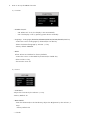
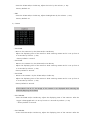
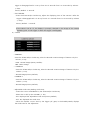
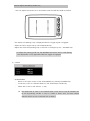
*How to adjust the Parking Guide Line User can adjust the Guide Line in accordance with the Vehicle’s Width as follows. • The Guide Line (Parking Line) is displayed when the trigger signal is engaged. • Select the Left or Right Line by the SCAN/CA.SEL key. • Adjust the Guide Line (Parking Line) to the left or the Right by the – VOLUME+ key. * To adjust the parking guide line, the DISTANCE should be “ON” in OSD Setting. The adjustment is only applicable while the trigger is engaged. 5) Camera • SCAN MODUS - Move to the option screen of the SCAN MODUS by pressing the MENU key. - Locate the cursor at a desired camera by the SCAN and/or CA.SEL Key. - Select ON or OFF by the Volume -/+ Key. The camera set at “ON” is not scanned when a user tries to scan all cameras one by one by pressing “CA.SEL ▽” key. It is useful to select “OFF” for those camera channels which are not connected with a camera.