1
Description of Menu Items
Description of Menu Items
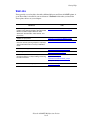
This section includes:
■
■
■
■
■
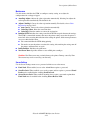
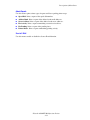
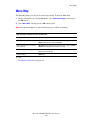
Default Settings on page 9-4
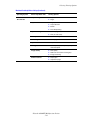
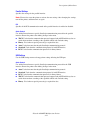
Tray Settings on page 9-6
Information Pages on page 9-7
Billing Meters on page 9-8
Admin Menu on page 9-8
Default Settings
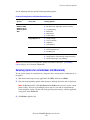
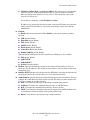
There are three submenus under the Default Settings menu: Copy Defaults, Scan Defaults, and
Fax Defaults. Use these menus to set default behaviors.
The following gives a brief description of each menu item. For more information, see Copying
on page 6-1, Scanning on page 7-1, or Faxing on page 8-1.
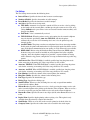
Copy Defaults Menu
■
■
■
■
■
■
■
■
■
■
■
■
■
■
■
■
■
■
■
■
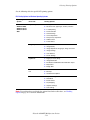
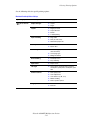
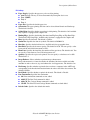
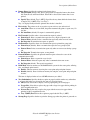
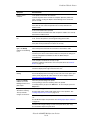
Color: Specifies Black & White or Color copies.
Paper Supply: Specifies the paper tray that copies are printed from.
Reduce/Enlarge: Reduces or enlarges the copies.
Document Type: Specifies the type of the original.
Output Quality: Specifies the quality of the scanned image.
Collated: Turns on and off collation.
2-Sided: Specifies duplex settings. This menu is displayed only when the optional duplex
unit is installed.
Lighten/Darken: Lightens or darkens copies.
Sharpness: Specifies the sharpness of the copies.
Color Saturation: Deepens or lightens the overall color levels of your copies.
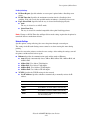
Auto Exposure: Turns Auto Exposure on and off when copying. Auto Exposure
suppresses the document background of off-white colored paper. It also helps suppress
show-through when copying double-sided thin paper.
Auto Expo. Level: Adjusts the Auto Exposure level.
Color Balance: Adjusts the color levels of your copies.
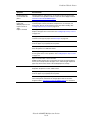
Auto Fit: Use this menu to turn on/off Auto Fit. When on, the copied image is scaled to fit
to the size of the selected paper tray.
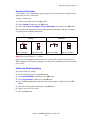
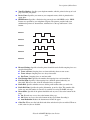
N-Up: Use this menu to copy two original page images onto one side of a sheet of paper.
The ID Copy setting is for use when copying ID cards. It is a 2 to 1 copy with 100% zoom
for both sides.
Poster: Copies one original onto multiple pages that can be assembled into a poster.
Poster Doc. Size: Selects the size of the poster. The number of output pages is either 4, 9,
or 16 pages.
Repeat Image: Copies of one original image copied onto one side of a sheet of paper.
Margin: Turns on and off the copy margins.
Width: Sets the margin settings for copies.
Phaser® 6180MFP Multifunction Printer
9-4