1
CashFlow® Programming Module
(CPM)
What is a CPM?
®
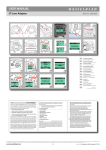
The CashFlow Programming Module (CPM) is a small hand held device that allows products to be
upgraded in the field rather than having to send products to a service depot or service centre.
To do this you will need the following tools.
1)
2)
3)
4)
5)
6)
7)
Computer (PC)
Work Shop Module (WSM) software V3.02 or above
Data key (Dongle) plus credits
CPM
USB lead provided with the WSM
HII Adaptor
Application / Macros
CPM Identification
HII LEAD
LED’s
CPM
HII LEAD
USB
CONNECTOR
How does CPM work?
Upgrading your products in the field is achieved by first downloading WSM applications from your PC
down the USB cable into the CPM memory. The CPM can then be connected to the product for the
upgrade to be completed.
Credits from the dongle (attached to your PC) will need to be transferred on to the CPM before it can
be used to upgrade a product. The number of credits deducted will depend on the type of application.
When all required applications have been downloaded into the CPM, you will then be ready to visit
your machines and upgrade the products.
To Upgrade the product simply connect the six-way HII lead from the CPM into the 6-way service
connector of the product. The LED’s on the CPM gives a visual indication on the performance of the
upgrade. (Refer to the LED Code section).
Page 4 of 22