1
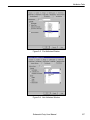
Search Paths Tabs
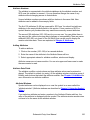
Search Paths Tabs
Project, Model, and Symbol Paths
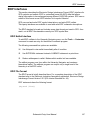
These windows let you modify the search paths for Projects, Models, and Symbols.
The directories are searched in the order they appear in the list.
Libraries are directories that contain symbol or schematic files. SCS also installs
libraries that have been compressed into individual files with the .lib extension.
Once they have been added to the search path, these compressed symbol libraries
(Binary Library) are treated the same way as the library directories. You can define
your own symbol library directories, but not compressed symbol libraries.
✍
NOTE
You can modify symbols from the compressed libraries using
the Edit ⇒ Extract Symbol(s) command in the Library
Manager to extract a copy of a symbol from a library. You can
then edit the symbol and place it in a directory that is searched
before the library. (See Chapter 6, Using the Library
Manager for details.)
When you highlight a path, it appears in the Path edit box where it can be modified.
The paths supplied with the default version of scs.ini names are prefixed with
%ROOT. This is the path specified by the Root variable defined during installation.
(The default Root path is the directory you installed SCS in, usually
c:\isptools\ispsys.)
You can add your own path variables to the Registration Database using the Windows
program RegEdit:
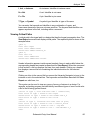
proj_path = c:\projects
my_symbols = d:\user_sym
or as SET PATH statements in autoexec.bat:
SET MY_PATH = e:\my_proj
You can access any of these paths in the search path list by prefixing their names
with a percent sign (%):
%proj_path\
%my_symbols\
$MY_PATH\
The percent sign (%) accesses paths from the registration database. The dollar sign
($) accesses paths from the DOS environment.
Schematic Entry User Manual
132