1
Preparing Symbols for Schematics
Adding Pin Names
To add pin names:
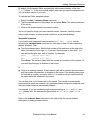
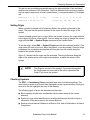
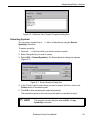
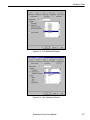
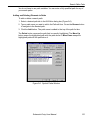
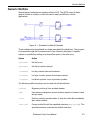
1. Select the Edit ⇒ Attribute ⇒ Pin Attribute command to display the Pin
Attributes dialog box (Figure 5-2).
2. Select PinName from the attributes listed in the right-hand list box.
3. Click on the desired pin in the left-hand list box.
4. Enter the desired name in the PinName field and press Enter. The name appears
on the symbol.
Figure 5-2. Pin Attributes Dialog Box
The Pin Attribute command remains active until you select another command. You
can repeat this process to name (or rename) the remaining pins.
Displaying Pin Names
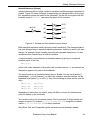
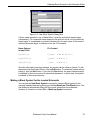
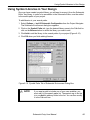
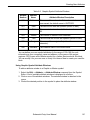
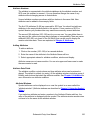
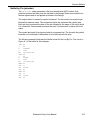
The Pin Name Location command controls whether a pin’s name is displayed, and
its position relative to the pin. Selecting Edit ⇒ Attribute ⇒ Pin Name Location
displays the dialog box below (Figure 5-3).
Figure 5-3. Pin Name Location Dialog Box
Schematic Entry User Manual
74