1
Storing Measurements . . . continued
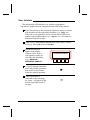
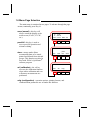
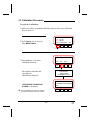
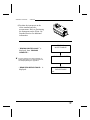
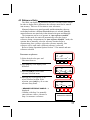
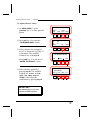
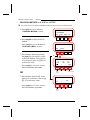
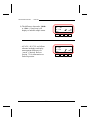
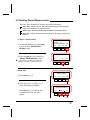
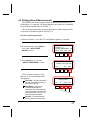
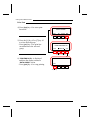
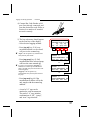
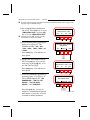
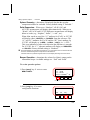
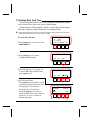
4) Select desired data group number
by repeatedly pressing [next] key #3.
DATA GROUP 1
STORED: 0
STORES REMAINING: 999
menu view next edit
Key#1
Key#2
Key#3
Key#4
Press
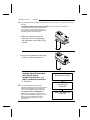
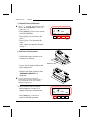
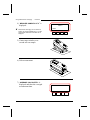
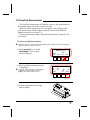
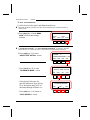
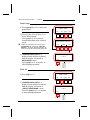
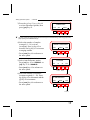
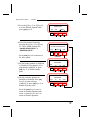
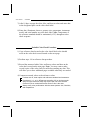
5) Take measurement by lowering
unit to target window on sample
and holding.
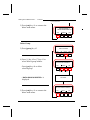
- ‘‘READING COMPLETE ’’,
‘‘Measurement Data’’ and
‘‘Pass/Fail’’ indication is displayed
with instrument held down.
☛
"Pass/Fail" indication will only display if the
pass/fail storage option is activated (see previous
page).
- Release instrument from sample.
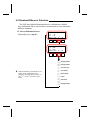
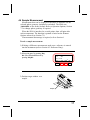
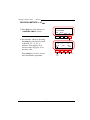
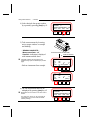
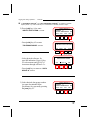
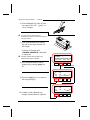
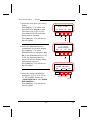
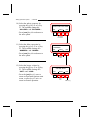
6) The last measurement data can be
redisplayed by pressing [view] key #2.
☛
Measurements can be taken in the view mode if
desired.
The ‘‘data group name’’ can be customized by
‘‘downloading’’ group names with QA-Master
software package.
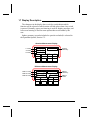
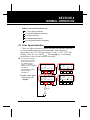
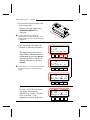
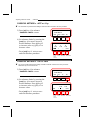
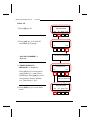
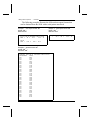
DATA DISPLAYED WITH UNIT HELD DOWN
STORE WITH PASS/FAIL
OR
L* +.09
INCLUDED
C* -.02
E
.11
H* -.06
exit ( L*C*H*) (D65 10 )
Key#1
Key#2
L*
C*
H*
exit
-.06
-.03
-.04
E
Key#1
Key#2
Key#3
Key#4
PASS
.11
(ref01)
Key#4
DATA GROUP 1
STORED: 1
STORES REMAINING: 998
menu view next edit
Key#1
6-3
Key#3
Key#2
Key#3
Key#4