1
5. Firewall
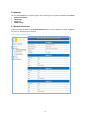
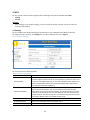
You can view Firewall link on the left navigation pane. Following are the options available under Firewall.
•
Port Forwarding
•
Virtual Server
5.1 Port Forwarding
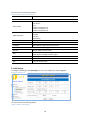
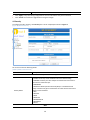
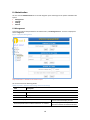
To configure Port Forwarding, click Port Forwarding link. A screen is displayed as shown in Figure 9:
[Figure 9] Port Forwarding
The screen contains the following details.
[Table 11] Fields in Port Forwarding
•
•
Field
Description
Forwarding
To enable or disable the port forwarding
IP Address
To enter the IP Address of a specified local machine
Port Range
To assign a range of port or specific port number to route the packets
Protocol
To assign protocol type of the packets
Comment
To add a comment
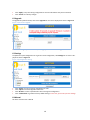
Click “Apply” at any time during configuration to save the information that you have entered.
Click “Reset” to undo any changes.
16