1
FEBRUARY 2005
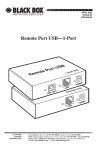
IC247A
Remote Port USB 2.0 1-Port
User’s Guide
CUSTOMER
SUPPORT
INFORMATION
Order toll-free in the U.S.: Call 877-877-BBOX (outside U.S. call 724-746-5500)
FREE technical support 24 hours a day, 7 days a week: Call 724-746-5500 or fax 724-746-0746
Mailing address: Black Box Corporation, 1000 Park Drive, Lawrence, PA 15055-1018
Web site: www.blackbox.com • E-mail: [email protected]
FCC STATEMENT
FEDERAL COMMUNICATIONS COMMISSION
AND
INDUSTRY CANADA
RADIO FREQUENCY INTERFERENCE STATEMENT
This equipment generates, uses, and can radiate radio frequency energy and if
not installed and used properly, that is, in strict accordance with the
manufacturer’s instructions, may cause interference to radio communication. It
has been tested and found to comply with the limits for a Class A computing
device in accordance with the specifications in Subpart J of Part 15 of FCC rules,
which are designed to provide reasonable protection against such interference
when the equipment is operated in a commercial environment. Operation of this
equipment in a residential area is likely to cause interference, in which case the
user at his own expense will be required to take whatever measures may be
necessary to correct the interference.
Changes or modifications not expressly approved by the party responsible for
compliance could void the user’s authority to operate the equipment.
This digital apparatus does not exceed the Class A limits for radio noise
emission from digital apparatus set out in the Radio Interference Regulation of
Industry Canada.
Le présent appareil numérique n’émet pas de bruits radioélectriques dépassant
les limites applicables aux appareils numériques de la classe A prescrites dans
le Règlement sur le brouillage radioélectrique publié par Industrie Canada.
This product conforms to European Standard EN 55011/A1 Class A, and
EN 50082-1 (IEC 801-2, IEC 801-3, IEC 801-4).
.
1
REMOTE PORT USB 2.0
Normas Oficiales Mexicanas (NOM)
Electrical Safety Statement
INSTRUCCIONES DE SEGURIDAD
1. Todas las instrucciones de seguridad y operación deberán ser leídas
antes de que el aparato eléctrico sea operado.
2. Las instrucciones de seguridad y operación deberán ser guardadas
para referencia futura.
3. Todas las advertencias en el aparato eléctrico y en sus instrucciones
de operación deben ser respetadas.
4. Todas las instrucciones de operación y uso deben ser seguidas.
5. El aparato eléctrico no deberá ser usado cerca del agua—por ejemplo,
cerca de la tina de baño, lavabo, sótano mojado o cerca de una
alberca, etc.
6. El aparato eléctrico debe ser usado únicamente con carritos o
pedestales que sean recomendados por el fabricante.
7. El aparato eléctrico debe ser montado a la pared o al techo sólo como
sea recomendado por el fabricante.
8. Servicio—El usuario no debe intentar dar servicio al equipo eléctrico
más allá a lo descrito en las instrucciones de operación. Todo otro
servicio deberá ser referido a personal de servicio calificado.
9. El aparato eléctrico debe ser situado de tal manera que su posición no
interfiera su uso. La colocación del aparato eléctrico sobre una cama,
sofá, alfombra o superficie similar puede bloquea la ventilación, no se
debe colocar en libreros o gabinetes que impidan el flujo de aire por
los orificios de ventilación.
10. El equipo eléctrico deber ser situado fuera del alcance de fuentes de
calor como radiadores, registros de calor, estufas u otros aparatos
(incluyendo amplificadores) que producen calor.
2
NOM STATEMENT
11. El aparato eléctrico deberá ser connectado a una fuente de poder sólo
del tipo descrito en el instructivo de operación, o como se indique en
el aparato.
12. Precaución debe ser tomada de tal manera que la tierra fisica y la
polarización del equipo no sea eliminada.
13. Los cables de la fuente de poder deben ser guiados de tal manera que
no sean pisados ni pellizcados por objetos colocados sobre o contra
ellos, poniendo particular atención a los contactos y receptáculos
donde salen del aparato.
14. El equipo eléctrico debe ser limpiado únicamente de acuerdo a las
recomendaciones del fabricante.
15. En caso de existir, una antena externa deberá ser localizada lejos de
las lineas de energia.
16. El cable de corriente deberá ser desconectado del cuando el equipo no
sea usado por un largo periodo de tiempo.
17. Cuidado debe ser tomado de tal manera que objectos liquidos no sean
derramados sobre la cubierta u orificios de ventilación.
18. Servicio por personal calificado deberá ser provisto cuando:
A: El cable de poder o el contacto ha sido dañado; u
B: Objectos han caído o líquido ha sido derramado dentro del aparato;
o
C: El aparato ha sido expuesto a la lluvia; o
D: El aparato parece no operar normalmente o muestra un cambio en
su desempeño; o
E: El aparato ha sido tirado o su cubierta ha sido dañada.
3
REMOTE PORT USB 2.0
4
CONTENTS
Contents
1.
Specifications ......................................................................................... 6
2.
Introduction............................................................................................ 7
3.
4.
2.1
Product Contents ............................................................................ 7
2.2
About the Remote Port USB .......................................................... 8
Installation............................................................................................ 11
3.1
Before You Begin ........................................................................ 11
3.2
Installing the Local Unit............................................................... 11
3.3
Installing the Remote Unit ........................................................... 11
3.4
Connecting the Local Unit to the Remote Unit ............................ 11
3.5
Checking the Installation.............................................................. 12
3.6
Connecting a USB Device ........................................................... 12
Troubleshooting ................................................................................... 13
4.1
Problems, Causes and Solutions................................................... 13
4.2
Calling Black Box ........................................................................ 15
5
REMOTE PORT USB 2.0
1. Specifications
Range (over Category
5 UTP cable)
50 meters
USB device support
High-speed devices (480 Mb/s)
Full speed devices (12 Mb/s)
Low speed devices (1.5 Mb/s)
USB hub support
Any single chain can include four USB hubs and
one Remote Port USB, in any order.
Power available to USB 1 x 500 mA
device at Remote Unit
USB cable
2 meters (6.6 ft)
Local Unit connector
(upstream)
1 x USB Type B
Local Unit connector
(downstream)
1 x RJ45
Remote Unit connector
(upstream)
1 x RJ45
Remote Unit connector
(downstream)
1 x USB Type A
Local Unit dimensions
107 mm x 84 mm x 34 mm
4.25” x 3.4” x 1.4”
Local Unit weight
0.3 kg (0.6 lb)
Remote Unit
dimensions
107 mm x 84 mm x 34 mm
4.25” x 3.4” x 1.4”
Remote Unit weight
0.3 kg (0.6 lb)
Total system shipping
weight
1.1 kg (2.4 lb)
Temperature range
4°C to 40°C
Regulatory testing
FCC, CE Class A
6
CHAPTER 2: Introduction
2. Introduction
This manual is intended to assist IT professionals install the Remote Port
USB 2.0. The instructions in this guide assume a general knowledge of
computer installation procedures, familiarity with cabling requirements, and
some understanding of USB devices.
NOTE
Notes give additional information that could make installation easier.
2.1
Product Contents
When you open your product for the first time you should find the following
items:
•
•
•
•
Remote Port USB 2.0 1-port User Guide
Local Unit
Remote Unit
USB cable (2m long)
To complete the installation, you will also require the following items that
are not included with the product:
• USB compatible computer
• USB device
• Category 5 Unshielded Twisted Pair (UTP) cable with two RJ45
connectors (if using surface cabling),
OR,
Category 5 UTP cabling with two information outlets and two
Category 5 UTP patch cords with RJ45 connectors (if using
premise cabling)
NOTE
The maximum length of the Category 5 UTP cable, including patch cords, must not exceed 50 meters.
7
REMOTE PORT USB 2.0
2.2
About the Remote Port USB
The Remote Port USB breaks the five-meter distance barrier for the
connection of USB devices and allows users to enjoy the benefits of USB
technology beyond the desktop. With the Remote Port USB, USB devices
can be located up to 50 meters from the host computer. In addition, the
Remote Port USB can supply power to the remote USB device.
The product is composed of two individual units, the Local Unit and the
Remote Unit.
2.2.1
The Local Unit
The Local Unit connects to the host computer using a conventional
USB cable. Depending on your needs, it also connects to a power
outlet through an AC power adapter.
1
3
5
Front
View
2
1 Host LED
2 Host Port (USB Type B)
3 Link LED
8
4
6
4 Link Port (RJ45)
5 Power LED
6 Power connector
CHAPTER 2: Introduction
2.2.2
The Remote Unit
The Remote Unit connects to the USB device using a conventional
USB cable. Depending on your needs, it also connects to a power
outlet through an AC power adapter. The Remote Unit allows you to
connect one USB device.
1
3
Front
View
2
4
5
Rear
View
6
1 Link LED
2 Link Port (RJ45)
3 Power LED
4 Power connector
5 Device LED(s)
6 Device Port(s) (USB Type A)
9
REMOTE PORT USB 2.0
2.2.3
Network Cabling
The Local Unit and Remote Unit are interconnected by up to 50
meters of Category 5 Unshielded Twisted Pair (UTP) cabling. The
UTP cabling must have a straight-through conductor configuration,
with no crossovers, and must be terminated with 8-conductor RJ45
connectors at both ends.
Remote
Unit
Local
Unit
USB
cable
Category 5 cable
USB
cable
computer
USB
device
NOTE
Category 5 UTP cabling is the standard data communications cable installed in most commercial and
some residential buildings.
2.2.4
USB Cables
USB cables have two distinct connectors. The Type A connector is used to
connect the cable from a USB device to the Type A port on a computer or
hub. The Type B connector is used to attach the USB cable to a USB device.
USB Type A
port
2.2.5
USB Type A
connector
USB Type B
port
USB Type B
connector
Power Handling
Some USB devices are powered directly from the USB and do not require
individual power supplies. These devices are called bus-powered devices.
The Remote Port USB can provide power to these devices so they can be
operated remotely.
2.2.6
Compatibility
The Remote Port USB complies with USB 2.0 specifications governing the
design of full-speed and low-speed USB devices. However, Black Box does
not guarantee that all USB devices are compatible with the Remote Port
USB..
10
CHAPTER 3: Installation
3. Installation
3.1
Before You Begin
Before you can install the Remote Port USB, you need to prepare your site.
1. Determine where the host computer is to be located and set up the
computer.
2. Determine where you want to locate the USB device.
3. If you are using surface cabling, ensure you have enough Category 5
UTP cabling to connect the two locations.
OR
If you are using premise cabling, ensure Category 5 UTP cabling is
installed between the two locations, with Category 5 information
outlets located near both the computer and the USB device.
3.2
Installing the Local Unit
1. Place the Local Unit near the host computer.
2. Plug the Type B connector on the USB cable (included) into the Host
port on the Local Unit.
3. Plug the Type A connector on the USB cable into the USB port on
the computer.
3.3
Installing the Remote Unit
1. Place the Remote Unit near the USB device.
3.4
Connecting the Local Unit to the Remote Unit
NOTE
To ensure proper operation, we recommend that only Category 5, or better, Unshielded Twisted Pair
(UTP) cabling be used to connect the Local Unit to the Remote Unit. The UTP cabling must have a
straight-through conductor configuration with no crossovers, and must be terminated with 8-conductor
RJ45 connectors at both ends.
3.4.1
With Surface Cabling
1. Plug one end of the Category 5 UTP cabling (not included) into the
Link port on the Local Unit.
2. Plug the other end of the Category 5 UTP cabling into the Link port
on the Remote Unit.
11
REMOTE PORT USB 2.0
3.4.2
With Premise Cabling
1.
Plug one end of a Category 5 patch cord (not included) into the
Link port on the Local Unit.
2.
Plug the other end of the patch cord into the Category 5 information
outlet near the host computer.
3.
Plug one end of the second Category 5 patch cord (not included)
into the Link port on the Remote Unit.
4.
Plug the other end of the second patch cord into the Category 5
information outlet near the USB device.
NOTE
The maximum length of the Category 5 UTP cable, including patch cords, must not exceed 50 meters.
3.5
Checking the Installation
1.
3.6
12
Check that the Link LEDs on both Local Unit and Remote Unit are
on.
Connecting a USB Device
1.
Install any software required to operate the USB device. Refer to
the documentation for this device, as required.
2.
Connect the USB device to the Device port on the Remote Unit.
3.
Check that the Host LED on Local Unit is on.
4.
Check that the Device LED on Remote Unit is on.
CHAPTER 4: Troubleshooting
4. Troubleshooting
4.1
Problems, Causes and Solutions
The following table provides troubleshooting help. The topics are arranged
in the order in which they should be executed in most situations. If you are
unable to resolve the problem after following these instructions, please
contact technical support for further assistance.
Symptoms/Cause Remedy
All LEDs on Local Unit
and Remote Unit are
off.
Cause:
The Remote Port USB
is not receiving power
from the adapter
Link LEDs on Local
Unit and Remote Unit
are off.
Cause:
There is no connection
between the Local Unit
and Remote Unit.
Link LED on Local Unit
is on;
Host LED on Local Unit
is off.
Cause:
a) The computer is not
functioning.
b) The Local Unit is
not connected to
the computer.
c) The computer does
not support USB
hubs.
d) The Remote Port
USB is
malfunctioning.
1. Ensure that the power adapter is connected to
the Local Unit and Remote Unit
2. Check that the adapter is connected to a live
source of electrical power
1. Ensure that a Category 5 UTP cable with
straight-through conductors is connected
between the Local Unit and Remote Unit.
2. Connect a short Category 5 patch cord
between the Local Unit and Remote Unit.
Recheck the operation of the system.
1. Disconnect all USB devices from the Remote
Unit.
2. Disconnect the Local Unit from the computer.
3. Disconnect and then reconnect the power
adapter to the Remote Port USB.
4. Reconnect the Local Unit to the computer.
5. In the Universal Serial Bus controllers section
of Device Manager, check that the Remote
Port USB is recognised as a “Generic USB
Hub”.
6. If the Remote Port USB is not recognised,
contact technical support for assistance.
13
REMOTE PORT USB 2.0
Symptoms/Cause Remedy
A device is connected
to Remote Unit and the
corresponding Device
LED is off
Cause:
a) The USB device is
malfunctioning.
b) The computer does
not recognise the
USB device.
c) The application
software for the
device is not
operating.
d) The Remote Port
USB is
malfunctioning.
1. Disconnect the Remote Port USB from the
computer.
2. Connect the USB device directly to the USB
port on the computer.
3. If the device does not operate properly,
consult the user documentation for the device.
4. If the device operates properly when directly
connected to the computer, connect another
device (of a different type) to the Remote Port
USB. Connect the Remote Port USB to the
computer.
5. If the second device does not operate, the
Remote Port USB may be malfunctioning.
Contact technical support for assistance.
6. If the second device does operate properly,
the first device may not be compatible with the
Remote Port USB. Contact technical support
for assistance.
All LEDs on both the
Local Unit and Remote
Unit are on but the
device does not
operate correctly
Cause:
a) The USB device is
malfunctioning.
b) The computer does
not recognise the
USB device.
c) The application
software for the
device is not
operating.
d) The Remote Port
USB is
malfunctioning.
1. Disconnect the Remote Port USB from the
computer.
2. Connect the USB device directly to the USB
port on the computer.
3. If the device does not operate properly,
consult the user documentation for the device.
4. If the device operates properly when directly
connected to the computer, connect another
device (of a different type) to the Remote Port
USB. Connect the Remote Port USB to the
computer.
5. If the second device does not operate, the
Remote Port USB may be malfunctioning.
Contact technical support for assistance.
6. If the second device does operate properly,
the first device may not be compatible with the
Remote Port USB. Contact technical support
for assistance.
14
CHAPTER 4: Troubleshooting
4.2
Calling Black Box
If you determine that your Remote Port USB is malfunctioning, do not
attempt to alter or repair the unit. It contains no user-serviceable parts.
Contact Black Box at 724-746-5500.
Before you do, make a record of the history of the problem. We will be able
to provide more efficient and accurate assistance if you have a complete
description, including:
•
the nature and duration of the problem,
•
when the problem occurs,
•
the components involved in the problem,
•
any particular application that, when used, appears to create the
problem or make it worse.
4.2.1
Shipping and Packaging
If you need to transport or ship your Remote Port USB:
•
Package it carefully. We recommend that you use the original
container.
•
If you are shipping the Remote Port USB for repair, make sure you
include everything that came in the original package. Before you
ship, contact Black Box to get a Return Authorization (RA)
number.
15
REMOTE PORT USB 2.0
Notes
16
© Copyright 2005. Black Box Corporation. All rights reserved.
1000 Park Drive
Lawrence, PA 15055-1018
724-746-5500
Fax 724-746-0746