1
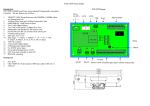
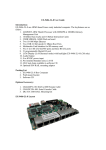
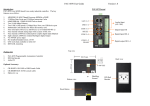
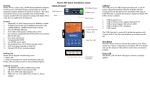
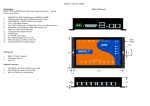
Pin Assignment and Definition
Reset Button
Press the “Reset” button to activate the hardware reset.
You should only use this function if the software does
not function properly.
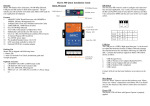
COM1: RS-485
Data+ Data-
Power LED (D4)
The Power LED will show solid green if power is
properly applied
Ready LED (D5)
The Ready LED will show solid green if EX9486-2LDIO complete system boot up. If Ready LED is off
during system boot up, please check if power input is
correct. Turn off the power and restart EX9486-2LDIO again. If Ready LED is still off, please contact the
manufacture for technical support.
LAN1/LAN2 LED (D6/D7)
When Ethernet port are connected to the network, Link/
Act will show solid green and if there is traffic in the
Ethernet, this LED will flash
Serial Port LED (LD3/LD4/LD5)
These three dual color LEDs indicate the data traffic at
the serial ports. When RXD line is high then RED
light is ON and when TXD line is high, GREEN light
is ON.
User LED (LD1/LD2)
LD1 and LD2 are dual color LED for user application.
Please refer to example program for the usage.
Ethernet Port (LAN1/LAN2)
Serial Ports:
COM1: RS-485 (Data+, Data-)
COM2: RS-232 with full modem control
COM3: RS-232 with RxD TxD (Console)
COM2: RS232
COM3: Console
2 4
1 3
6
8 10
5 7
9
Data+ is pull up to 3.3VDC
with 10K Ohm resistor
Data– is pull low to ground
Termination resistor is not
included. User can add a 120
Ohm resistor shunt with D+ to
D– if necessary
Pin COM2 COM3
1
DCD
N/C
2
DSR
N/C
3
RXD
RXD
4
RTS
N/C
5
TXD
TXD
6
CTS
N/C
7
DTR
N/C
8
N/C
N/C
9
GND
GND
10
N/C
N/C
Serial console port (COM3) is very helpful to perform
system configuration and debug. When you forgot
password or network IP address, serial console provide
an easy way to access EX9486-2L-DIO. To access
serial console port, you can use CBL-F10M9-20 to
convert 10-pin header to RS-232 DB9 male connector
and use a null modem adaptor for PC RS-232 interface.
Use any terminal software such as hyper terminal and
setting as follow:
Baud Rate: 115200
Data bits: 8
Parity: N
Stop bit: 1
Terminal type: ANSI
Once you power up EX9486-2L-DIO, you will see the
console message appears.
RS-232 DB9 Male Connector
Pin RS-232
1
DCD
2
RXD
3
TXD
4
DTR
5
GND
6
DSR
7
RTS
8
CTS
9
N/C
Pin
USB
1
Vcc1
2
Vcc2
3
Data1+
4
Data2+
5
Data1-
6
Data2-
7
GND
8
GND
9
N/C
10
N/C
USB Port:
2 4
1 3
6
8 10
5 7
9
Vcc1,Vcc2: +5Vdc
GND: Ground