1
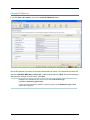
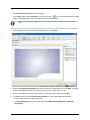
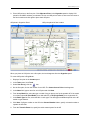
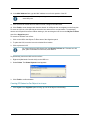
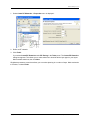
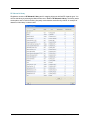
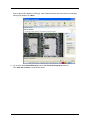
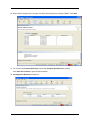
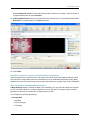
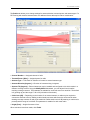
The map name in the RF Neighborhood Source dialog must match the map name in the top line of the .csv file from the Ekahau Site Survey tool. 8. Click Next. Import progress is displayed. When importing is complete, check the Total valid RF measurements found line in the progress messages. If the number is greater than 0, RingMaster successfully imported measurements. If the number is 0, no measurements were imported. Try the import again. If you are using a site survey file, verify that the map name is correct. After importing RF measurements, correct the attenuation factors for the floor. Optimizing an RF Coverage Model An attenuation library is a set of attenuation values for the RF obstacles on a floor. After importing RF measurements from a site survey or applying them from the RF measurements to your network plan, rebuild the attenuation library for a floor using those RF measurements. 1. Display the floor plan in the Content panel. 2. In the Tasks panel, click RF Planning. 3. Under Site Survey in the Tasks panel, click Optimize. A dialog appears, displaying the request progress. The Total number of RF measurements that did not intersect any object line lists the number of measurements that were not attenuated due to an RF obstacle in the path between them. If measurements came from a site survey, these are measurements between deployed APs and a Ekahau Site Survey tool performing the survey. If the measurements came from AP radios in the network, these are measurements between AP radios. Using RF Measurements from APs Copyright © 2011, Juniper Networks, Inc.