1
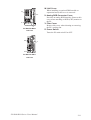
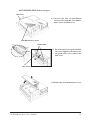
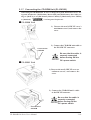
3) Remove the two(2) fan unit attachment screws, and take out the fan
unit.
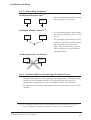
4) Unplug the fan unit’s power cable
connector from the PL.
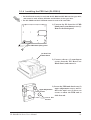
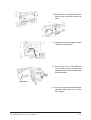
5) Unscrew the two (2) attachment
screws and remove the fan unit,
and then remove the fan unit from
the metal plate.
Metal Plate
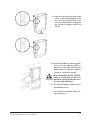
6) Secure the metal attachment plate
and the cooling filter cover to the
PL in place.
PL B900/B910 Series Users Manual
3-16







































![Installation Manual [PDF 2.5 MB]](http://vs1.manualzilla.com/store/data/006019755_1-cd5e1ac77f4b7b55781d3fd4e75d7494-150x150.png)