1
Chapter 5 - System Setup
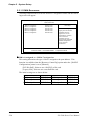
5.2.3 Advanced BIOS Features
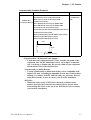
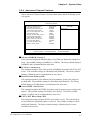
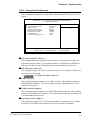
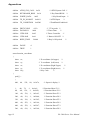
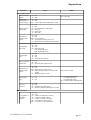
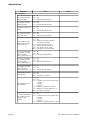
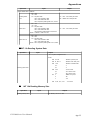
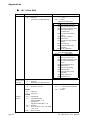
Select Advanced BIOS Features from the Main Menu and the following screen
will appear.
CMOS Setup Utility - Copyright (C) 1984-2000 Award Software
Advanced BIOS Features
x
x
Virus Warning
CPU Internal Cache
External Cache
Quick Power On Self Test
First Boot Device
Second Boot Device
Third Boot Device
Boot Other Device
Swap Floppy Drive
Boot Up Floppy Seek
Boot Up NumLock Status
Gate A20 Option
Typematic Rate Setting
Typematic Rate (Chars/Sec)
Typematic Delay (Msec)
Security Option
OS Select For DRAM > 64MB
Report No FDD For WIN 95
Video BIOS Shadow
Cyrix 6x86/MII CPUID
Disabled
Enabled
Enabled
Disabled
Floppy
HDD-0
CDROM
Enabled
Disabled
Enabled
On
Fast
Disabeld
6
250
Setup
Non-OS2
No
Enabled
Enabled
Item Help
Menu Level
Allows you to choose
the VIRUS warning
feature for IDE Hard
Disk boot sector
protection. If this
function is enabled
and someone attempt to
write data into this
area, BIOS will show a
warning message on
screen and alarm beep
↑↓→←:Move Enter:Select +/-/PU/PD:Value F10:Save ESC:Exit F1:General Help
F5:Previous Values
F6:Fail-Safe Defaults
F7:Optimized Defaults
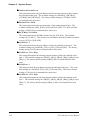
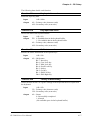
Virus Warning
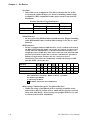
This setting determines whether to display a warning when a write to the boot
sector is attempted. The available settings are [Enabled] or [Disabled]. The
factory default setting is [Disabled] and is recommended for most users.
CPU Internal Cache
This setting determines the usage of the CPU's internal cache memory. The
available settings are [Disabled] or [Enabled]. The factory default setting is
[Enabled] and is recommended for most users.
External Cache
This setting determines the usage of the external cache memory (L2). The available settings are [Disabled] or [Enabled]. The factory default setting is [Enabled]
and is recommended for most users.
Quick Power On Self Test
This setting determines whether the quick self test is performed when the power is
turned on. The available settings are [Disabled] or [Enabled]. The factory default
setting is [Disabled] and is recommended for most users.
5-4
PL-5900 Series User Manual