1
2.Function Keys and operation:
2.1 Function Keys Definition and description:
(1) Menu Key: Use this key to select and execute the magnitude and
function process.
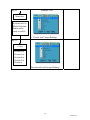
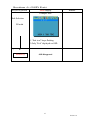
The Sequence flows of Manu Key pressing:
(a) Mode Selection:
(+ Key)
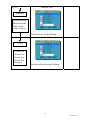
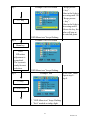
Press Manu key Display 1st press 2nd press 3rd press 4th press 5th press
OSD
*OSD shows up. Colour Picture Function
Manu
Mics
Exit
.
5th press 4th press 3rd press 2nd press 1st press
(- key)
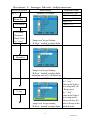
(b) Adjusting-and Executing for the desired Selection:
st
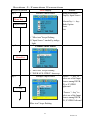
(1 selection: Colour Adjustment)
(+ Key)
Press Manu key
1st press 2nd press 3rd press 4th press 5th press
* “Colour icon”
flashed.
Contrast Brightness
Red
Green
Blue
Exit
* “Contrast”
marked.
4th press 3rd press 2nd press 1st press
5th press
- key
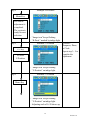
(c) Magnitude Adjustment:
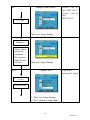
Press Manu key
Adjusting item
Magnitude varied by pressing:
Magnitude Scale shows
+ Key: Value increases to until 255.
up
Contrast
- Key: Value decreases to until 0.
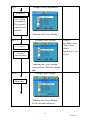
Mode Exit: Always selects Exit + Manu key pressing to go out from any one
of modes to another.
(d) When the system back to Mode Selection that it is ready for
another mode selection.
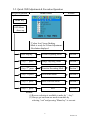
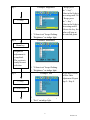
(e) As for actually uses of OSD’s Function adjustment and
execution, Please refers the item 2-2: “Quick OSD Adjustment
& Execution Operation”
3
Version:1.0