1
User Manual
Model: MB7000
UM_MB7K_120113-01
18. INSTALLING ACTIVE SYNC
Note
To connect the terminal with PC, you need to install the [Microsoft ActiveSync] program in your
PC. If the [MicroSoft ActiveSync] program is already installed in your PC, you don’t need to install
the program again. The images may vary depending on the version of [Microsoft ActiveSync], but
the functions are the same
1.
Download [Microsoft ActiveSync] from the website of Microsoft, and install the program
in the PC
2.
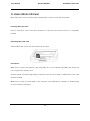
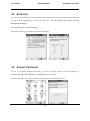
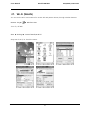
On the [License Agreement] window, select <Agree>
On the [Customer Information] window, fill in the <User Name> and
<Company> field
On the [Target Folder] window, select the <Installation Location>
21