1
Getting Started
5.
If the “User Account Control” window appears on the screen, click Yes to continue.
6.
You are now ready to operate the WiFi KM application. A pop-up message
appears at the bottom right of the screen.
Troubleshooting:
If the WiFi KM application fails to start automatically, do any of the following:
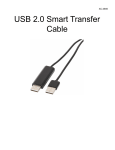
• Check that each connector on the USB cable is correctly inserted on your two
computers.
• Go to My Computer and double-click the “SmartKMLink” icon to start the application.
EN-5