1
In progress applications
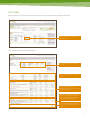
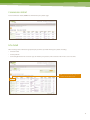
This section shows you how OneView Life will help you to better manage your clients’ applications.
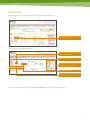
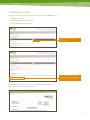
Once you’ve logged into the OneView Life system, you will be viewing the in progress applications for OneCare.
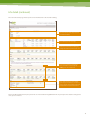
On this screen you can:
Search for applications.
Export your complete list of applications to
a CSV file^.
See important adviser notifications.
See a summary of all your applications in
progress.
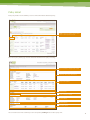
Adviser notices
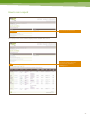
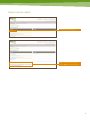
‘Adviser notices’ are visible on the right-hand side of the in progress summary screen.
Here you’ll be given important notifications relating to service standards, and recent activity on your in progress applications.
You will also be notified here when certain situations occur – for example, if there’s been no policy activity for more than 14 days, or
when one of your applications have been updated.
^ CSV - Comma separated values. Save this file to your computer and you can open it in Microsoft Excel or compatible program.
5