1
Before using Your Telephone…
Thank you for purchasing the NEC “Xen Topaz” system.
Due to the flexibility built into the system, your Dialling Codes and Feature Capacities may differ from those
in this guide. Check with your Supplier / System Administrator and make a note of any differences.
Using Your Telephone
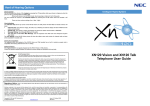
Handset
< Multiline Telephone>
Alphanumeric Display
Indicator
CHECK Key
CLEAR Key
Programmable Function Keys
LND (Last Number Dial) Key
OPAC (Operation Access) Key
DC (Dial Control) Key
CALL Key
FLASH Key
TRFR (Transfer) Key
SPK (Speaker) Key
DND/CONF Key
(Do Not Disturb / Conference)
HOLD Key
Microphone
MIC (Microphone) Key
Speaker
VOL (Volume Control) Key
Dial Keys
Functions
12TXD
12TD
6TXD
6TD
Programmable Keys
Additional Prg. Keys
Display
CHECK/CLEAR Keys
Handsfree
Accept DLS Console
Wall Mount Kit
12
10
Yes
Yes
Yes
Yes
Yes (Built-in)
12
10
No
No
No (Talkback)
No
Yes (Built-in)
6
10
Yes
Yes
Yes
Yes
Yes (Built-in)
6
10
No
No
No (Talkback)
No
Yes (Built-in)
Handsfree Options
- Handsfree lets you place and answer calls by pressing “SPK” instead of using the handset.
- With Automatic Handsfree, you can press a CALL Key without lifting the handset. Normally, you have
Automatic Handsfree.
- Use Handsfree Answerback to answer a voice-announced Intercom call by speaking toward your phone
without lifting the handset.
1