1
iv
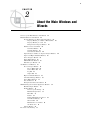
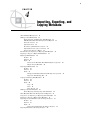
Other Metadata That Can Be Imported and Exported
76
Usage Notes for Importing or Exporting Other Metadata 76
Preparing to Import or Export Other Metadata 77
Importing As New Metadata (without Change Analysis)
77
Importing Metadata with Change Analysis 78
Exporting Other Metadata 80
Chapter 5
Working with Tables
83
About Tables 85
Registering Tables with a Source Designer
85
Registering Tables with the Target Table Wizard
87
Viewing or Updating Table Metadata 89
Using a Physical Table to Update Table Metadata 90
Specifying Options for Tables 91
Supporting Case and Special Characters in Table and Column Names 93
Maintaining Column Metadata 98
Identifying and Maintaining Key Columns 104
Maintaining Indexes 107
Browsing Table Data
109
Editing SAS Table Data
112
Using the View Data Window to Create a SAS Table
115
Specifying Browse and Edit Options for Tables and External Files 116
Chapter 6
Working with External Files
119
About External Files 120
Registering a Delimited External File
122
Registering a Fixed-Width External File 126
Registering an External File with User-Written Code
130
Viewing or Updating External File Metadata 134
Overriding the Code Generated by the External File Wizards
135
Specifying NLS Support for External Files 136
Accessing an External File With an FTP Server or an HTTP Server 136
Viewing Data in External Files 138
Registering a COBOL Data File That Uses a COBOL Copybook 139
Chapter 7
Creating, Executing, and Updating Jobs
About Jobs
142
Creating an Empty Job 143
Creating a Process Flow for a Job 144
About Job Options
145
Submitting a Job for Immediate Execution
Accessing Local and Remote Data
148
Viewing or Updating Job Metadata
150
Displaying the SAS Code for a Job 152
Common Code Generated for a Job 152
Troubleshooting a Job
155
147
141