1
Optimizing Process Flows
Additional Information
253
output table into the User library, which defaults to the Work library. However, this
default behavior can be changed by any SAS user. Through the USER= system option,
a SAS user can redirect the User library to a different library. If the USER= system
option is set, single-level tables are stored in the User library, which has been
redirected to a different library, instead of to the Work library.
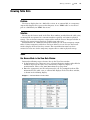
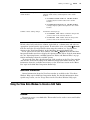
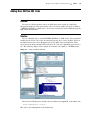
Add the List Data Transformation to a Process Flow
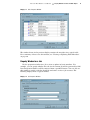
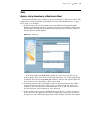
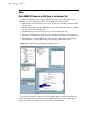
In SAS Data Integration Studio, you can use the List Data transformation to print
the contents of an output table from the previous transformation in a process flow. Add
the List Data transformation after any transformation whose output table is of interest
to you.
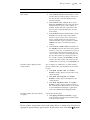
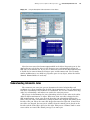
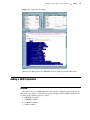
The List Data transformation uses the PRINT procedure to produce output. Any
options associated with that procedure can be added from the Options tab in the
transformation’s property window. By default, output goes to the Output tab in the
Process Designer window. Output can also be directed to an HTML file. For large data,
customize this transformation to print just a subset of the data. For details, see the
“Example: Create Reports from Table Data” topic in SAS Data Integration Studio help.
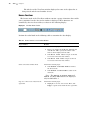
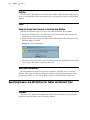
Add a User-Written Code Transformation to the Process Flow
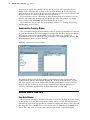
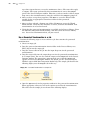
You can add a User Written Code transformation to the end of a process flow that
moves or copies some of the data sets in the Work library to a permanent library. For
example, assume that there are three tables in the Work library (test1, test2, and
test3). The following code moves all three tables from the Work library to a permanent
library named PERMLIB and then deletes them from the Work library:
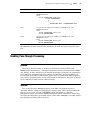
libname permlib base
"C:\Documents and Settings\ramich\My Documents\My SAS Files\9.1";
proc copy move
in = work
out = permlib;
select test1 test2 test3;
run;
For information about User Written Code transformations, see “Creating a Job That
Includes the User Written Code Transformation” on page 223.
Additional Information
The techniques covered in this chapter address general performance issues that
commonly arise for process flows in SAS Data Integration Studio jobs. For specific
information about the performance of the SQL Join transformation, see “Optimizing
SQL Processing Performance” on page 320. For specific information about the
performance of the Table Loader transformation, see “Selecting a Load Technique” on
page 270 and “Removing Non-Essential Indexes and Constraints During a Load” on
page 272.
You can also access a library of SAS Technical Papers that cover a variety of
performance-related topics. You can find these papers at http://support.sas.com/
documentation/whitepaper/technical/.