1
Installing ShadowProtect
21
alternate OS environment where the snapshot driver is not loaded, ShadowProtect cannot track
volume updates from that OS boot session. This means that your next Incremental backup misses
any changes made from the alternate OS.
If one or more of non-Windows operating systems, such as Linux, can write to a ShadowProtectmanaged volume, you can make sure ShadowProtect recognizes those changes by doing the
following:
Create a script, that executes during the startup/logon phase of the non-Windows OS, to delete
all VSM000.IDX (case-sensitive) files from the root directory of each ShadowProtect-managed
volume. Removing these files forces stcvsm.sys, when your primary Windows volume boots, to
use a Full Differential/Comparison backup, which captures any changes made to the volume from
the non-Windows OS.
4.2
License and Install Options
Use of ShadowProtect is governed by the ShadowProtect End User License Agreement (see Chapter
17: End User License Agreement 93 ). However, StorageCraft provides the following ShadowProtect
license options to help you in your decision-making process:
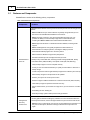
Purchased License: StorageCraft licenses ShadowProtect on a per system basis (based on the
number of systems for which you are making backups. For example, using ShadowProtect to
backup 100 computers requires 100 licenses. Before using the Software, review the complete End
User License Agreement .
Evaluation Version License: StorageCraft provides an Evaluation version of the ShadowProtect
Software as a CD or ISO image file. With the Evaluation version, you can create backup image files
of system and data volumes. You can also restore system and data volumes or specific files and
folders. The Evaluation version includes the StorageCraft Recovery Environment, so you can restore
system volumes with the Evaluation version. The Evaluation version expires and ceases to operate
when the Evaluation period ends. Images created during the Evaluation period are fully compatible
with the registered (purchased) version of the Software.
Trial Version License: StorageCraft provides a Trial version of the ShadowProtect software as a
free download. With the Trial version, you can create backup image files of system and data
volumes. You can also restore system and data volumes or specific files and folders. However, the
Trial version expires and ceases to operate when the trial period ends. Images created during the
trial period are fully compatible with the registered (purchased) version of ShadowProtect. However,
you cannot restore the system volumes because StorageCraft Recovery Environment is not included
with the Trial version.
4.3
Starting ShadowProtect
You can access ShadowProtect in two ways:
From Windows: Select Start > All Programs > ShadowProtect > ShadowProtect.
From Recovery Environment: Put the ShadowProtect CD in the system's CD-ROM drive, then
boot the system. Make sure your system boot sequence is set to boot from the CD before the hard
drive. For more information about loading and using Recovery Environment, see the Recovery
Environment User Guide.
© 2010 StorageCraft Technology Corporation