1
4.8 Options for Photo Album
4.8
21
Options for Photo Album
4.9
Options for standby mode
You can have the current time displayed on the front display in standby
mode. Select the Settings > Miscellaneous menu and set the Standby
Mode options as desired and press the OK button.
4 Preference Settings
You can change a time interval and effect of slideshow in the photo
album.
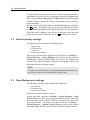
To change the time interval of slideshow, select the Settings > Miscellaneous menu, and then set the Slideshow Time Interval option as you
desire. Its available range is 3 to 10 seconds.