1
2.4 Connecting up your digital receiver 7
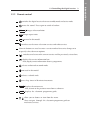
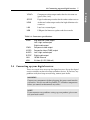
Component video output socket for the television set
(green/blue/red)
S/PDIF
Digital audio output socket for the audio-video receiver
HDMI
Audio and video output socket for high definition television set
LAN
Local area network port
USB
USB port for firmware update and data transfer
Table 2.3: Connectors specifications
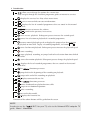
HDMI
YPbPr
VIDEO
AUDIO
S/PDIF
LAN
USB
2.4
High definition video output
Left & right audio output
Digital audio output
Component video output
Composite video (CVBS) output
Left & right audio output
Digital audio output
10/100 Ethernet
2.0 Host (5 V DC, 500 mA)
Connecting up your digital receiver
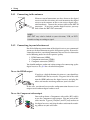
There are several ways to set up the digital receiver. Set up the digital
receiver suitably to your television and other devices. If you have any
problem with your setup or need help, contact your dealer.
WARNING
Connect any components before plugging the power cord into the
wall outlet. Always turn off the product, TV and other components
before you connect or disconnect any cables.
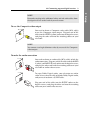
NOTE
If you encounter any problems setting up your product, please contact your local retailer.
2 Setup
Y/Pb/Pr