1
D-Link DGS-3324SRi Intelligent Stackable Gigabit Ethernet Switch
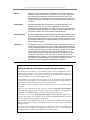
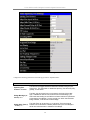
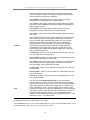
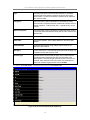
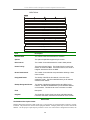
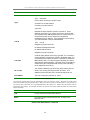
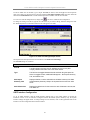
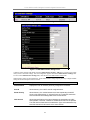
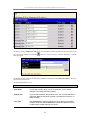
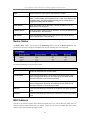
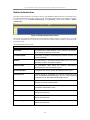
Dead Interval
Allows the specification of the length of time between the receipt of Hello
packets from a neighbor router before the selected area declares that router
down. An interval between 5 and 65535 seconds can be specified. The
Dead Interval must be evenly divisible by the Hello Interval.
State
Allows the OSPF interface to be disabled for the selected area without
changing the configuration for that area.
Auth Type
This field can be toggled between None, Simple, and MD5 using the space
bar. This allows a choice of authorization schemes for OSPF packets that
may be exchanged over the OSPF routing domain. None specifies no
authorization. Simple uses a simple password to determine if the packets
are from an authorized OSPF router. When Simple is selected, the Auth
Key:[ ] field allows the entry of a 8 character password that must be the
same as a password configured on a neighbor OSPF router. MD5 uses a
cryptographic key entered in the MD5 Key Table Configuration menu.
When MD5 is selected, the Auth Key ID:[ ] field allows the specification of
the Key ID as defined in the MD5 configuration above. This must be the
same MD5 Key as used by the neighboring router.
Auth. Key ID
Enter a Key ID of up to 5 characters to set the Auth. Key ID for either the
Simple Auth Type or the MD5 Auth Type, as specified in the previous
parameter.
Metric
This field allows the entry of a number between 1 and 65,535 that is
representative of the OSPF cost of reaching the selected OSPF interface.
The default metric is 1.
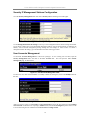
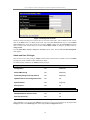
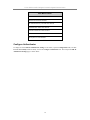
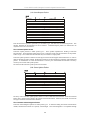
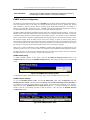
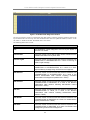
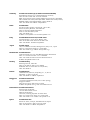
OSPF Virtual Interface Settings
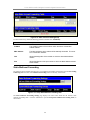
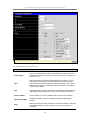
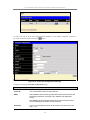
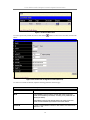
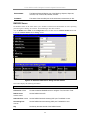
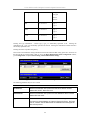
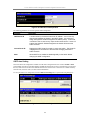
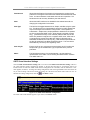
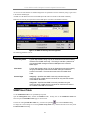
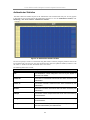
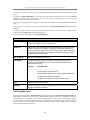
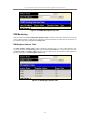
Click the OSPF Virtual Interface Settings link to view the current OSPF Virtual Interface Settings. There are
not virtual interface settings configured by default, so the first time this table is viewed there will be not
interfaces listed. To add a new OSPF virtual interface configuration set to the table, click the Add button. A new
menu appears (see below). To change an existing configuration, click on the hyperlinked Transit Area ID for the
set you want to change. The menu to modify an existing set is the same as the menu used to add a new one. To
eliminate an existing configuration, click the
in the Delete column.
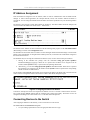
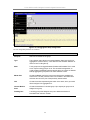
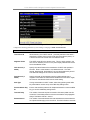
Figure 4- 73. OSPF Virtual Interface Configuration
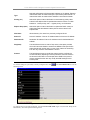
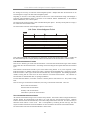
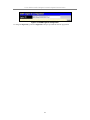
The status of the virtual interface appears (Up or Down) in the Status column.
113