1
Note
You cannot currently copy and paste nodes and links. This capability is planned for a
future version of Urban Developer. You can, however, copy an entire scenario (page
56).
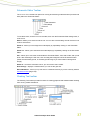
Deleting nodes and links
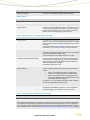
To delete a node, either:
• Select the node you wish to delete by left-clicking it once (the node will be highlighted)
then press the Delete key on the keyboard, or
• Right-click the node, then select Delete from the pop-up menu.
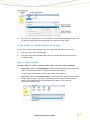
To delete a link, either:
• Select the link you wish to delete by left-clicking it once (the link will be highlighted by
turning bold or will change to a dashed line) then press the Delete key on the keyboard,
or
• Right-click the link (it is easiest to right-click the link arrow), then select Delete from the
pop-up menu.
Deleting a node also deletes any attached links. Deleting a link only deletes the link.
Note
A delete operation cannot be undone. You must re-create the deleted link or node.
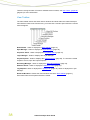
Default node names
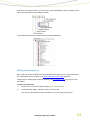
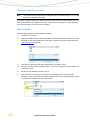
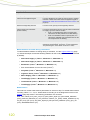
Whenever a node, link or style (page 65) is created, it is given a default name in the pattern:
Type #
Where type is the type of node (roof, water use, etc), and # is a number that increases
monotonically for each node of the same type within the same scenario; ie the number resets
back to 1 in a new scenario. For example:
• Pervious Area 1
• Roof 1
• Roof 2
You should develop a consistent naming convention for nodes, links and styles to make them
easier to find.
62
Urban Developer User Guide