1
OPTUSnet 4200 Router
User’s Guide
Table of Contents
Chapter 1 Introduction
Features of the SpeedStream® Router ............................................................................................................. 1
Network (LAN) Features .............................................................................................................................. 1
Security Features ......................................................................................................................................... 2
Configuration & Management ...................................................................................................................... 2
Advanced Router Functions......................................................................................................................... 2
Minimum System Requirements......................................................................................................................... 3
General Safety Guidelines.................................................................................................................................. 3
Chapter 2 Installation
Hardware Installation.......................................................................................................................................... 4
Ethernet Installation Method ........................................................................................................................ 4
USB Installation Method............................................................................................................................... 5
PC Configuration ................................................................................................................................................ 6
Checking TCP/IP Settings (Windows 9x/ME) .............................................................................................. 7
Checking TCP/IP Settings (Windows 2000)................................................................................................. 8
Checking TCP/IP Settings (Windows XP).................................................................................................... 9
Internet Access Configuration .......................................................................................................................... 10
For Windows 9x/2000 ................................................................................................................................ 10
For Windows XP ........................................................................................................................................ 10
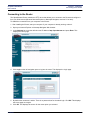
Connecting to the Router.................................................................................................................................. 11
Chapter 3 Configuring User Profiles
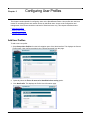
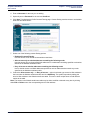
Add User Profiles.............................................................................................................................................. 13
Editing User Profiles ......................................................................................................................................... 17
Deleting User Profiles....................................................................................................................................... 18
Chapter 4 Configuring ISP Connection Settings
WAN Interface .................................................................................................................................................. 19
Host .................................................................................................................................................................. 20
DHCP ............................................................................................................................................................... 21
Static Routes .................................................................................................................................................... 23
Chapter 5 Configuring Network Settings
Mode................................................................................................................................................................. 25
UPnP (Universal Plug and Play)....................................................................................................................... 26
RIP (Routing Information Protocol)................................................................................................................... 27
Server Ports...................................................................................................................................................... 28
Dynamic DNS ................................................................................................................................................... 29
Chapter 6 Configuring Security Features
Admin User....................................................................................................................................................... 31
Time Client ....................................................................................................................................................... 33
Firewall ............................................................................................................................................................. 34
Level........................................................................................................................................................... 35
Snooze ....................................................................................................................................................... 36
SIEMENS
i