1
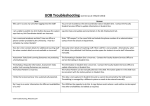
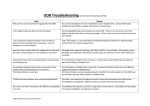
UOB Troubleshooting
Issue
Why can’t I access my unit after logging into the UOB?
Answer
You are not recorded as the Unit Coordinator (UC) in Student One. Contact the Faculty
Student Services Office to update information in Student One.
I am unable to publish my Unit Outline because the system
says that my Unit Coordinator details are incorrect.
Log into Oasis and update personal details in the My Employment tab. Alternatively, the
contact details are now editable in the UOB system.
I am a sessional academic and don’t have an office or
phone number provided by the University. How do I
complete my contact details?
How do I enter contact details for additional teaching staff
for whom contact details are not available or incorrect?
Enter “Off campus” in the room field and include the phone number of an administration
contact from the School or Department.
Assessment Tasks/Unit Learning Outcomes are producing
a formatting error.
The formatting in Student One is incorrect. Contact the Faculty Student Services Office to
correct formatting in Student One.
The Syllabus, Requisite Information, Assessment Tasks
and/or Unit Learning Outcomes are incorrect.
The Tuition Pattern is incorrect.
The information in Student One is incorrect. Contact the Faculty Student Services Office to
update information in Student One.
The Tuition Pattern can be manually altered in the UOB. The tuition pattern in the UOB must
be consistent with the tuition pattern in Student One.
I’d like the lecture/seminar time automatically inputted.
This data is not captured in Student One and so cannot be extracted by the UOB system.
Timetabling is managed by a different system so needs to be entered manually.
Do I have to re-enter information for different availabilities
of a unit?
The UOB has the capacity to do this. A copy feature exists where a unit outline can be copied
into other availabilities and edited as required.
My Program Calendar stretches past the edge of the page
and not all columns are visible to students.
The URL display name needs to be shortened.
For example, if your URL is “https://ctl.curtin.edu.au/using_blackboard/olas/olas_guide.cfm”
Manually enter details of teaching staff if their staff ID is not available. Alternatively, when
left blank, the published Unit Outline provides space for students to write staff information
manually.
when you use the Insert Link button in the text box editor, the title should be renamed to
OLAS – Using Blackboard, or something similar.
Can I give another staff member access in order to help me You can assign contributor access to another Curtin staff member. Click on “Contributor
create my unit outline?
access” from the menu on the top left hand side and input the staff member’s ID number.
Select the availabilities you wish to give them access to and click “Confirm”. Please note:
Those with contributor access are unable to publish a unit outline. This authority lies with the
Unit Coordinator only.
I don’t have a specific administrative contact for my unit.
As this is a mandatory field, a staff ID must be entered.