1
,QVWDOOLQJDQG2SHUDWLQJ,QVWUXFWLRQV
•
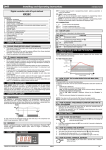
6. MAIN FUNCTIONS
6.1 HOW TO SEE THE SETPOINT
1.
2.
Push and immediately release the SET key: the display will
show the Set point value;
Push and immediately release the SET key or wait for 5 seconds to display the
probe value again.
6.2 HOW TO CHANGE THE SETPOINT
1.
2.
3.
4.
Push the SET key for more than 2 seconds to change the Set point value;
LED starts blinking;
The value of the set point will be displayed and the
To change the Set value push the
or
arrows within 10s.
To memorise the new set point value push the SET key again or wait 10s.
9 8
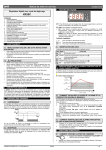
6.3 HOW TO CHANGE A PARAMETER VALUE
To change the parameter’s value operate as follows:
1. Enter the Programming mode by pressing the Set and
DOWN key for 3s (LED1 and
start blinking).
2. Select the required parameter.
3. Press the “SET” key to display its value (now only the
LED is blinking).
4. Use “UP” or “DOWN” to change its value.
5. Press “SET” to store the new value and move to the following parameter.
To exit: Press SET + UP or wait 15s without pressing a key.
NOTE: the set value is stored even when the procedure is exited by waiting the
time-out to expire.
6.4 THE HIDDEN MENU
The hidden menu Includes all the parameters of the instrument.
6.4.1
HOW TO ENTER THE HIDDEN MENU
1. Enter the Programming mode by pressing the Set +
key
for 3s (LED 1 and
start blinking).
2. When a parameter is displayed keep pressed the Set+
for more than 7s. The Pr2 label will be displayed
immediately followed from the HY parameter.
NOW YOU ARE IN THE HIDDEN MENU.
3. Select the required parameter.
4. Press the “SET” key to display its value (Now only the
LED is blinking).
5. Use
or
to change its value.
6. Press “SET” to store the new value and move to the following parameter.
or wait 15s without pressing a key.
To exit: Press SET +
NOTE: the set value is stored even when the procedure is exited by waiting the
time-out to expire.
8
8
9 8
9
6.4.2 HOW TO MOVE A PARAMETER FROM THE HIDDEN MENU TO THE
FIRST LEVEL AND VICEVERSA.
Each parameter present in the HIDDEN MENU can be removed or put into “THE
FIRST LEVEL” (user level) by pressing “SET + ”.
In HIDDEN MENU when a parameter is present in First Level the decimal point is
on.
8
COF Compressor OFF time with faulty probe: (0÷255 min) time during which
the compressor is OFF in case of faulty thermostat probe. With COF=0
compressor is always active.
CH Type of action: CL = cooling; Ht = heating.
DISPLAY
•
CF Temperature measurement unit:
°C=Celsius; °F=Fahrenheit. WARNING: When the measurement unit is
changed the SET point and the values of the parameters Hy, LS, US, Ot, ALU
and ALL have to be checked and modified if necessary).
rES Resolution (for °C): (in = 1°C; dE = 0.1 °C) allows decimal point display.
ALARMS
•
ALC Temperature alarms configuration: (Ab; rE)
Ab= absolute temperature: alarm temperature is given by the ALL or ALU
values. rE = temperature alarms are referred to the set point. Temperature
alarm is enabled when the temperature exceeds the “SET+ALU” or “SET-ALL”
values.
ALU MAXIMUM temperature alarm: (SET÷110°C; SET÷230°F) when this
temperature is reached the alarm is enabled, after the “ALd” delay time.
ALL Minimum temperature alarm: (-50.0 ÷ SET°C;
-58÷230°F when this temperature is reached the alarm is enabled, after the
“ALd” delay time.
•
ALd Temperature alarm delay: (0÷255 min) time interval between the
detection of an alarm condition and alarm signalling.
•
dAO Exclusion of temperature alarm at startup: (from 0.0 min to 23.5h) time
interval between the detection of the temperature alarm condition after
instrument power on and alarm signalling.
DIGITAL INPUT
i1P Digital input polarity: oP: the digital input is activated by opening the contact;
CL: the digital input is activated by closing the contact.
i1F Digital input configuration:
EAL = external alarm: “EA” message is displayed; bAL = serious alarm “CA”
message is displayed. PAL = pressure switch alarm, “CA” message is
displayed; dor = door switch function; dEF, LHt =not enabled; Htr = kind of
action inversion (cooling – heating)
did: (0÷255 min)
with i1F= EAL or i1F = bAL digital input alarm delay: delay between the
detection of the external alarm condition and its signalling.
with i1F= dor: door open signalling delay
with i1F = PAL: time for pressure switch function: time interval to calculate
the number of the pressure switch activation.
nPS Pressure switch number: (0 ÷15) Number of activation of the pressure
switch, during the “did” interval, before signalling the alarm event (I2F= PAL).
If the nPS activation in the did time is reached, switch off and on the
instrument to restart normal regulation.
odc Compressor status when open door: no, Fan = normal; CPr, F_C =
•
Compressor OFF
OTHER
PbC Type of probe: it allows to set the kind of probe used by the instrument: PbC
= PBC probe, ntC = NTC probe.
rEL Software release for internal use.
•
•
Ptb Parameter table code: readable only.
8. DIGITAL INPUT
The free contact digital input is programmable in five different configurations by the
“i1F” parameter.
6.5 HOW TO LOCK THE KEYBOARD
8.1 DOOR SWITCH INPUT (i1F = dor)
1.
2.
3.
9
It signals the door status and the corresponding relay output status through the
“odc” parameter:
no, Fan = normal (any change);
CPr, F_C = Compressor OFF;
Since the door is opened, after the delay time set through parameter “did”, the door
alarm is enabled, the display shows the message “dA” and the regulation restarts.
The alarm stops as soon as the external digital input is disabled again. With the
door open, the high and low temperature alarms are disabled.
8
Keep pressed for more than 3 s the
and
keys.
The “POF” message will be displayed and the keyboard will be locked. At this
point it will be possible only to see the set point or the MAX o Min temperature
stored
If a key is pressed more than 3s the “POF” message will be displayed.
6.6 TO UNLOCK THE KEYBOARD
Keep pressed together for more than 3s the
will be displayed.
9 and 8 keys, till the “Pon” message
8.2 GENERIC ALARM (i1F = EAL)
As soon as the digital input is activated the unit will wait for “did” time delay before
signalling the “EAL” alarm message. The outputs status don’t change. The alarm
stops just after the digital input is de-activated.
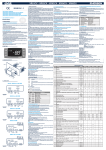
7. PARAMETERS
NOTE: the parameters preceded by dots are in the Hidden Menu.
REGULATION
Hy Differential: (0,1 ÷ 25,5°C / 1÷255 °F) Intervention differential for set point.
Compressor Cut IN is Set Point Plus Differential (Hy). Compressor Cut OUT is
when the temperature reaches the set point.
•
LS Minimum set point: (- 50°C÷SET/-58°F÷SET): Sets the minimum
acceptable value for the set point.
•
US Maximum set point: (SET÷110°C/ SET÷230°F). Set the maximum
acceptable value for set point.
Ot Thermostat probe calibration: (-12.0÷12.0°C;
-120÷120°F) allows to adjust possible offset of the thermostat probe.
OdS Outputs activation delay at start up: (0÷255min) This function is
•
enabled at the initial start up of the instrument and inhibits any output activation
for the period of time set in the parameter.
AC Anti-short cycle delay: (0÷50 min) minimum interval between the compressor
stop and the following restart.
COn Compressor ON time with faulty probe: (0÷255 min) time during which
•
the compressor is active in case of faulty thermostat probe. With COn=0
compressor is always OFF.
1592007200 XR10C GB r1.0 15.05.2003.doc
8.3 SERIOUS ALARM MODE (i1F = bAL)
When the digital input is activated, the unit will wait for “did” delay before signalling
the “CA” alarm message. The relay outputs are switched OFF. The alarm will stop
as soon as the digital input is de-activated.
8.4 PRESSURE SWITCH (i1F = PAL)
If during the interval time set by “did” parameter, the pressure switch has reached
the number of activation of the “nPS” parameter, the “CA” pressure alarm message
will be displayed. The compressor and the regulation are stopped. When the digital
input is ON the compressor is always OFF.
If the nPS activation in the did time is reached, switch off and on the
instrument to restart normal regulation.
8.5 INVERSION OF THE KIND OF ACTION: HEATINGCOOLING (i1F = Htr)
This function allows to invert the regulation of the controller: from cooling to heating
and viceversa.
;5&
2/4