1
ODO User Manual
User Documentation
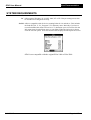
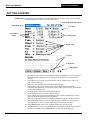
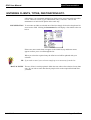
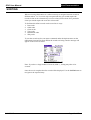
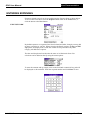
MENUS ODO has a number of menus that can be accessed by clicking on menu icon in the
bottom left hand corner. These menus provide access to other forms and functions
within ODO.
The menus shown above are from the main form. Sub sets of these menus are
available on other forms.
The functionality of each menu item is described later in this document.
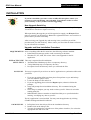
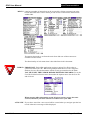
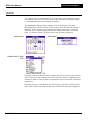
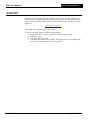
USER ID IMPORTANT. Each ODO application requires a unique User ID in order to
synchronise data with a PC. When using multiple Palm devices with a single PC
database, the user ID also determines which records get transferred to the Palm.
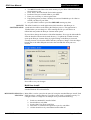
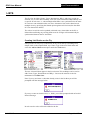
YOU MUST SET THE USER ID BEFORE ENTERING RECORDS. To set the
User ID click the Preferences menu item under the Options menu. Set the User ID
and click exit.
When entering ODO information on the PC please ensure you use the same
User ID, otherwise your data will not be transferred to your PDA.
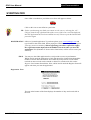
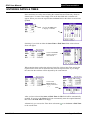
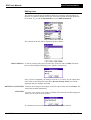
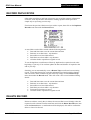
AUTO NEW If you select Auto New a new record will be created when you navigate past the last
record. Otherwise a message will be displayed.
24/12/2005
Page: 12 of 32