1
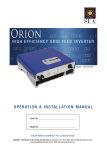
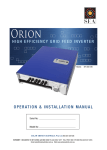
Orion
H I G H E f f i c ie n c y G r i d Fee d I n v e r t e r
Models: SPG-360-2KO
ope r a t io n & i n s t alla t io n m a n ual
Serial No:
Model No:
S O L A R E N E R G Y A U S TR A L I A P t y L t d ACN 081 639 938
SYDNEY. 4 BEAUMONT RD MT KURING-GAI NSW 2080 TEL 02 - 9457 2277 FAX 02 - 9457 2255
MELBOURNE1/15NICOLE CLOSE BAYSWATER NTH VIC 3153 TEL 03 - 9761 5877 FAX 03 - 9761 7789
Email: [email protected] Web: www.solaraustralia.com.au
Solar Energy Australia
CONTENTS
1.0
1.0
2.0
3.0
4.0
5.0
6.0
7.0
8.0
Appendix A
Appendix B
FAQS
Page Introduction and General Information
Warranty Terms and Conditions
Important Safety Information
Product Description and System Design
Installation
Mounting the Inverter
Wiring the inverter
Compatibility Check
Solar Array Test
Isolating Switches / Circuit Breakers
Grid Connection
PV Connection
Feeding more than one unit from a common PV array
Increasing Output power
De-rating
Completing the Install
Operating The Orion
Inverter status LCD and LED displays
LCD Contrast setting
Function key
LCD Display Backlight
LED Status indicators
Message tables
Display Accuracy
Communications Options
RS232 Interface
RS485 Interface
Maintenance and Repair
Trouble Shooting Guide
Fault Codes
Specifications
3
4
5
6
7
7
7
9
9
10
10
10
11
11
11
12
14
14
15
15
15
15
16
17
18
18
18
19
20
21
22
Orion Solar Array Design Example
24
A Quick Guide to the Maths
25
Using Orion with an Oversized Array
26
Frequently Asked Questions
28
Doc No SPG-1601A Rev07/07 Orion Manual
Solar Energy Australia
Introduction and General Information
Thank you for choosing to purchase another quality inverter from Solar Energy Australia. This product has been developed to
provide you with years of trouble free operation.
It is important to us that you get the best out of your inverter, so please take a few minutes to read this manual carefully; it
could save you from frustration. If you have any comments regarding our products and / or service, please do not hesitate to
contact us to discuss your thoughts.
Remember: As soon as your Solar Energy Australia product has been installed please complete and return your warranty
card. This will enable us to efficiently handle any service enquiries you may have, and keep you updated with any relevant
product updates.
.
Features Include:
• Very high conversion efficiency >94% typical
• Natural convection cooling, quiet fan-less design
• High reliability with dual micro controllers
• Built in MPPT (Maximum Power Point Tracker)
• High power density, compact profile, low weight
• User friendly LCD display showing complete status
information
Doc No SPG-1601A Rev07/07 Orion Manual
• RS232 communications with RS485 and network
options
• Solar array earth leakage protection for your safety
• Approved to AS/NZS 4777, AS/NZS 3100 and C Tick
compliant
• Stylish, modern casing
• Easy installation
Page Solar Energy Australia
IMPORTANT: YOU MUST REGISTER YOUR WARRANTY
SOLAR ENERGY AUSTRALIA WARRANTY Terms and Conditions
It is extremely important that all installation instructions contained within this manual are strictly adhered to. Failure to do so
will void your warranty.
If this unit is installed within 1km of the coast steps should be taken to prevent salt water or spray entering the unit. Any
corrosion related problems are not covered under the terms of this warranty. A fully marinised version of this unit is not
available.
Solar Energy Australia warrants this inverter against defects in material or workmanship, for a period of five (5) years from
the date of purchase, when in normal use and service. The warranty period will provide a total of five (5) years if a completed
warranty card is received within 60 days of purchase. No warranty will be provided on units, which have not been paid for in
full. Some models may have the option of purchasing an extended warranty period; see elsewhere in this manual for details.
This manufacturer’s warranty is in addition to your consumer rights under local trade practices act.
This warranty does not extend to products which have been opened, altered or repaired by persons other than those
authorised by Solar Energy Australia or to products which become defective due to acts of God, fire, sabotage, vandalism,
contaminated fluids, negligence or failure to operate, house and maintain the product in accordance with instructions
provided in this manual.
This warranty does not cover repairs made necessary due to the product coming in contact with dirt, abrasives, moisture,
erosion, corrosion, varnish or other similar, or failure due to poor quality of other system components.
Solar Energy Australia will repair or replace the defective product in accordance with its best judgment. For service under
warranty, the buyer must contact Solar Energy Australia to obtain a “Return Materials Advice” (RMA) document and shipping
instructions before returning the unit. Products returned without prior authorisation may be delayed. The buyer will pay all
charges incurred in returning the product to the factory, including any charges incurred for the uninstallation or reinstallation
of the inverter and / or its system components. Solar Energy Australia will pay return freight charges, if the product is found to
be defective, within the terms of this warranty. Repair or replacement of any unit does not extend the original warranty terms
in any way.
Solar Energy Australia reserves the right, with some models, to supply an accredited installer with replacement parts (Aust.
only). This may allow the unit to become operable much quicker. This choice is at Solar Energy Australia’s discretion. Solar
Energy Australia will in no way be held responsible for any losses incurred due to the malfunctioning or failure of a product.
Suitably qualified personnel MUST carry out wiring. Failure to do so cannot justify a warranty claim.
Except for the foregoing expressed warranty, Solar Energy Australia makes no other warranty, expressed or implied, including
but not limited to, the warranty of merchantability or fitness for a particular purpose.
If you have any questions about this warranty please do not hesitate to contact us.
NOTE: Packing for service and transportation - we recommend you keep the original packing in which your Orion was
supplied. This is the best way to protect your unit should shipping be required.
Solar Energy Australia cannot be held responsible for units damaged in transit.
Page Doc No SPG-1601A Rev07/07 Orion Manual
Solar Energy Australia
1.0 Important Safety Information
Before commencing installation please read carefully and follow the recommended guidelines below for trouble
free operation.
Only qualified and competent persons authorised by Solar Energy Australia are allowed to work on this inverter. All
aspects of these instructions for use and operation have to be known by persons working on this appliance.
Keep these instructions with your inverter for quick reference at all times. In case of malfunction contact your supplier
who should initiate the necessary steps for analysis and elimination of the problem.
Grid feeding inverters convert the DC current derived from solar arrays into AC current that is fed into the LV (low
voltage) electricity distribution grid.
NEVER connect an AC generator, wind generator, turbine or battery bank to the inverter, severe damage will result.
Only PV panels may supply the unit.
AND FINALLY; Please complete and return your warranty card. This will enable us to efficiently handle any service
enquiries you may have, and keep you updated with any relevant important updates. Thank you!
WARNING
IMPORTANT; Isolate the unit at both PV and grid isolating switches BEFORE commencing any installation or service
work. A licensed electrician must install the entire system, including the PV array and associated wiring.
The installation of this inverter and the PV system supplying it MUST comply with the Australian/New Zealand wiring
rules laid down in AS/NZS 3000 and to any requirements of the local electricity utility.
The Orion is a ‘non-isolated’ type grid feeding inverter and the unit should be considered ‘live to low voltage (LV)’ at
both the AC grid connection AND the photovoltaic (PV) DC connection. When connected to the grid the PV panels will
be at LV mains potential with respect to utility earth. The PV panel frames must be bonded to an effective earth.
When disconnecting the PV connections the utility earth must remain connected to the Orion. As a result the plug
making the grid connection to the Orion should be connected first (making sure the grid is first isolated) and
disconnected last. The connector provided is a permanently latching type requiring the use of tools for removal to
avoid inadvertent disconnection.
Hazardous voltages can be present inside the converter even after disconnection. Removal of the cover will invalidate
the warranty and may result in injury.
The inverter is not designed for outdoor use. Protect the unit against rain, splashing water and salt spray. Install it
in a dry, salt free atmosphere, temperature range 55°C maximum, humidity 95% non-condensing. Do not place any
item on the inverter and allow a minimum of 200mm for ventilation all around the unit. Keep black heatsink fins
and inverter free of dust and obstructions to airflow. Inadequate air circulation can lead to overheating and overload
conditions. Do not expose the unit to direct sunlight.
Hot Surfaces
Although the unit is designed to meet all safety requirements some parts and surfaces will become hot during
operation. To reduce the risks of injury do not touch the black finned heat sink at the rear of the unit or nearby
surfaces whilst the Orion is operating.
Doc No SPG-1601A Rev07/07 Orion Manual
Page Solar Energy Australia
2.0 Product Description and System Design
Product Description
The Orion is a highly efficient, true sine wave, DC/AC Inverter designed for solar grid-feeding applications. The unit
operates from a photovoltaic (PV) / solar array DC power source only and generates a 240 VAC, 50 Hz current output
for direct connection to the LV (low voltage) power grid. The unit operates with an input voltage between 100VDC
and 360VDC. The absolute maximum non operating input voltage is 450VDC. The Orion employs a MPPT (maximum
power point tracker) for efficient use with PV power systems and is supplied with built-in PV earth leakage protection.
Trip current is 30mA. The unit is designed for indoor use only.
The Orion is provided with a standard RS232 socket for connection to a PC for data acquisition. There are optional
components for communications via RS 485 and SNMP. Contact your dealer for details.
The unit is compliant with: AS/NZS 4777 “Grid Connection of Energy Systems Via Inverters”, and AS/NZS 3100: 2002
“Approval and test specification – General requirements for electrical equipment”.
System Design
This installation MUST be carried out by a licensed electrician. However, we have included some general information
below as an initial guide. The array must meet local requirements and the requirements of AS/NZS 5033 for connection
to a non isolated PCU.
Correctly sizing the solar array requires careful consideration of a number of complex factors. Local area planning
permits may be required and allowance must be made for the weight of the panels, wind loading, temperature, cost
and other variables
To obtain full output, approximately 20-25 sq m of PV panels will be required, assuming average efficiencies. These
must be configured so that the PV operating voltage is in the range of 150-360VDC, ideally for full output in the range
240-360VDC see figure 15, and must never exceed 450VDC when open circuit, even at low temperatures. The worst
case array short circuit current should be less than 20A.
Also, at 2400W of solar power the PV operating voltage must be less that 360Vdc under any conditions. See Appendix
B “Using Orion with an oversized array”.
Generally the array will be north facing and inclined to suit the location’s latitude. It must be in full sun, not shaded by
plants or buildings. Tracking is the most efficient option in terms of capturing sunlight, but requires complex mechanics
and additional expense for even a modest array such as required by Orion.
Strings of less than 8 x 24V panels are not recommended as the low voltage may result in the inverter connecting/
reconnecting unnecessarily in conditions of low light. The low voltage will also reduce the available power output and
the overall efficiency. See de-rating information, refer to figure 15 in paragraph 8.6.
Refer to Appendix A for one example of a typical solar array.
Page Doc No SPG-1601A Rev07/07 Orion Manual
Solar Energy Australia
3.0 Installation
ALL WORKS MUST BE CARRIED OUT BY LICENSED AND QUALIFIED TRADES PERSONNEL.
Refer to important safety standards, AS/NZS 3000, AS/NZS 4777 and AS/NZS 5033. Refer to AS/NZS 1768 for
advice on lightning protection.
Note: This unit classifies as a “non isolated PCU” as per AS/NZS 5033.
Mounting the Inverter.
Select a suitable site for mounting the inverter bearing in mind the inverter should be placed in a position which
minimises the cable runs.
Choose a site which is dry, free of salt or moisture laden air, free of dust and not accessible to rodents. Do not
expose the unit to direct sunlight.
The unit is intended for wall mounting. Inspection and operation may be more convenient when the unit is
mounted approximately at head height. There is also the reduced probability of flood damage (depending
on site).
Figure 1. Ventilation requirements
We recommend the Orion be mounted in a location such as a garage or in a weatherproof box outside under an
eave, on a suitably solid vertical wall. A cooling space of at least 200mm must be left at the top and bottom of
the unit and ideally also at the sides to allow access to the safety screws. The site should not be susceptible to
temperatures exceeding 55°C or humidity in excess of 95% non- condensing. Refer to figure 1.
Doc No SPG-1601A Rev07/07 Orion Manual
Page Solar Energy Australia
Placing the inverter in a cupboard or small enclosure may reduce its output power and increase operating temperature
reducing reliability.
Use the bracket as a template to drill the wall, making sure it is level.
Figure 2. Orion Wall mounting options
Do not over tighten the bracket to the wall as it may distort unless the wall is absolutely flat.
Hang the Orion unit on the bracket and insert the safety screws, see figure 3.
Page Doc No SPG-1601A Rev07/07 Orion Manual
Solar Energy Australia
Figure 3. Fitting the safety screws
IMPORTANT After hanging the unit make sure the safety screws are fitted and the unit cannot be lifted from
the bracket.
Wiring the Inverter
It is not necessary to remove the inverter cover for connection to the grid and/or PV wiring. The cover is
secured using a tamperproof label. Removal of the cover will invalidate the warranty.
ORION
Figure 4. Orion typical installation diagram
Before commencing please pay particular attention to the following:
Compatibility check
Check for compatibility of local PV DC and AC grid voltage and frequency with that published on the compliance
plate before making any connections.
The unit is suitable for connection to nominal 240VAC 50Hz grid systems only. The maximum PV voltage must
not exceed 450VDC.
Solar Array Test
Before commencing wiring it is recommended that the solar arrays be tested to ensure correct polarity and
voltage. A full sun short circuit test must also be conducted to confirm maximum current capability. The
maximum current must not exceed 20A under any conditions.
Doc No SPG-1601A Rev07/07 Orion Manual
Page Solar Energy Australia
Isolating switches/circuit breakers
Make sure all isolating switches are of the double pole type and are ‘off’ before attempting to install or service the unit.
Grid connection
The Orion is suitable for connection only to a nominal 240VAC 50Hz grid. A suitable 2 pole grid isolating switch and
16A fuse or MCB protection must be used in compliance with local regulations. The AC connection to the Orion is made
via the RST 20i3 latching connector (RST p/n 96.031.4153.1) supplied. We suggest using a minimum of 1.5mm sq. 3
core cable (AWG 16).
N
Plug
A
Shroud
E
Gland
Completed Assembly
Figure 5. Wiring the grid feed connector
Fit the shroud and cable gland over the cable. Strip the cable. Wire the plug as follows Active=A=Brown,
Neutral=N=Blue, Earth=E= Yellow/Green securely tightening the clamp screws. Clip the shroud to the plug and tighten
the cable gland securely.
Plug in the grid connection to the unit and make sure it latches positively. If it is desired to remove the connector (for
example for service) it can be removed by carefully depressing the grey latch tongue with a small screwdriver.
PV Connection
WARNING
Orion is a non-isolated grid feeding inverter. Grid voltages with respect to ground will be present on the PV inputs
when operating. For your safety Orion contains embedded earth leakage protection and will disconnect or fail
to operate if leakage current from PV+ or PV- to protective earth is more than 30mA. PV panel frames must be
bonded to an effective earth. A suitable double pole PV isolating switch and 16A fuse or MCB protection must be
used in compliance with local regulations.
Page 10
Doc No SPG-1601A Rev07/07 Orion Manual
Solar Energy Australia
IMPORTANT Please ensure that the open circuit PV array voltage cannot exceed 450VDC under any conditions.
Refer to AS/NZS 5033 for recommended wire sizes and protection
Refer to AS/NZS 1768 for regulations regarding lightning protection.
As the unit employs MPPT (maximum power point tracking) technology it can accept a very wide range of PV input
voltages from approximately 90VDC to 450VDC. However, the nominal input voltage when operational must be kept
to less than 360VDC and ideally in the range 240 to 360VDC for full output (see section 8 figure 15 and paragraph on
derating below).
The Orion is connected to the solar array by way of commonly available, weather proof, polarised, solar panel
connectors (type Multi-Contact Solarline 1), observing the polarity.
Multi-Contact
Solarline 1
+
-
Figure 6. Connecting the PV array
Feeding more than one unit from a common PV array
The Orion employs MPPT (maximum power point tracking) to ensure maximum power is generated by the solar array
over temperature and light conditions. However, this function means that only one Orion unit can be supplied by any
one PV array.
Increasing output power
The Orion cannot be paralleled at the input due to the MPPT, but may be parallel connected at the output with another
similar unit or units, consult your installer for more information.
Derating
For PV voltages of less than approximately 240VDC the power available from the unit will be reduced in accordance
with the de-rating curve published in Section 8 figure 15. This is calculated in accordance with the maximum PV
current draw being limited to 10A and taking into account the unit efficiency at low PV voltages. For example at
150VDC PV input, only around 1200W will be available to feed to the grid.
Doc No SPG-1601A Rev07/07 Orion Manual
Page 11
Solar Energy Australia
Completing the install
Before finally turning on the Orion check the open circuit PV voltage is in the range of 150VDC to 450VDC and that
450VDC can never be exceeded, for example in cold weather. Failure to observe this instruction will damage the
inverter.
Connect the RS232 cable or fit optional communications modules as required, see section 5.0.
Figure 7. Orion overview
Page 12
Doc No SPG-1601A Rev07/07 Orion Manual
Solar Energy Australia
Figure 8. Orion display during start-up
Turn on the PV DC isolation switch. If there is sufficient sunlight the Orion will display ‘Waiting’ then after a few
seconds ‘No Utility’, and the RED LED will illuminate indicating a fault. Now connect the grid. After a few seconds Orion
will indicate ‘Grid Fault’ whilst it synchronises with the grid and then ‘Checking 60S….59S….58S…etc as it performs
internal self tests and counts down, preparing to connect with the grid.
At 0S the unit will click several times as the grid connect relays are tested. Once both processors are satisfied all is in
order the unit will connect and start supplying power to the grid, the Green LED will illuminate and the LCD display will
read ‘Normal State’ followed by Watt=xxxx.xW, where xxxx.x indicates the power being fed to the grid.
The unit is now ‘on line’ and feeding solar power to the grid
If the unit fails to respond check that the array is providing sufficient voltage to start the unit, approximately 150VDC is
required at the PV input to attempt a connection.
Doc No SPG-1601A Rev07/07 Orion Manual
Page 13
Solar Energy Australia
4.0 Operating the Orion
Inverter Status LCD and LED displays
Figure 9. Orion LCD status display (normal operating)
The Orion is designed to be user friendly and the status of the inverter can be easily obtained by reading the liquid
crystal display ( LCD) and light emitting diodes (LED)s provided on the front panel display. A single press button
function key allows scrolling through menus and basic adjustments to Language and Contrast for example.
The Orion has 4 modes of operation
1) Waiting/startup state. If the PV voltage is between approximately 90 and 150VDC the inverter will enter a waiting
state, using only enough PV power to run its own internal circuitry. The display and indicator LED’s may be dark or
operate intermittently.
Note: in continuing conditions of poor light such as dawn, dusk or heavy shading the Orion will attempt to minimise
connections/reconnections by incrementing the reconnect timer value in steps of 300 seconds, up to a maximum
of 999 seconds. This behaviour is normal and does not indicate a fault. When sufficient light becomes available
Orion will reconnect and function normally.
2) Normal State. In this mode the Orion works normally. Whenever the supplied voltage from the solar panels is
sufficient (VPV>150VDC) the Orion converts the power generated by the solar energy to the grid. In the normal
state the GREEN LED is ON.
3) Fault State: The internal microprocessors continually monitor and adjust the system status. If Orion finds any
abnormal conditions, such as a grid anomaly, it will display the information on the LCD panel and light up the RED
fault LED. The unit will disconnect from the grid if required.
4) Shutdown State: During periods of little or no sunlight, (VPV<90V) the Orion stops running. In this mode the Orion
takes no power from the grid, and the front panel LCD and LEDs are turned off.
Page 14
Doc No SPG-1601A Rev07/07 Orion Manual
Solar Energy Australia
LCD Contrast setting
If the LCD is hard to read, as it may be in elevated temperatures, adjust the contrast as follows.
Press the function key repeatedly until ‘Contrast’ shows in the display. Hold the function key down for longer than 2 seconds
until ‘Set Contrast’ and the small bar graph appears in the display. Press the function key repeatedly until the display contrast
is acceptable, continual pressing cycles through from minimum to maximum contrast. Release the key for at least 10
seconds and the display will revert to show ‘Watt=xxxx.xW’. The contrast setting is complete.
Contrast
Set
Lighter
Set
Darker
Set
Watt = xxxx.
Done
Figure 10. Setting the Contrast
Function Key
The function key cycles through the various LCD parameters as follows, once the unit is powered and operational as shown
below.
Normal State
Contrast
Set Language
AC-Current
Energy
Model
Pac
Vac
Freq
Version
Normal State
Vdc
LCD Display Backlight
The LCD display backlight will operate whenever the function key is pressed.
LED Status indicators
Two light emitting diode indicators are provided on the front panel and indicate the inverter status as follows:
Normal operation, inverter in service
- GREEN LED ON, RED LED OFF ••
Fault detected, inverter requires attention and/or service - GREEN LED OFF, RED LED ON ••
Refer to section 7, troubleshooting, for more information.
If there is no display on the LCD panel and both the LEDs are off •• the PV voltage from the solar array is <90V, so check
there is sufficient sunlight and that the panels are correctly connected before calling service.
During periods of marginal sunlight the inverter may continually start up and shut down, this is normal as there is insufficient
power to operate the control circuits.
Doc No SPG-1601A Rev07/07 Orion Manual
Page 15
Solar Energy Australia
LEDS AND OPERATING
STATUS
MESSAGE
DESCRIPTION
Normal Working Status
•• Power Off
No display
PV inverter shutdown VPV ≤ 90VDC
•• Standby
Standby
90V<Input voltage ≤ 100V
•• Initialization and waiting
Waiting
Input voltage range 100-150V during startup. After
PV voltage is above 100V, inverter is waiting for
feeding to grid
•• Checking grid, xxS shows
count down to connection
Checking xxS
When PV voltage>150V, inverter is checking grid
feeding conditions
•• Feeding grid, MPPT
Normal State
Inverter is feeding power. After 10 seconds of this
display LCD will show wattage
•• Instantaneous output power
Pac=xxxxW
The real time output power in watts
•• Grid voltage
Vac=xxx.xV
Grid voltage in VAC RMS
•• Grid frequency
Frequency=xx.xHz
Grid frequency in Hz
•• PV array voltage
Vdc=xxx.xV
Input voltage VPV from PV array VDC
•• Grid feeding current
AC-Current=xx.xA
Grid feed current in A RMS
•• Accumulated energy
information
Energy=xxxxxxkWh
Total energy that has been fed to the grid since
inverter installation
No utility
The grid utility is not connected or is unavailable
Parameter Monitoring
System Fault
•• No utility
Inverter Fault
•• Consistent Failure
Consistent failure
•• Temperature too high
Over temperature
The readings of the two microprocessors do not
agree, this may indicate an internal fault. Call
service.
Internal temperature is excessive, check heatsink
for obstruction
Inverter Information
•• Model display
Model = xkW
Inverter model, xkW inverter
•• LCD contrast setting
Set Contrast
Sets the display contrast
•• LCD display lock
Lock
Hold the present message display
•• Waiting for reconnect to grid
Reconnect in xxx sec
Estimated time to reconnect to grid
•• Firmware version
V xx.xx
F/W version information for service
•• Setting Language
Set Language
Set up the display language
Figure 11. Orion condensed status message table
Page 16
Doc No SPG-1601A Rev07/07 Orion Manual
Solar Energy Australia
Figure 12. LCD display sequence
Display accuracy
The figures present on the display are for user reference only. They should not be used for checking or testing of the system.
Normally the accuracy is around +/- 2% but can vary as much as +/-5% over temperature and tolerances. The readings will
vary up and down, this is normal and caused by the MPPT (maximum power point tracking) feature.
Doc No SPG-1601A Rev07/07 Orion Manual
Page 17
Solar Energy Australia
5.0Communications Options
The Orion supports powerful communications options. RS232 is fitted as standard. The unit also supports RS485 and
IP/Ethernet, which are available as additional options at extra cost from your dealer.
RS232 interface
A standard 9 pin female D type connector is provided for RS232 connection to an IBM format PC.
PIN No.
Function
1
NC
2
Tx Data
3
Rx Data
4
NC
5
Common
6
NC
7
NC
8
NC
9
NC
Note: NC = no connection.
Figure 13. 9 pin D connections
Remove the two screws and hinge down the small panel in the centre of the unit between the PV and AC inputs to
access the connector. A standard 1:1 9 pin ‘D type’ serial communications cable of a suitable length (not supplied) is
required for the connection. Lock the connectors using the jack screws on the cable.
Load the appropriate Orion software (optional, please contact your dealer).
Please select the correct COM port, usually COM 1 or COM 2. If your PC does not have serial communications they may
be available as an option. Please contact your PC dealer or mother board manufacturer. The default communications
setting for Orion is 9600 baud, 1 start, 1stop bit, no parity.
RS485 interface
An optional RS485 interface card is available. This allows multiple inverters to share a common data bus over
distances of up to 1.2Km. Please consult your dealer for more information.
Page 18
Doc No SPG-1601A Rev07/07 Orion Manual
Solar Energy Australia
6.0Maintenance and Repair
The appliance is considered to be maintenance free.
It is advised from time to time to check the heat sink at the rear of the unit is free from obstruction to airflow.
It is recommended a qualified person checks the installation annually for proper function and electrical connections.
You should also get the solar panels cleaned and their security checked at least every 12 months.
In the event of internal malfunction the unit will need to be returned to the manufacturer for repair. The unit contains
no user serviceable parts inside.
Note: Removal of the cover will invalidate the warranty.
In the event of a problem please consult the Trouble Shooting guide, section 7, before calling your supplier or returning
the unit.
Doc No SPG-1601A Rev07/07 Orion Manual
Page 19
Solar Energy Australia
7.0Trouble Shooting Guide
WARNING
It is imperative that any fault location procedures or troubleshooting be carried out by qualified authorised personnel,
in accordance with the local utility suppliers regulations.
Make sure both PV and grid isolator switches are set to “off” before attempting any repair or service.
The Orion contains voltages of up to 450VDC inside the case. In addition, as the unit is a non-isolated type inverter,
the unit should be considered ‘live to LV (low voltage) grid’ at both the AC grid connection AND the PV DC connection.
When disconnecting the PV connections the utility earth must remain connected to the Orion. As a result the plug
making the grid connection to the Orion should be connected first and disconnected last. The connector provided is a
permanently latching type requiring the use of tools to remove to avoid inadvertent disconnection.
When Orion is operating the PV panels will have DC and the LV AC grid voltages present internally with respect to
earth. The PV panel frames must be bonded to an effective earth.
As previously noted, in most situations the Orion requires very little service, other than to periodically check the black
heatsink at the rear of the unit is not excessively dirty or choked with debris, spider’s webs etc.
In the event of a fault the unit will shut down and the RED LED will be illuminated. In the event of a grid fault the
converter disconnects automatically within 2 seconds. The inverter reconnects automatically after 60 seconds in the
event of an automatic disconnection. Please keep the inverter in operating mode even if the LCD screen and indicator
lights may be momentarily blank. The unit may be in the process of reconnecting.
The LCD screen will also be blank at night and in conditions of low sunlight, whenever the PV array voltage is
approximately 90V or less, as there may not be enough power available to run the internal circuitry.
During periods of reduced sunlight the inverter may continually start up and shut down. This is normal as there is
insufficient power to continuously operate the control circuits.
Page 20
Doc No SPG-1601A Rev07/07 Orion Manual
Solar Energy Australia
Fault codes
Some possible faults and their solutions are given below, see figure 14.
FAULT- RED LED ‘ON’ ••
LCD Display
System Fault
Ground I Fault
Grid Fault
Possible Solutions
1) The ground current is too high
2) Unplug the inputs from the PV generator and
check the peripheral AC system
3) After the cause is cleared replug the PV panel
and check inverter status
4) If the problem persists call service
1) Wait for 5 minutes, if the grid returns to normal
the inverter will automatically restart
2) Make sure the grid voltage and frequency are
to specification for location and inverter rating
(240VAC 50Hz)
No utility
1) The grid is not connected
2) Check connection cables, switches etc
3) Check grid status
PV over voltage
1) Check PV voltage is less than 450VDC
2) If less than 450VDC and the problem persists
call service
Over temperature
1) Check heatsink is clean and free from debris
2) Reduce ambient temperature
3) If not effective call service
Inverter Failure
Consistent Fault
Relay Failure
DC INJ High
EEPROM failure
SCI Failure
High DC Bus
Low DC Bus
1) Reset the inverter by disconnecting the PV
supply
2) Wait for a few seconds
3) Reconnect the PV supply
4) If the problem persists call service
Ref 2.5V Fault
DC Sensor Fault
PV safety fault
Figure 14. Orion List of fault codes and possible solutions
Doc No SPG-1601A Rev07/07 Orion Manual
Page 21
Solar Energy Australia
8.0 Specifications
ELECTRICAL
Input
Maximum DC voltage (operating)
360 V dc
Maximum PV open circuit voltage
450 V dc
MPPT range
150 to 360 V dc
Activating Voltage
150 V dc
Maximum array short circuit current
20 A dc (fault condition)
Maximum inverter PV current draw
10A (limited by inverter)
Output
Operating output voltage
240 V rms (nominal)
210 V rms (minimum)
260 V rms (maximum)
Operating Output Frequency
50Hz
Output Power
2000 W (nominal)
2200 W (maximum)
Output Power Derating See Figure 15
Output Power Factor
> 0.99
Conversion Efficiency
> 94%
Islanding Prevention
Frequency drift with over/under frequency trip, over/under voltage trip.
Current Distortion (THD)
<5%
Output Overvoltage Threshold
263 V rms
Output Undervoltage Threshold
207 V rms
Output Overfrequency Threshold
50.75 Hz
Output Underfrequency Threshold
49.25 Hz
ENVIRONMENT
Protection Degree
IP43
Operation Temperature range
-20 to 50 °C
Humidity
0 to 95 %, non-condensing
Heat Dissipation
Convection
Standby Power Consumption
7 W (PV DC = 90 to 150V)
Acoustic Noise
< 40 dBA
COMMUNICATIONS & FEATURES
Page 22
LCD
Output Power,
AC Voltage,
Frequency,
MPP Voltage,
AC Current,
Total kWh,
Model,
F/W Revision,
Operating state,
Contrast adjustment
Communication Interface
RS232 standard, SNMP & RS485 optional
Doc No SPG-1601A Rev07/07 Orion Manual
Solar Energy Australia
MECHANICAL
WxDxH
350x300x135 (mm)
Weight
11.3 kg
Mounting Holes
Holes for M5 bolts on 332 x 250 mm centres
COMPLIANCES
AS 3100, AS 4777
C-Tick compliance N2581
NOTES
1) Test conditions Input VPV = 300VDC, Output VAC = 240 VAC, 50Hz, 2000W, Temp= 25°C
unless otherwise stated.
Recommended
operating range
Permissable
non-operating only
Operating at
reduced power
DO NOT EXCEED
450VDC
Figure 15 Output Power De-rating Curve
Doc No SPG-1601A Rev07/07 Orion Manual
Page 23
Solar Energy Australia
Appendix A
Orion Solar Array Design Example
Figure 16. Example Solar Array Configuration
NOTES:
1) Consult AS/NZS 5033 for detailed regulations concerning protection, wire sizes, etc.
2) The panels below are fictitious and are discussed purely to demonstrate the selection process.
3) The specification is provided as a guide only, consult your dealer / installer for exact information. SEA does not market or
sell solar panels or mounting frames.
Example array specification (typical figures)
Configuration
Two parallel strings, each comprising nine panels in series.
Panels Nominal 120W, 24VDC
Format
each 6 x 12 cells, 72 total per panel.
Dimensions 1580 x 808 x 35 mm (each panel, HxWxD).
3200 x 7300 x 35 mm minimum (array not including mountings, HxWxD).
Weight
15.5Kg (each panel).
280Kg (array not including mountings).
Total Area
23 sq m. approx
Typical array voltage
9 x 33 = 297V (open circuit max ~440VDC at 0°C)
Typical array current
2 x 3.8A = 7.6 (short circuit current 9.4A)
Typical array power
2260W (under standard 1kW sq meter insolation).
Estimated power to grid 2000W (including wiring and efficiency losses)
Page 24
Doc No SPG-1601A Rev07/07 Orion Manual
Solar Energy Australia
A quick guide to the maths
1) Let us assume a target PV array voltage when operating of 300V.
Why? This allows the full output of the inverter to be obtained at the best efficiency. It’s also below the maximum
operating voltage of 360VDC. For best efficiency the higher the PV voltage the better, but the maximum MPPT voltage
must never exceed 360VDC and the maximum open circuit voltage must never exceed 450VDC, even when the array
is cold.
2) What is the output voltage at max power point of our chosen panel from the data sheet?
33V for the particular panels we have chosen.
3) So the nearest whole number of panels for our target voltage?
Is 300/33= 9.09 or 9 panels.
4) How much power does one string of nine panels make?
9 x the rated power from the datasheet, or 9 x120 = 1080W in this example.
5) How much PV power do we need to obtain the full inverter output of 2000W?
Lets assume an overall efficiency of 90%, (including wiring and inverter losses), so input power needs to be 2000/0.9
or 2222W for 2000W output.
6) How many strings of 9 panels do we need?
Divide the required input power by the power available from one string, and take the nearest whole number of strings.
So 2222/1080 = 2.05 gives two strings.
So two strings of 9 panels should be OK, as long as the combined current available is less than the 20A specified for
Orion and max voltage is less than 450VDC. So check…
7) Check what is the worst case short circuit current per panel (from the panel data sheet) at high temperature (typ. 80°C
for Sydney)?
Each panel is 4.7A, which is the same for each series string, so total short circuit current is 2 x 4.7A = 9.4A. As this is
less than 20A, it’s OK.
8) Check what is the worst case open circuit voltage (from the panel data sheet) at low temperature (typ. 0°C for
Sydney)?
Each panel is around 46V at 0°C when open circuit, so PV array voltage will be 9 x 46V = 414VDC at 0°C, which is less
than 450VDC, which is also OK.
NOTE: The maximum array temperature will be mainly dependent on the amount of cooling provided in any installation. For
best efficiency the panel temperature should be kept as low as possible.
Doc No SPG-1601A Rev07/07 Orion Manual
Page 25
Solar Energy Australia
Appendix B
Using Orion with an Oversized Array
If you have an existing array, or plan for future inverter upgrades by installing more panels than you need, or wish to increase
your yield in low light conditions, then you might already have or wish to install more solar capability than the Orion can use.
The graphs below detail the issues involved.
Using the panel manufacturers curve for a single panel of the array at the minimum ambient temperature the curve is
redrawn with new axis to represent the whole array. So for example, a notional 4kW array of 24, 165W panels in three strings
of eight would require the voltage axis to be multiplied by 8 and the current axis multiplied by 3.
Figure 1
Figure 2
Figure 1 shows the data for a single panel, figure 2 for the whole array of 3 strings of 8 panels, 4kW maximum. Also drawn
on figure 2 is the current verses voltage for the Orion, power limiting at 2400W, taken from the derating curve. The crucial
point is where the curves intersect. Is the voltage at that point greater than 360VDC? No, in the above example, so although
the array is over twice the size required it would be safe to connect to the Orion.
Fortunately it’s not necessary to start drawing graphs!
Page 26
Doc No SPG-1601A Rev07/07 Orion Manual
Solar Energy Australia
If you know the panel characteristics from the manufacturer’s data sheet and the number of series panels and parallel strings
it is possible to determine if the array can be used by some simple maths. For Orion the maximum current at 360V is given by
the input power, approximately 2400W (taking into account average efficiencies), divided by 360V or 2400/360=6.7A.
Next, take 360V and divide by the number of panels in one string of your array, 8 in the example above, giving 45V per panel.
Next look up the current produced at 45V worst case i.e. min. local ambient temperature, against your panel manufacturers
specification. In this case it is 2.2A. Next multiply that figure by the number of strings, 3 in this case, giving 6.6A. Multiply
this current times 360V, 6.6 x 360V = 2376W. Ensure that this power is less than 2400W.
Thus in this example the array is right on the limit but OK to use. As long as the current is less than 6.7A this is OK as any
attempt by Orion to increase the current would lower the voltage away from 360VDC. However, if the current exceeds 6.7A
then Orion will already be at its maximum power limit and the voltage will climb out of control above 360VDC, with the unit
operating, which is not permitted.
Check the maximum open circuit voltage at worst case minimum ambient. Using the manufacturers data, when the
current is zero the voltage is 48V. We have eight series panels in the array so 48 x 8 is 384V which is less than 450V and is
therefore OK.
Finally check the short circuit current at maximum ambient for a panel. Multiply by the number of strings. In the example
above it is approximately 5.5A x 3 = 16.5A, which is OK as it is less than the 20A specified for the Orion.
Doc No SPG-1601A Rev07/07 Orion Manual
Page 27
Solar Energy Australia
FAQs (frequently asked questions)
Q The Orion is a ‘non isolated’ inverter, is that dangerous?
A No, as long as the proper precautions are taken during install and subsequent use. The Orion incorporates a built in
residual current circuit breaker function for your protection. The Orion must always have a secure ground connection as
must the frames of the PV panels and associated metalwork. Warning signs should be posted in accordance with AS/NZS
5033.
Q The Orion is rated at 2000W. To gain maximum rebate I wish to install a 1000W solar array. Is this OK?
A Yes, as long as the array does not exceed the maximum current and input voltage its fine, only bear in mind the output
power available for grid feeding will also be reduced.
Q My existing array is rated at 4000W. Can I use it with the Orion which is only rated 2000W?
A Yes probably. Refer to Appendix B for details.
Q The array short circuit current must be less than 20A, but the input current draw is quoted as 10A…why the difference?
A The Orion will always limit its input current to a maximum of 10A when operating. However, under a fault condition the
input current may rise and to prevent damage to the inverter we set a maximum current (array short circuit current) of
20A. In any case the PV wiring must be protected by an external fuse or breaker, typical rating 16A.
Q My Orion makes a quiet buzzing noise when running, is that normal?
A Yes, quite normal.
Q At start up my Orion clicks loudly several times, is that correct?
A Yes, the unit is testing its relays for grid connection.
Q My Orion gets warm when operating, but I cannot hear a fan running. Is that normal?
A The Orion does not require a cooling fan. Check the heatsink at the rear of the unit is free from dust and debris.
Page 28
Doc No SPG-1601A Rev07/07 Orion Manual
Solar Energy Australia
NOTES
Doc No SPG-1601A Rev07/07 Orion Manual
Page 29
Solar Energy Australia
Solar Energy Australia PTY LTD
Sydney
4 Beaumont Road
Mt Kuring-Gai, NSW 2080
Tel: (02) 9457 2277 Fax: (02) 9457 2255
Melbourne
1 / 15 Nicole Close
North Bayswater VIC 3 153
Tel: (03) 9761 5877 Fax: (03) 9761 7789
Email: [email protected]
Website: www. solaraustralia. com. au
Page 30
Doc No SPG-1601A Rev07/07 Orion Manual