1
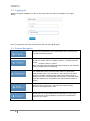
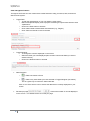
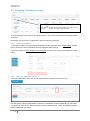
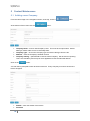
ProTrack v3.5.1 September 2014 4 Project Maintenance & Follow Up 4.1 Creating a Project On the Projects page click on the screen. button. This can be found at the bottom of the The screen is broken down into four sections. Please note fields followed by an asterisk (*) are mandatory. Section 1 – Project detail Project name – enter the name of your project. This must be a unique name. Region – defaults to your assigned region. Project date – enter / confirm the project date. Follow up – enter / confirm the follow up date. This will default to today’s date + 7 calendar days. Main items – enter the main items, product groups for this project Forecasted – if the probability of winning this project is in excess of 80% you can click the Forecasted option and enter the % likelihood of winning. Section 2 – Order Detail Quote number – enter the quote number from Project Manager Quote value – enter the value of the project Spec – mark if the project is to be specified. Spec Value – if the project is specified you must enter the specified value 11