1
Table of Contents
Table of Contents ................................................................................................................................ 1
Preface .................................................................................................................................................... 3
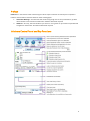
Infoshare Control Panel and Key Functions ............................................................................................ 3
1.
Setting up Infoshare ........................................................................................................................ 4
1.1
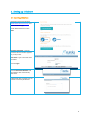
Installing Infoshare.................................................................................................................. 4
1.2
Launching Infoshare ................................................................................................................ 5
2.
Hosting an Interactive Meeting (Unscheduled) .............................................................................. 6
3.
Hosting a Webinar (Unscheduled) .................................................................................................. 7
4.
Joining the Web Conference as a Guest ......................................................................................... 8
5.
4.1
Joining a Web Meeting from your email................................................................................. 8
4.2
Joining a Web Meeting from the website ............................................................................... 8
Audio Connection............................................................................................................................ 9
5.1
Using Telephone ..................................................................................................................... 9
5.2 Using Computer Audio .................................................................................................................. 9
Use Computer Audio ........................................................................ Error! Bookmark not defined.
Choose Use Mic & Speakers............................................................................................................ 9
Managing Sound Levels .................................................................................................................. 9
Automatic Push-to-Talk function .................................................................................................. 10
Host muting individual lines.......................................................................................................... 10
Host muting all lines ...................................................................................................................... 10
Guest Mute ................................................................................................................................... 10
6.
Screen Sharing and Meeting Controls .......................................................................................... 11
6.1
Starting Screen Sharing ......................................................................................................... 11
Sharing your screen ...................................................................................................................... 11
Pausing screen sharing .................................................................................................................. 11
Changing the application shown on screen .................................................................................. 11
7.
6.2
Sharing Applications.............................................................................................................. 11
6.3
Changing Presenter ............................................................................................................... 11
6.4
Changing Controller .............................................................................................................. 12
Tools for Running a Successful Meeting ....................................................................................... 13
7.1
On-Screen Communication Tools ......................................................................................... 13
Using the Chat Feature ................................................................................................................. 13
7.2
Annotation Tools ................................................................................................................... 13
Using Annotation .......................................................................................................................... 13
Using Whiteboard ......................................................................................................................... 13
1