1
iVMS-4500(Windows Mobile) Mobile Client Software
Chapter 2 Install & Uninstall
2.1 Install the Software
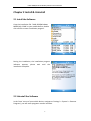
Copy the installation file ‘iVMS-4500(Windows
Mobile)V1.0.CAB’ to your mobile device, double
click cab file to enter installation progress.
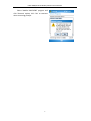
During the installation, the installation progress
indicator appears, please wait until the
installation complete.
2.2 Uninstall the Software
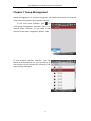
In the ‘Start’ menu of your mobile device, navigate to ‘Settings’-> ‘System’-> ‘Remove
Programs’, you will enter programs remove interface.
4