1
Page: 8
FinsGateway Modem Module User’s Manual
4 Operation
Register a telephone number to identify each destination modem and PLC.
4 – 1 Registering Telephone Numbers
1. FgwTapiCaller Settings
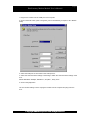
Click on the Start button, point to Programs, point to FinsGateway, and point to FgwTapiCaller.
2. Select Phone Line Type
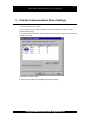
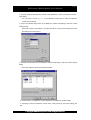
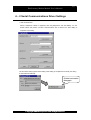
Click on the Dialing Properties button. Select Tone dialing or Pulse dialing in the Dialing
Properties dialog to set the dialing type.
Click the Tone dialing or Pulse
dialing in the Dialing Properties
dialog to select the dialing type.
© Copyright OMRON Corporation 1999 All Rights Reserved